1. Select a VPN service subscription
To get and start using a VPN, you must find a reliable provider and buy a VPN service subscription. The majority of (if not all) trusted VPN providers are subscription based, meaning you’ll have to pay money to access and use a VPN service.
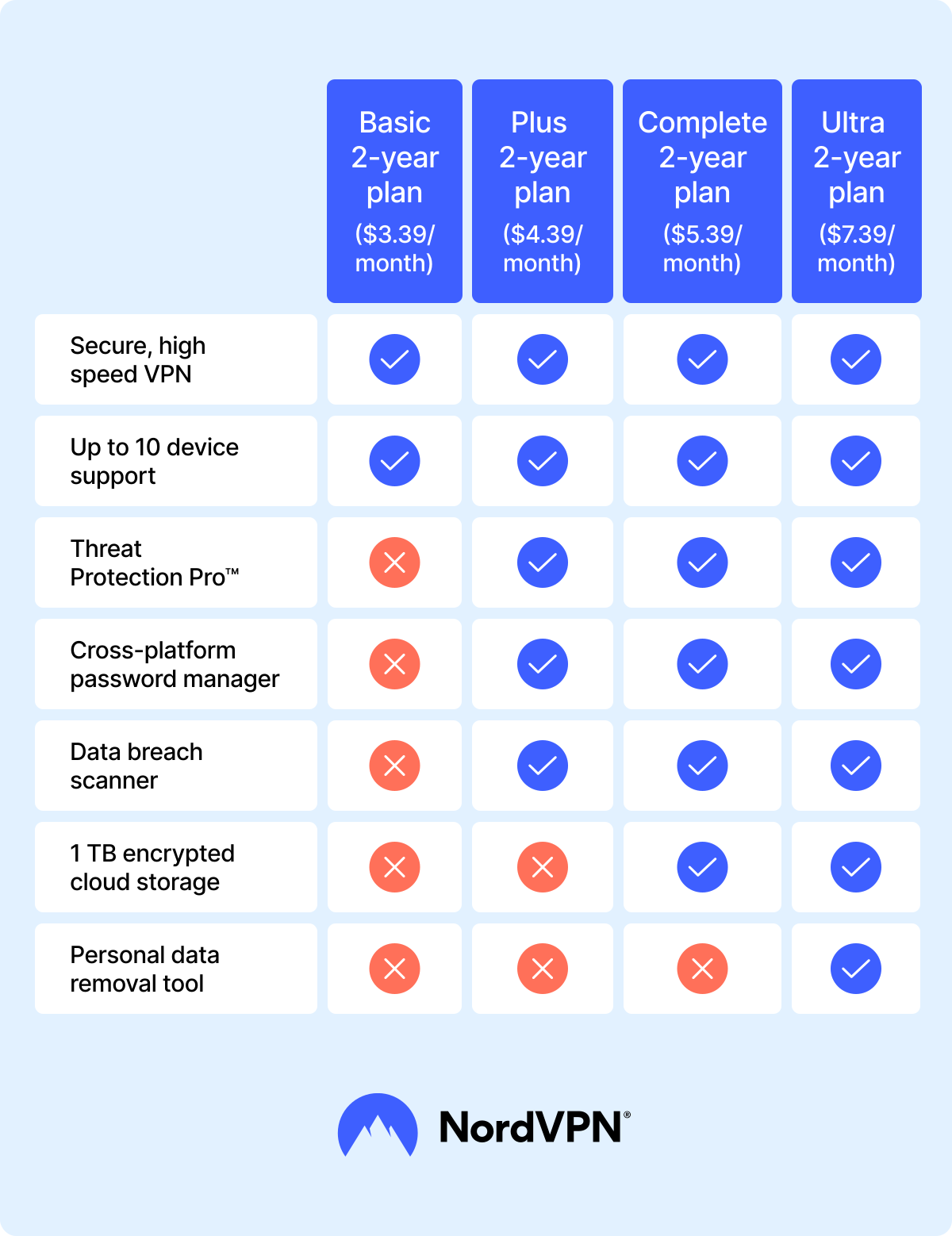
Below you can see the typical pricing and benefits of NordVPN subscription plans.
While searching for a VPN, you might also find some free VPN service options. However, you should be extremely careful with these. Free VPN providers may collect and sell your personal data, be riddled with ads, or in the worst case scenario, contain malware.
That’s why choosing a reliable paid service is your best bet. Besides, some companies like NordVPN often offer exclusive discounts to save you some money while providing all the benefits of a VPN and then some.
2. Download the VPN app
Once you’ve done your research, picked your VPN provider, and got your subscription, all you need to do is download the VPN app, and install it on your device. Most VPN apps, including NordVPN, are available to download on multiple platforms, such as PC (Windows, Mac, Linux), mobile phone, tablet (Android and iOS), or even your router.
3. Set up the VPN
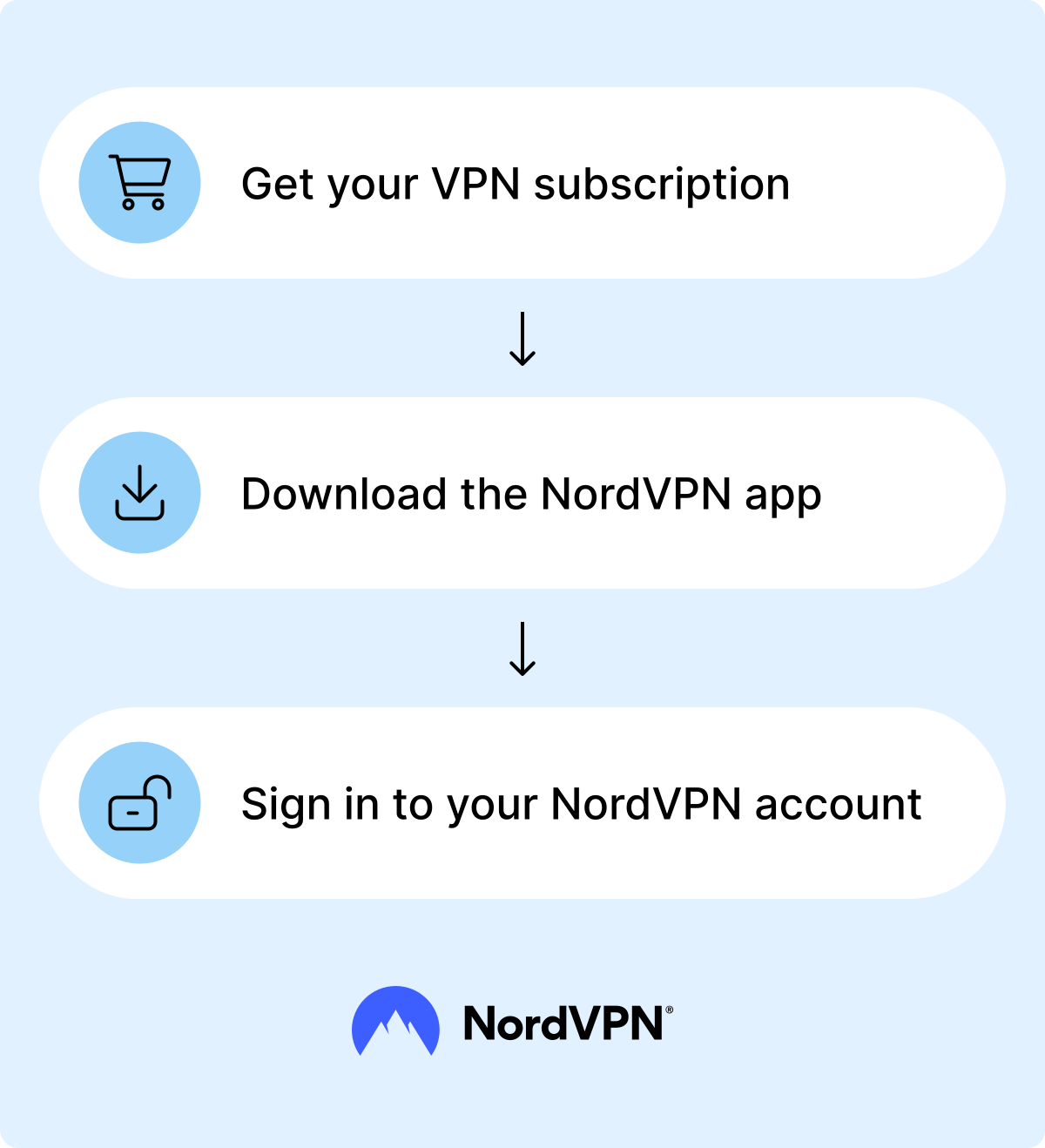
Leading VPN providers offer easy-to-set-up VPN apps that don’t require extensive technological know-how. To set up a VPN, simply install the VPN app, enter your credentials, and you should be all set.
If you’re using NordVPN, you can also go to the app’s settings to turn additional features on or off, like the Kill Switch and switch protocols. For more tips on setting up a VPN, you can check out NordVPN’s blog articles and NordVPN’s Support Center.
4. Connect to a VPN server
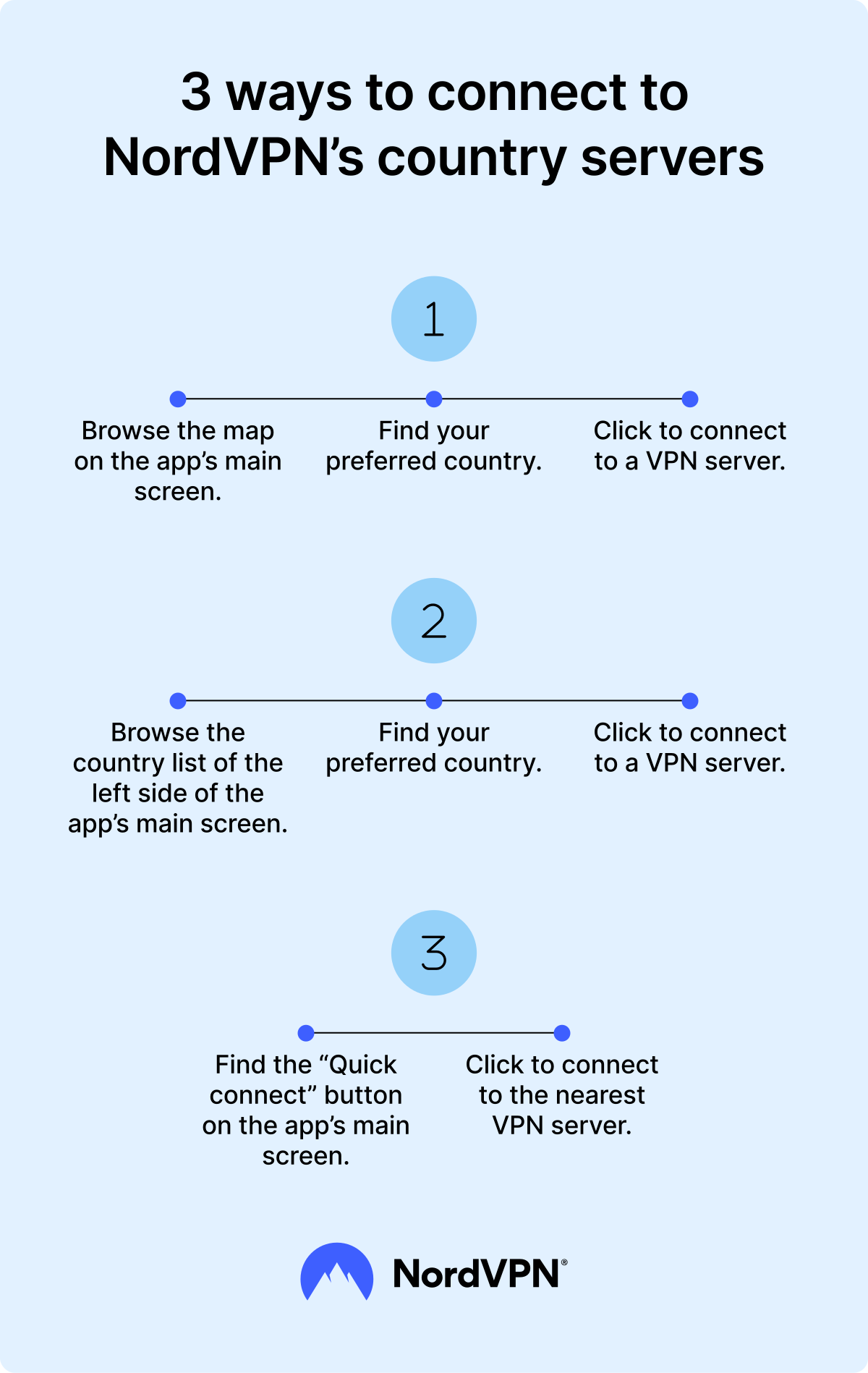
Connecting to a VPN is easy. Simply open your VPN app, navigate to the country servers list, and click on your preferred country to connect to its VPN servers. While these instructions may vary depending on the VPN provider, the overall process should be simple and straightforward.
If you’re using NordVPN, you can just click the “Quick Connect” button, and the app will find and automatically connect to the closest VPN server for you. You can also easily change the VPN location by clicking on a country pin to connect to that particular country or by scrolling down the server list and picking the one you want to connect to.
VPN connection speeds may differ, depending on the server load, its location, and your internet connection. However, with NordVPN, it shouldn’t take longer than a few seconds (1-2 minutes in the worst-case scenario).
For a step-by-step tutorial on how to use a VPN, check out this brief video.
How to use a VPN on different platforms
To use a VPN on different platforms, you just need to install it on your preferred device, buy a subscription, and sign in to your account. If you use NordVPN, you can set it up on Windows, macOS, Linux, iOS, and Android, making it the best VPN to use with numerous devices and operating systems.
Here are detailed instructions on how to download, install, and start using a VPN on each operating system.
How can you get a VPN service on multiple devices?
To get a VPN for multiple devices, all you need to do is get your VPN subscription, download the VPN app on the gadgets (such as computers, smartphones, or smart TVs) you want to use it on, and sign into your account. If you use a NordVPN account you can connect to a VPN on up to ten devices simultaneously.
While the most popular operating systems have dedicated VPN apps, some gadgets might need manual configuration. For NordVPN users, our customer support is ready to offer assistance and answer all VPN-related questions 24/7.
It's possible that some of the VPN's features might vary across different platforms. However, the basic principles of the VPN service remain the same — giving users high-speed security and enhanced privacy. When it comes to NordVPN, the service supports eight different platforms, providing a safer internet connection to users regardless of whether they use it on their computer, smartphone, or console. If you're looking for a VPN for a smart TV, NordVPN offers dedicated support to ensure secure streaming and enhanced privacy protection on your home entertainment system.
NordVPN supports 8 different platforms and can be configured for even more. You can’t go wrong.
How to secure your online traffic by using NordVPN
- 1.
Get NordVPN and set up your account.
- 2.
Connect to a VPN server in the country of your choice.
- 3.
Browse safer, shop cheaper, and access subscribed content while traveling without any hassle.
30-day money-back guarantee
Is using a VPN difficult?
No, using a VPN is not difficult at all. Most VPN apps have simple and intuitive interfaces, making the use of VPN as seamless as checking your email. For example, using NordVPN takes so little effort, you could easily nickname it the “easy VPN” for its simple and convenient design. All you’ll need to do is open the app, find the “Quick connect” button, and click on it. Or, if you want to connect to the specific country server, find the country on the app’s map menu (can’t miss it) and click on it. You can also use the country list on the left sidebar right next to the map.
Being an easy to use VPN is not even the best benefit NordVPN has to offer, though. The service also provides advanced security features through Threat Protection Pro™ — a tool that includes benefits such as a malicious website blocker, malware scanner, URL cleaner, scam and fraud alert, and cloud-based threat scanner.
How can I test if my VPN is working?
Checking whether your VPN is working is crucial when safeguarding your online presence. It removes any doubts on whether the VPN is doing its job and provides peace of mind when browsing the web (provided, the VPN is turned on and operational, of course). To test if your VPN is working, you can simply run a VPN test or follow these simple steps:
- Check your VPN status. Open your VPN app and look for the VPN status icon. If your VPN is working, you should see a “Connected” status written on your app’s screen.
- Check your IP address. Look up your IP address, then connect to a VPN server and check it again. If it’s different from before, your VPN is working.
- Check for DNS leaks. Domain name system (DNS) leaks can happen if a VPN fails to encipher your DNS traffic. To check whether that’s the case, run a DNS leak test.
- Check for WebRTC leaks. The Web Real-Time Communication (WebRTC) protocol is a built-in feature for real-time communication in every browser. Checking it for leaks can also show if your VPN is working.
Why should everyone consider using a VPN?
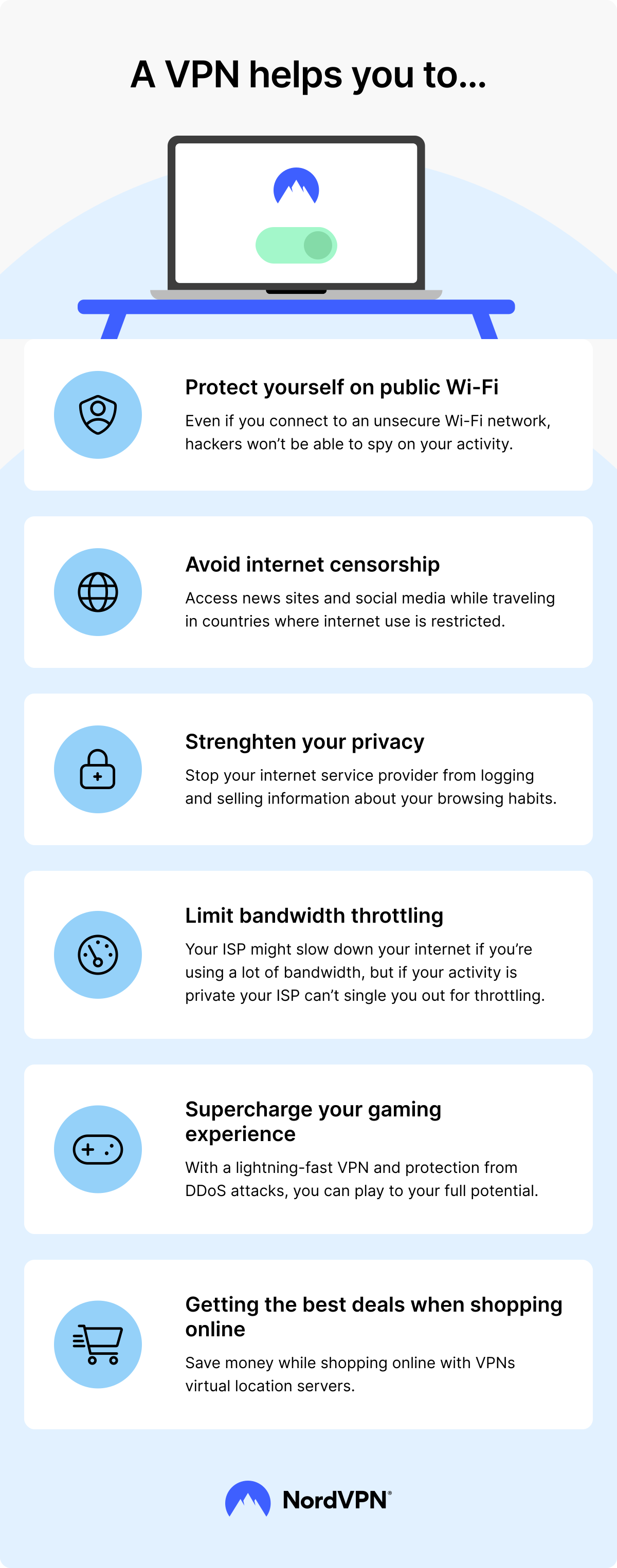
Internet service provider (ISP) monitoring, unsafe public Wi-Fi, and the constant threat of malware infections are just a few reasons why you should use a VPN. Among the many ways to use a VPN, VPNs such as NordVPN can help you improve online safety when abroad, mitigate the risk of accidentally downloading malware or visiting dangerous websites, and even get cheaper deals.
The most critical times to use a VPN emerge when dealing with sensitive information and freedom of speech. Whistleblowers, journalists in censorship-prone countries, and political refugees may need a VPN to access information or protect their online identity from potential snoopers. Along with these benefits of using a VPN, here are some more reasons why everyone can benefit from using it.
Securely using public Wi-Fi
Connecting to an unprotected public Wi-Fi is the cybersecurity equivalent of jumping into the Amazon River without properly scouting the surrounding area. Malicious actors may be quietly lurking like predators in the public Wi-Fi servers, just waiting for someone to check their social media or send a WhatsApp message. Once they intercept your online traffic, hackers can access your online accounts, launch phishing attacks, or sell your data to the highest bidder.
Using a VPN when connecting to public Wi-Fi encrypts your web traffic, making it unreadable to threat actors. It’s a simple yet effective way to safeguard yourself when browsing the internet when using a public Wi-Fi or any other connection method.
Protecting your identity
Your device’s IP address is how the internet recognizes and connects you to information (like a website you’re trying to visit). But your IP address can also be used to find out who you are, down to the town or city you live in. And it’s only the tip of the iceberg, compared to what a hacker could do with your IP address. VPN usage allows users to mask their IP address providing more privacy online and safeguarding against malicious actors.
Getting the best deals when shopping online
Some online shops may adjust their pricing depending on your virtual location (IP address). Using a virtual private network allows you to hop between the servers, potentially resulting in better shopping deals. It will not only save you money but can also help to protect your data while you shop. So if you’re still wondering whether you need a VPN, you now have at least three reasons to consider getting it.
What are the best VPN protocols to use?
The list of VPN protocols is long and extensive. Each of them offers particular benefits, tailored to specific needs — for example, some may focus more on encryption, while others fixate on speedy connections. Here’s the list of the most common VPN protocols.
- OpenVPN. By far one of the most popular VPN protocols. Highly secure and versatile, OpenVPN is available in NordVPN and many other VPN apps.
- IKEv2/IPsec. Developed by Microsoft and Cisco, IKEv2/IPsec is great for mobile phones, because it doesn’t lose its VPN connection when switching from Wi-Fi to mobile data.
- Wireguard VPN. Stable, reliable, and fast, the WireGuard VPN protocol’s encryption rivals OpenVPN and IKEv2/IPsec. Widely applied by most VPN providers, this protocol is highly secure, efficient, and resource friendly. However, it does lack advanced configuration options and doesn’t support older devices.
- SSTP. Another Microsoft creation, the SSTP is great at bypassing firewalls. However, while secure and available on various platforms (such as Android or Linux), it’s not as fast as Open VPN or Wireguard. Moreover, due to Microsoft’s ownership and company’s history of collaborating with government surveillance programmes, the SSTP is often absent from VPN provider protocol lists.
- L2TP. The L2TP is a VPN tunneling (rather than encryption) protocol. That means, it only establishes a connection between the user and a VPN server, which is why it relies on the IPsec protocol to encrypt online traffic and keep it secure in transit (forming a L2TP/IPsec protocol). While secure and widely available, L2TP/IPsec is quite slow and struggles with firewalls, making it fit for older systems, rather than modern networks.
- PPTP VPN. The PPTP VPN is the first ever widely available VPN protocol, created in 1999. While still fast and widely compatible, this protocol, however, is obsolete, highly unsecure, and useless against firewalls. VPN providers avoid using this protocol.
- NordWhisper. Customized by NordVPN, NordWhisper is a VPN protocol that blends in with regular web traffic, making it harder to detect. NordWhisper is secure and works well in restrictive networks. However, because of the technology it uses, this protocol might be slightly slower than other options on this list.
Along with VPN protocols, some VPNs also include additional features that may improve your online safety. And when it comes to online security, few providers offer as many benefits as NordVPN.
What are the best features of NordVPN?
If you’re using NordVPN, you’ll get access to robust security and privacy features that’ll leave you wondering why you didn’t use a VPN before. From specific server locations and types to benefits such as Threat Protection Pro™ here are some of the best NordVPN features.
1. VPN server locations
NordVPN offers more than 8,900 VPN servers covering 129 countries. Depending on your needs, you can choose a VPN server in a specific location or connect to the fastest one and change your IP address in a snap, from the UK to Canada and Australia.
UK VPN servers
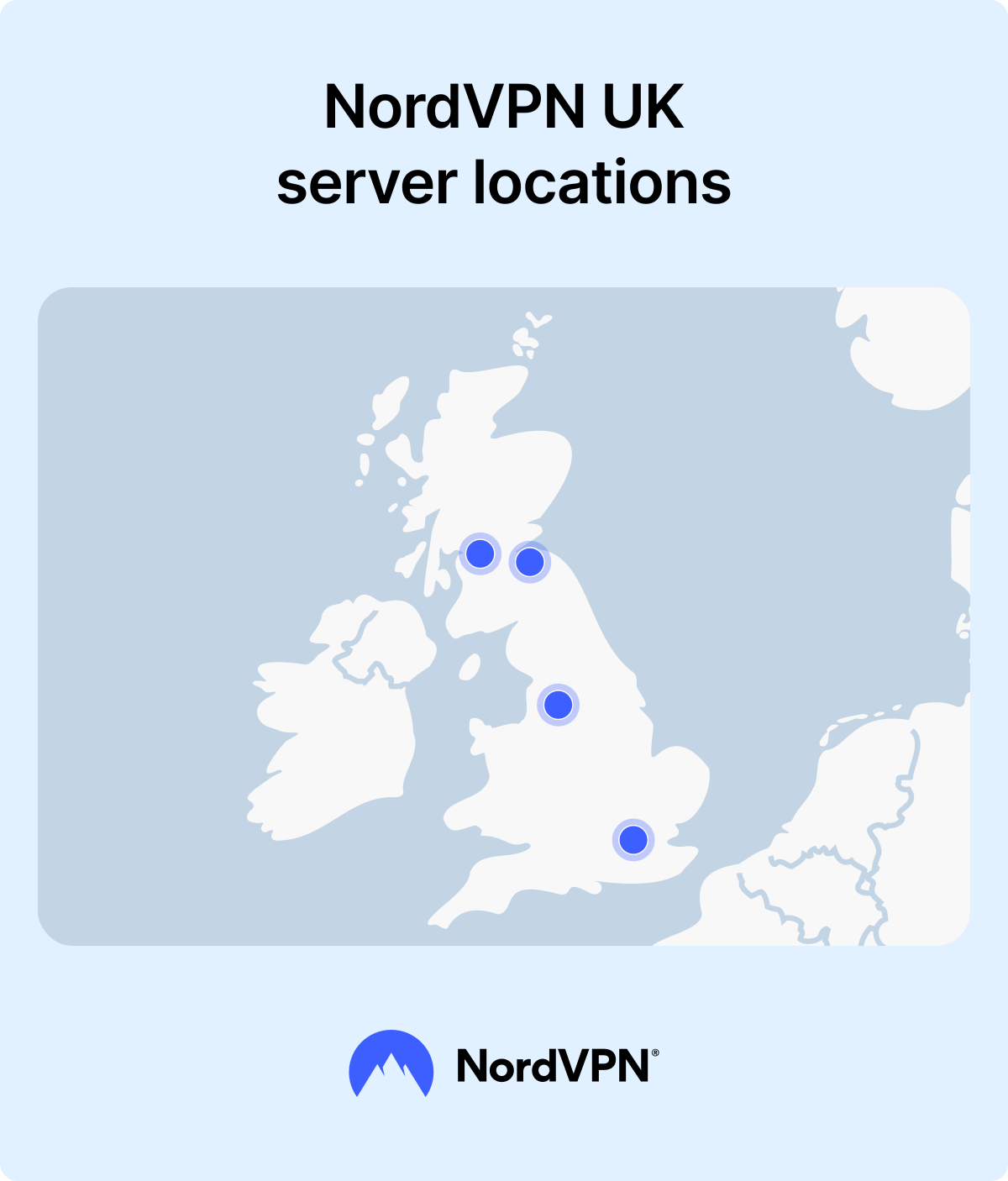
If you’re looking for a UK VPN server, NordVPN has more than 900 options in places like London, Manchester, and Glasgow. With NordVPN's UK servers you can improve your privacy, avoid tracking, or access subscribed UK content in a matter of seconds. They’re fast, secure, and reliable in keeping your connection protected.
Canada VPN servers
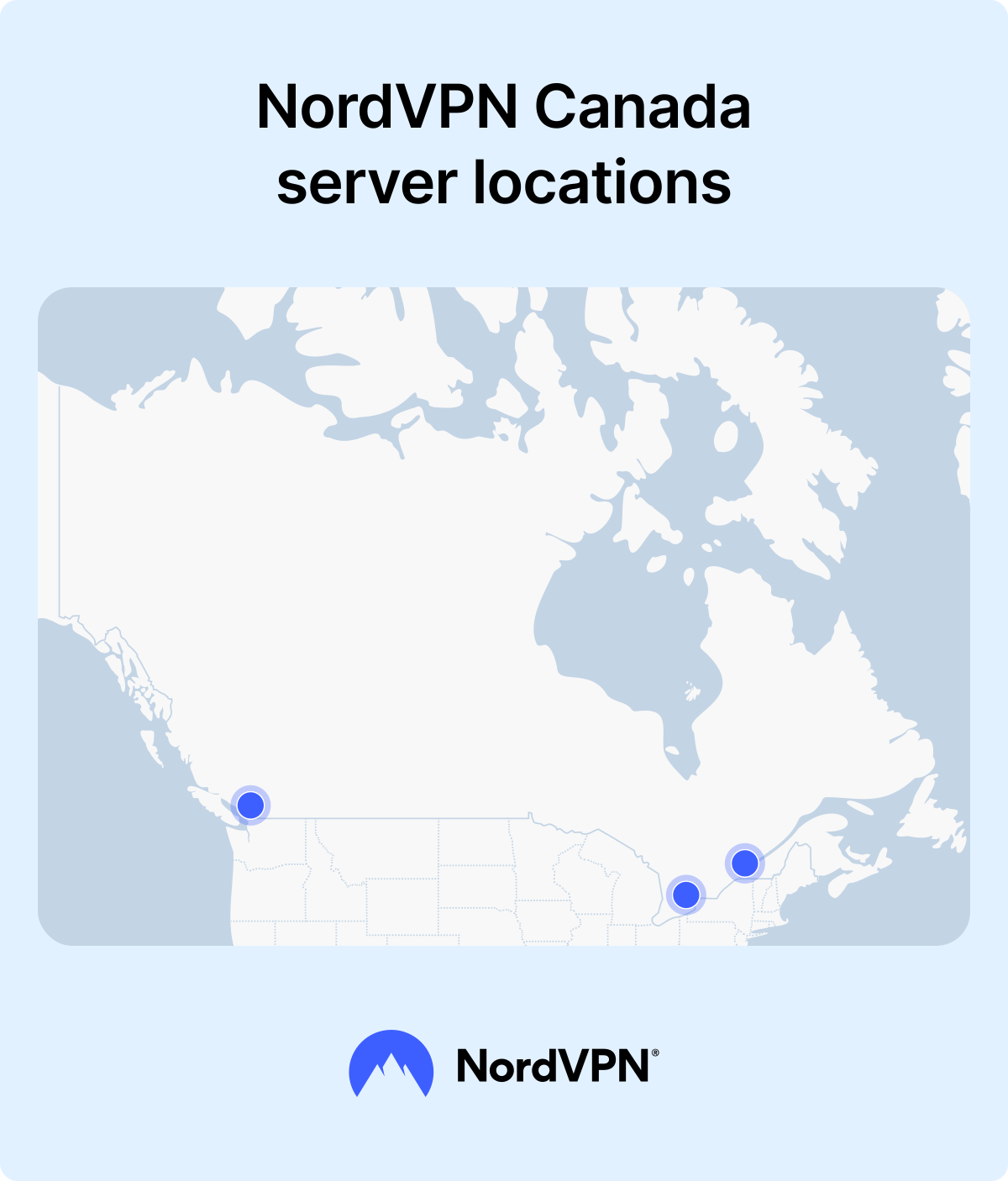
If you’re after a Canada VPN server, your NordVPN provides plenty of options, such as Toronto, Vancouver, and Montreal servers. They’re quick, secure, and dependable for keeping your connection safe, so you won’t have any trouble while accessing subscribed content, checking for lower prices, or just keeping your connection secure.
Australia VPN servers
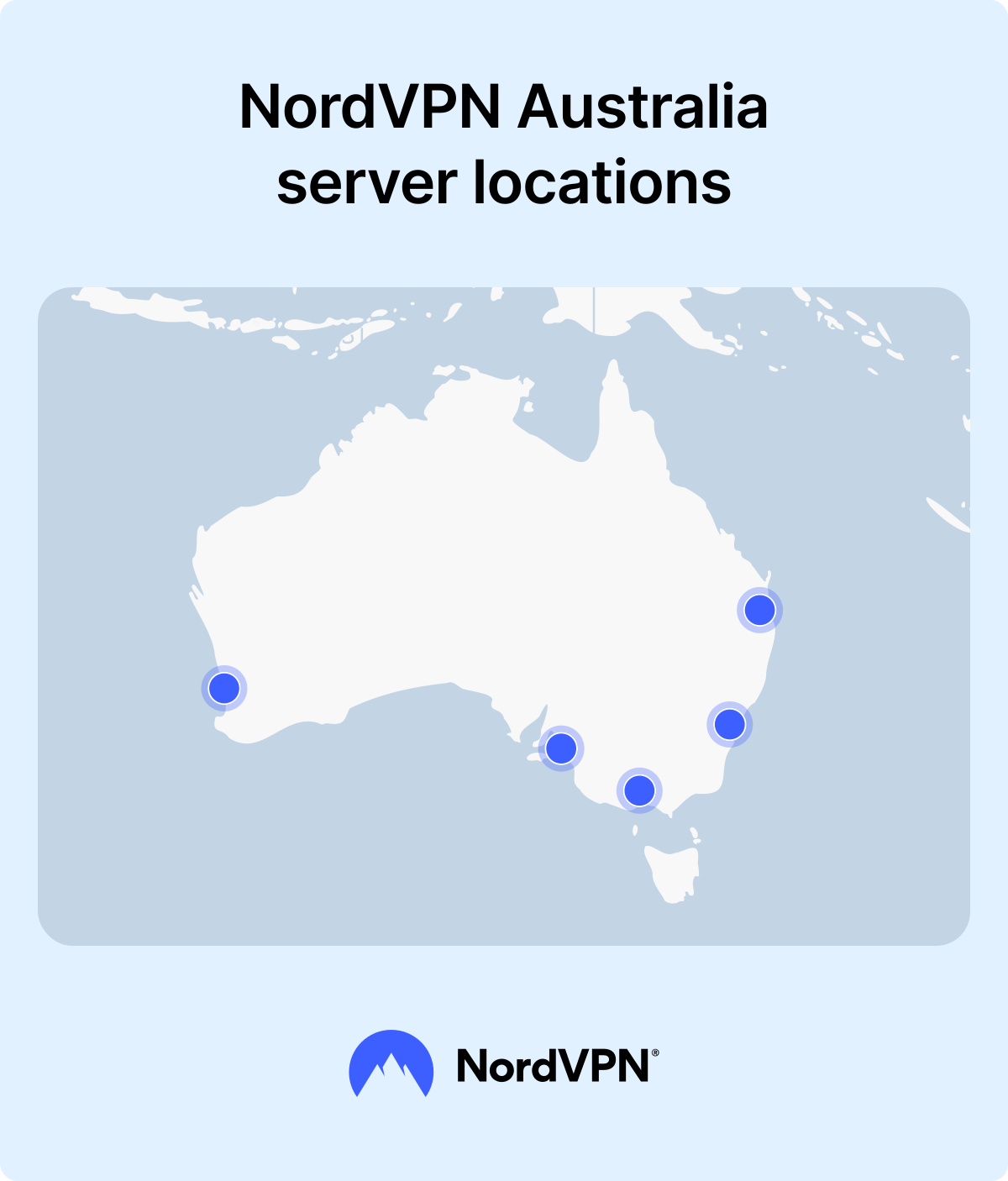
If you need an Australia VPN server, check out NordVPN’s options for Sydney, Melbourne, and Perth. These servers help boost your privacy, block tracking, or access subscribed Australian content from anywhere. They’re fast, secure, and a solid choice to keep your connection safe.
2. Kill Switch
If something happens to your VPN connection, VPN kill switch feature cuts you off from the internet. This guarantees that no unencrypted traffic will leave your device. You can also select the apps that you want to stop when your VPN disconnects.
3. Threat Protection Pro™
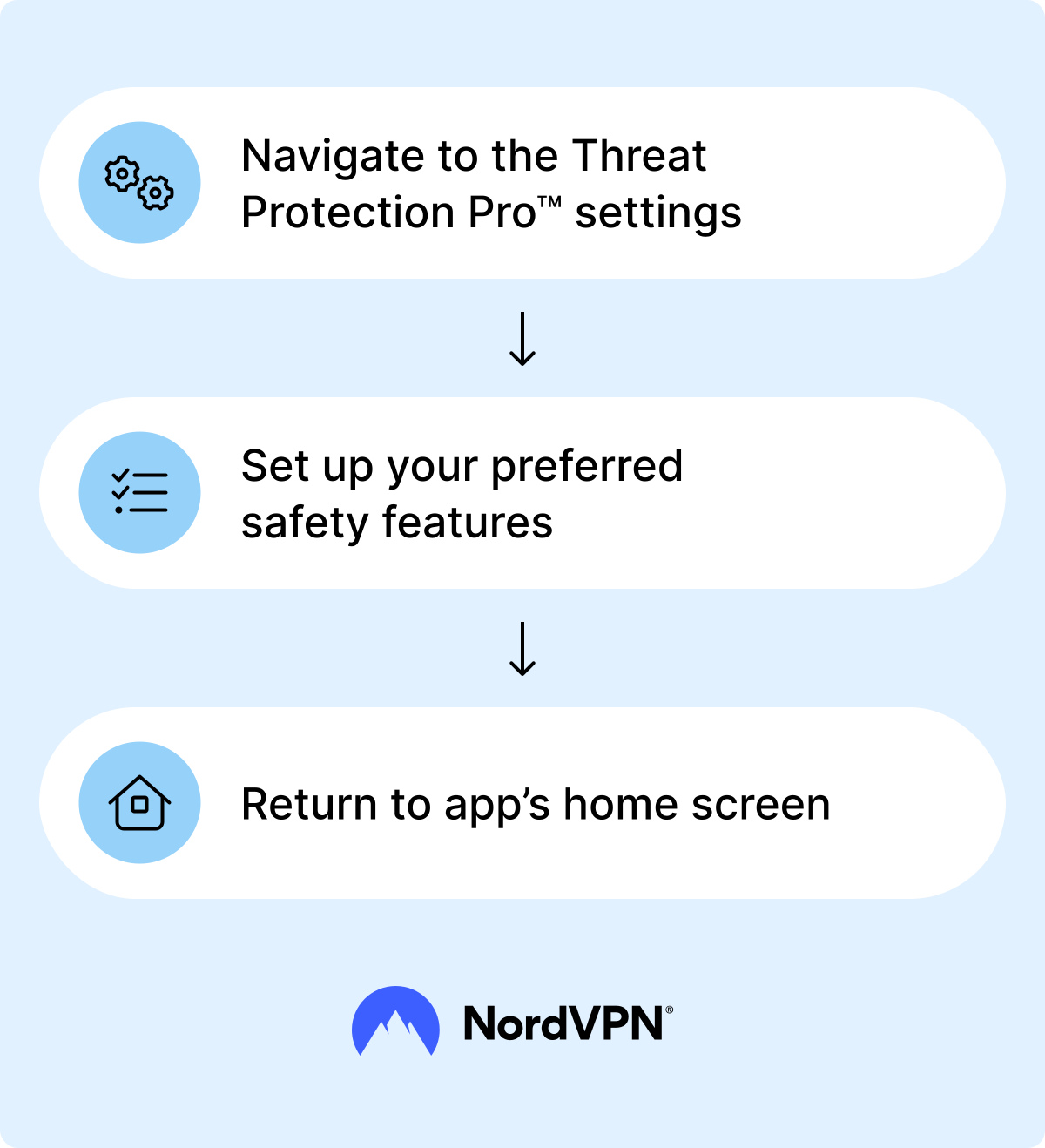
Threat Protection Pro™ is an exclusive NordVPN feature that blocks websites known for malware and phishing scams. Once you download the app and sign up for a plan with this feature included, just click the Threat Protection Pro™ tab (a shield icon with a lightning sign in the middle). Once there, set up your preferred settings to protect you from malware and help with ad blocking.
4. Specialized servers
NordVPN also offers specialized servers, designed for individual needs, particularly:
- Double VPN. Double VPN feature offers extra security by redirecting your traffic through two servers instead of one for double encryption. It’s a valuable addition to those looking to enhance their online security while browsing, shopping online, or accessing their subscribed content.
- Obfuscated servers. Additionally, you can use NordVPN’s obfuscated servers. These can prevent ISPs from knowing whether you’re actually using a VPN or not. It takes only one click to connect to the fastest specialty server or to choose a server from a certain location and start using a VPN.
Remember that free VPNs don’t offer the same features, services, and quality standards as a premium service like NordVPN. Companies that don’t charge up front are likely to log and sell your data to make a profit, and won’t provide the levels of security and privacy you need.
If you want to know more about VPNs, checking other NordVPN articles or our VPN for dummies guide may include additional information and answers to some of the most frequently asked questions.
Online security starts with a click.
Stay safe with the world’s leading VPN