What does a VPN hide?
When you connect to a VPN, or virtual private network, your IP address changes, and your internet traffic is encrypted. The VPN creates a protected connection between your device and the VPN server — that’s where the name “virtual private network” comes from.
Changing your IP also changes the virtual location associated with you online: If you’re using the internet in Australia but connect to a VPN server in the US, you’ll appear online with an American IP address. Meanwhile, encryption scrambles your internet traffic, making it look like gibberish to anyone who tries to read it. If you’re using a trustworthy VPN service, your browsing activities become unreadable to snoopers.
However, this doesn’t mean you’re completely untraceable online when you use a VPN. Internet service providers (ISPs) and websites can determine whether you’re using a VPN. Your ISP won’t see the contents of your VPN-protected browsing, but ISPs and some websites may still be able to tell that your connection comes from a VPN server. So how can a VPN be traced?
A VPN hides some important details about your connection, but it can’t hide everything you do online. The table below shows what a VPN can protect — and what you still need to manage yourself.
| A VPN can hide | A VPN cannot hide |
|---|---|
Your real IP address from websites and online services | Information you voluntarily share online |
Your approximate virtual location by replacing it with the VPN server location | Your identity when you log in to accounts such as Google, Facebook, or Amazon |
Your browsing activity from the ISP | Cookies stored in your browser |
The contents of your internet traffic from ISPs, public Wi-Fi snoopers, and other network-level observers | Information accessed by malware, spyware, or stalkerware already installed on your device |
DNS requests, if the VPN includes DNS leak protection | Browser fingerprints, such as your browser settings, extensions, screen size, and device details |
Your IP address from advertisers and trackers that rely on IP-based identification | The fact that you are using a VPN (in many cases) |
Who can track me online?
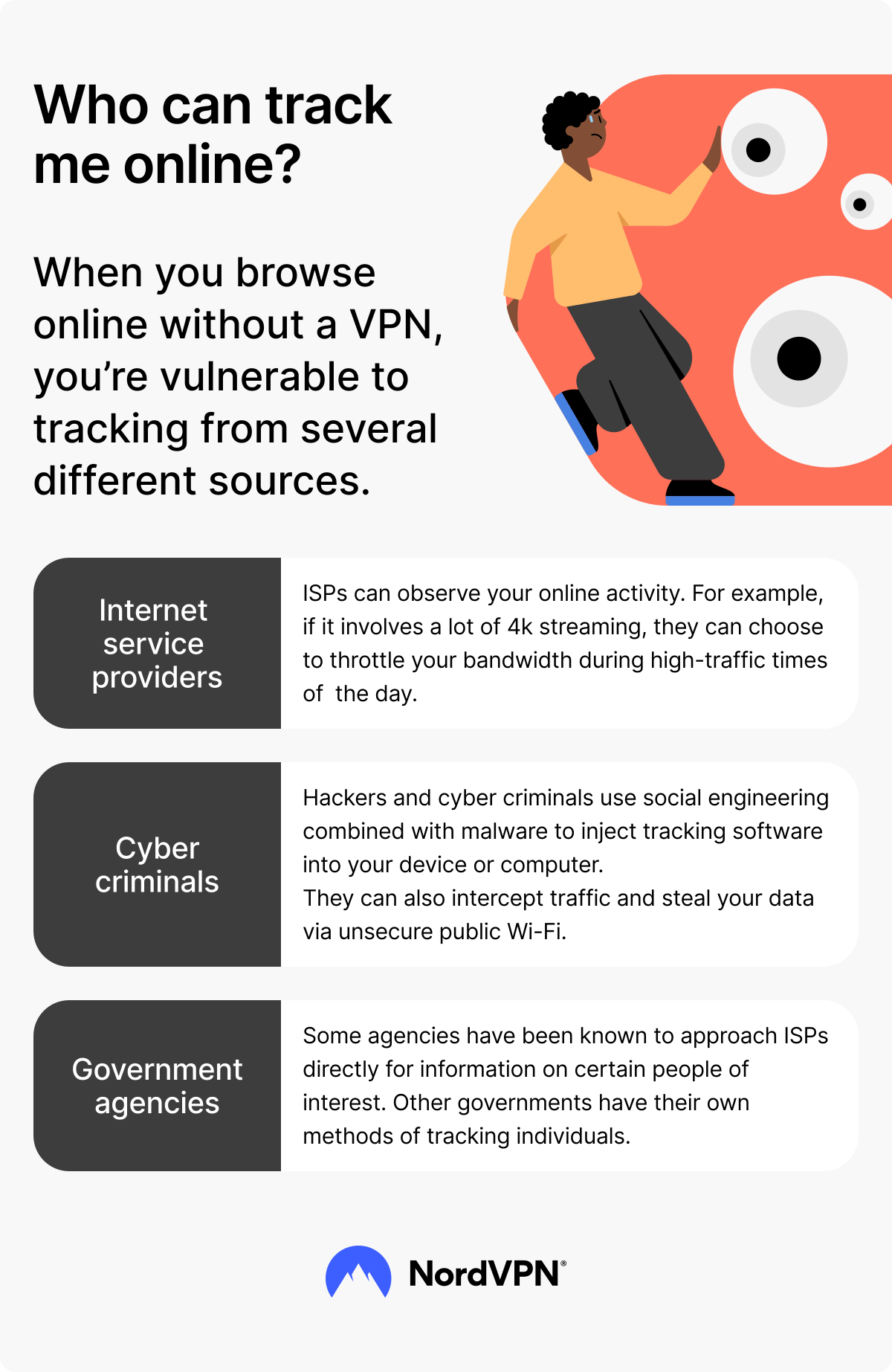
Several parties can track you online in different ways:
- Internet service providers. ISPs can usually see what websites you visit and even curb your traffic. However, a VPN changes the IP address your ISP sees and encrypts your traffic, making your browsing activity much harder for the ISP to monitor.
- Government and law enforcement agencies. They can approach ISPs or online service providers to obtain data about you. They may also use other tracking methods, depending on the situation and applicable laws.
- Websites and apps. Websites and apps can track you through cookies, account logins, device permissions, browser fingerprinting, and other identifiers. A VPN changes the IP address they see, but it doesn’t stop account-based tracking.
- Advertisers and data brokers. Advertisers can use cookies, tracking pixels, browser data, and app identifiers to build profiles about your activity. A VPN can reduce IP-based tracking, but it doesn’t remove existing cookies.
- Cybercriminals. They can track you and steal your data by intercepting your traffic via public Wi-Fi, using phishing pages, or infecting your device with malware. A VPN helps protect the contents of your traffic from people snooping on unsafe Wi-Fi networks.
Can I be tracked if I use a VPN?
Yes, you can still be tracked in some ways if you use a VPN. A reliable VPN encrypts online traffic and secures your IP address by routing your activity through a VPN server. Even if someone intercepted your traffic, they would only see scrambled, unreadable data.
However, a VPN doesn’t make you completely anonymous. These tracking methods can still link your activity to you, even when you use a VPN:
- Cookies. Tracking cookies are small files stored on your device or browser when you visit a website. Third-party cookies are usually used for advertising and can track you across different platforms.
- Browser fingerprinting. Your browser can reveal details such as extensions, screen resolution, and operating system. This data can form a unique identifier. It may not reveal your name on its own, but it can help websites recognize the same browser across sessions.
- WebRTC leaks. WebRTC supports real-time browser communication, such as video and voice calls. If your browser or VPN doesn’t protect against WebRTC leaks, websites may see your real IP address.
- Malware or spyware. If you accidentally download malicious software, it can track your online behavior and steal sensitive information directly from your device. Stalkerware can also be installed by someone you trust.
- Doxxing. If your name, email address, phone number, photos, usernames, or location details are exposed online, someone may connect that information to your activity. A VPN can’t remove already public information.
- Data-collecting websites and services. Most services collect data or track behavior in one way or another. Social media and search websites such as Google or Facebook contain a lot of information about you and your online habits.
Can you be tracked if you use a free VPN?
Yes, your online activity can be tracked if you use a free VPN, especially if the provider keeps connection logs or shares data with third parties. When choosing between free and paid VPN services, check how each provider handles your data.
Free VPNs need to generate revenue somehow, and some do so through ads, data caps, or connection logs. These logs may include your IP address, the IP address of the website you’re trying to visit, the connection time, and the amount of data transferred.
Online security starts with a click.
Stay safe with the world’s leading VPN
Can you be tracked if you use a VPN and it disconnects?
Yes, your connection can be exposed if your VPN disconnects, because your online traffic may stop being routed through the VPN server. Your ISP may be able to see the websites or services you connect to and other connection details, especially if your traffic is no longer protected by the VPN tunnel. A kill switch can help by blocking internet access on the affected device or app if the VPN connection drops.
DNS leaks can also reveal browsing-related data. DNS requests help your browser find websites you visit, so if those requests travel outside the VPN tunnel, they may expose some of your browsing activity. NordVPN helps prevent DNS leaks by routing DNS requests through its own DNS servers by default.
Can the government track you if you’re using a VPN?
Yes, government or law enforcement agencies may still be able to investigate online activity linked to VPN use, depending on the situation, available data, and applicable laws. A VPN encrypts the traffic between your device and the VPN server and changes the IP address websites see, but VPN providers may still process limited customer information, such as payment details and registered email addresses.
For example, government or law enforcement agencies may gather information from a variety of sources, including account information, website logs, ISP data, payment records, and device forensics. Depending on applicable laws and the legal process, they may also request information from VPN providers.
Governments can also determine whether someone is using a VPN service. For example, some restrictive networks use deep packet inspection — a method that looks for patterns linked to VPN traffic — to recognize or block VPN connections. If you plan to travel to a country where VPN use may be restricted, check the local rules before connecting.
Can a VPN provider track you?
A VPN provider can technically track your activity if it keeps logs. Because your connection passes through the VPN provider’s servers, the provider could log data such as your real IP address, connection times, DNS queries, or websites visited.
That’s why it’s important to choose a VPN with a no-logs policy. A no-logs policy means the provider doesn’t store your online activity, so it shouldn’t have browsing logs to share, sell, or expose.
NordVPN has a no-logs policy that has been independently verified. You can read more in the NordVPN no-logs report.
Can Google track me if I use a VPN?
Yes, Google can link your online activity to you if you browse the internet while signed in to your Google account. Since a VPN changes your virtual location, it might look like you’re browsing from a different region, but Google can still link the activity to your account.
Let’s say you log in to your account when you’re connected to a VPN server. You go to YouTube and watch some adorable puppy videos. The next time you go to the website while not connected to a VPN, you may still see cute dogs in your suggestions.
Google can also track you through other methods. For example, cookies and browser fingerprinting can also trace your activities back to your account. However, you can minimize tracking by using privacy-oriented browsers and cookie blockers.
Can an employer track me while I’m on a VPN?
A commercial VPN can encrypt your browsing traffic against network-level monitoring, but it may not stop tracking on a managed work device. Business VPNs work differently — if you're connected to one provided by your employer, they can likely monitor your activity.
But let’s say you use a commercial VPN. If your workplace monitors employee behavior, a VPN might not be enough to shield you entirely from those watching. To see more than the encrypted VPN connection, your employer could install monitoring software on your work device. For example, if your company has installed keyloggers directly onto your computer, your employer would still be able to see what websites you visit.
Check out our brief video on this topic below.
How can you tell if someone is using a VPN?
Certain technical signals can make VPN use detectable. With a VPN, traffic routed through the VPN appears to come from the VPN server’s IP address.
Without a VPN, connections usually go directly to the websites and services the person visits. You can also compare the VPN-assigned IP address with databases of known VPN server IPs.
PRO TIP
NordVPN’s obfuscated servers can make VPN traffic harder to identify by concealing VPN metadata.
How to check if your VPN is working
You can perform a simple VPN test to check whether your VPN is working by comparing your real IP address with the IP address shown after you connect to a VPN server. Here’s how:
- 1. Note down your real IP address, which our IP lookup tool or My Location tool will instantly show you.
- 2. Turn your VPN on.
- 3. Review your IP address with our IP lookup tool. It should now show a different IP address and the country your VPN is connected to.
Connect to NordVPN and use the built-in leak protection to reduce the risk of exposing your real IP address. Its Dark Web Monitor can notify you if information associated with your email address appears on the dark web.
How can your VPN be traced?
Reliable VPNs can change your IP address, but websites may still recognize you through account logins, cookies, browser fingerprinting, or other identifiers:
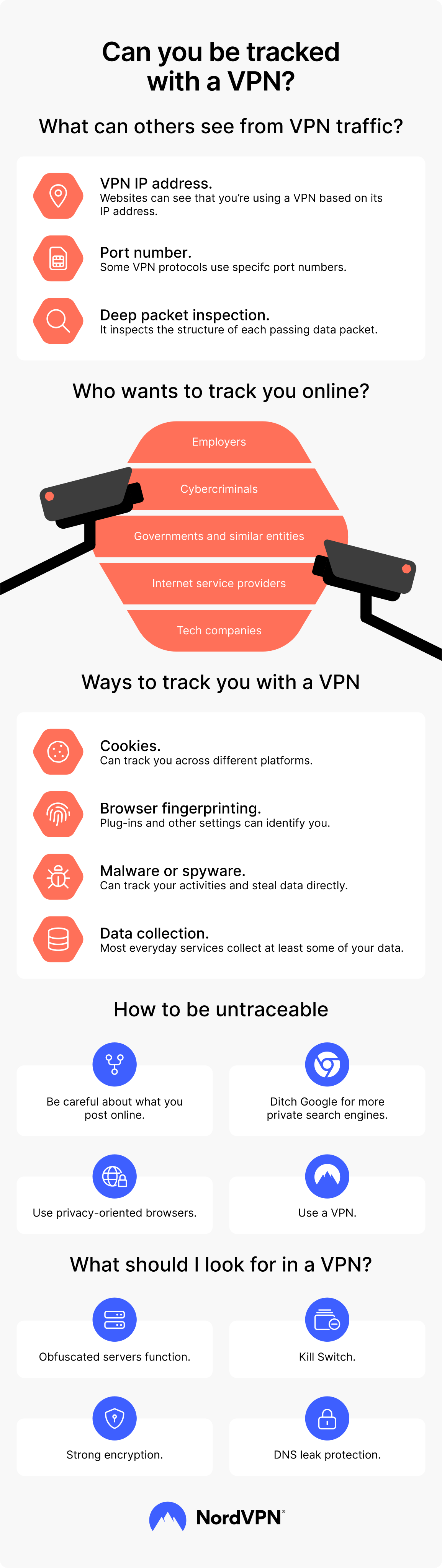
- VPN IP address. Websites and detection tools can often recognize VPN server IP addresses because some databases track whether an IP belongs to a particular VPN provider. When you access a website with a VPN on, the site may detect from your IP address that you’re using a VPN. However, this doesn’t mean the website will know the identity of the person behind the IP address — just that they are using a VPN.
- Port number. Some VPN protocols use specific port numbers to establish a connection. For example, OpenVPN (UDP) usually uses port number 1194, while OpenVPN (TCP) typically uses 443. Because these ports are associated with certain VPN protocols, they may give observers clues about the type of VPN connection you’re using.
- Deep packet inspection. DPI checks data packets as they pass through a network. It has many useful applications, like blocking spam or malware. However, it can also be used to identify VPN traffic. This is what the government of China uses to block VPNs.
How can I reduce online tracking?
Staying completely anonymous online is virtually impossible. However, you can still minimize your digital footprint:
- Use a more private search engine to reduce search-based tracking.
- Try a privacy-focused browser to limit cookies, trackers, and fingerprinting.
- Use a VPN to hide your real IP address and protect your traffic on unsafe networks.
- Clear cookies regularly to remove stored trackers from your browser.
- Keep your operating system and apps updated to reduce security weaknesses.
- Use disposable email addresses when you don’t want a service linked to your main inbox.
- Use strong, unique passwords to protect accounts that contain personal data.
- Use encrypted messaging apps to better protect private conversations.
If you choose a VPN service carefully, it can still help protect your traffic from ISPs, unsafe public Wi-Fi networks, and some forms of network-level monitoring. NordVPN includes features such as leak protection, Kill Switch, and Dark Web Monitor to help reduce specific privacy and security risks across supported devices.
How do I choose a VPN that helps reduce tracking?
A VPN can reduce some types of tracking, but choosing the right provider matters.
Look for VPN features that address common privacy and tracking risks:
- Obfuscated servers. Obfuscated servers make VPN traffic harder to recognize, which can help if you’re in a region or on a network where VPN connections are restricted. They can reduce VPN detection, but they don’t guarantee that every block will be bypassed.
- Kill switch. A kill switch blocks internet access if your VPN connection drops. This reduces the risk of exposing your real IP address or unencrypted traffic by accident.
- Strong encryption. Choose a VPN that uses modern security standards to scramble your traffic, so outsiders can’t easily read what you send or receive.
- DNS leak protection. Choose a VPN with DNS leak protection, which routes DNS queries through the VPN tunnel and reduces the risk of exposing browsing-related data.
Explore NordVPN’s security-oriented VPN features
Online security starts with a click.
Stay safe with the world’s leading VPN
