Apa itu VPN? Arti dan fungsinya
VPN (virtual private network) adalah alat yang membuat terowongan terenkripsi untuk data, melindungi identitas dengan menyembunyikan alamat IP, dan memberi Anda peningkatan keamanan tambahan di semua jaringan. Dengan VPN, Anda bisa melindungi koneksi internet dan meningkatkan privasi online.
Apa fungsi VPN?
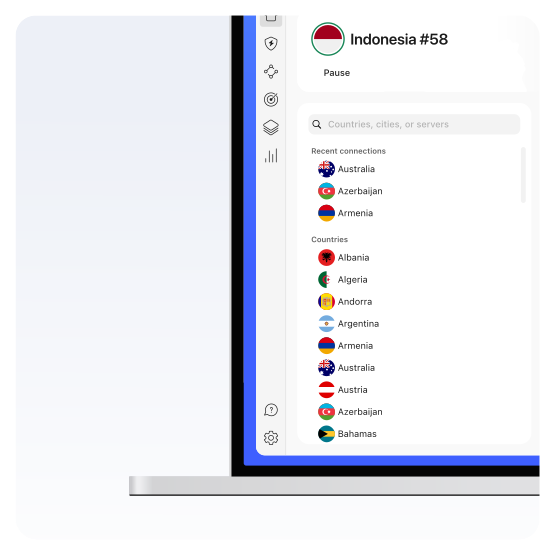
VPN mengalihkan aktivitas Anda melalui server jarak jauh, melakukan enkripsi, dan melindunginya dari pengintip. VPN juga mengubah alamat IP dan lokasi virtual - alamat asli tetap privat dan Anda mendapat alamat IP baru dari server VPN yang terhubung dengan Anda. Ini menjamin keamanan ekstra dan menambah privasi online secara signifikan - tidak ada yang tahu Anda browsing dari kota atau negara mana.
Jika ingin aktivitas browsing Anda tetap privat, mengurangi jejak digital, dan meningkatkan keamanan online, VPN adalah jawaban sempurna. Namun, VPN mungkin tidak diperlukan jika tidak ada kekhawatiran privasi, hanya mengakses situs aman, dan pelacakan pihak ketiga tidak jadi masalah.
Apa kegunaan VPN?
Anda sebaiknya menggunakan VPN saat browsing, streaming, bermain game, maupun berbelanja. Mengapa? Karena saat ini setiap klik di internet direkam - dan tidak ada yang suka diawasi atau dilacak, bahkan saat tidak ada yang perlu disembunyikan.
Mengapa Memilih NordVPN?
Jika mau mengunduh VPN terbaik di pasaran, cobalah NordVPN. Cepat, andal, dengan paket fleksibel yang pas untuk kebutuhan Anda.
Cara Kerja VPN
VPN bekerja dengan menciptakan koneksi aman terenkripsi antara perangkat Anda dan server jarak jauh. Sehingga, data Anda bisa melintas dengan rahasia tanpa melalui penyedia layanan internet. VPN mengubah alamat IP asli dan mengenkripsi koneksi internet Anda demi browsing yang lebih aman dan privat.
Mau memanfaatkan potensi penuh VPN? Mari kita pelajari cara kerjanya di balik layar.
- 1.
Autentikasi. Saat Anda terhubung ke layanan jaringan pribadi virtual, VPN mengautentikasi klien Anda dengan server VPN.
- 2.
Enkripsi. Server kemudian menerapkan protokol enkripsi ke semua data yang Anda kirim dan terima.
- 3.
Terowongan. Layanan VPN membentuk "terowongan" terenkripsi melalui internet. Untuk mengamankan data yang berpindah antara Anda dan server VPN.
- 4.
Enkapsulasi. Untuk memastikan setiap paket data tetap aman, VPN membungkusnya dalam paket luar, yang lalu dienkripsi melalui enkapsulasi. Itulah elemen inti dari terowongan VPN yang menjaga keamanan data selama transfer.
- 5.
Dekripsi. Ketika data tiba di server, paket luar dihapus melalui proses dekripsi.
Apa saja komponen VPN?
Mengapa menggunakan VPN?
Menggunakan aplikasi VPN membuat kehidupan digital Anda lebih aman, mudah, dan nyaman. Ada banyak keuntungan menggunakan VPN, tapi yang terpenting adalah:
Privasi online
Mengubah alamat IP, menyembunyikan lokasi virtual, dan mengenkripsikan koneksi akan menambah privasi online Anda.
Keamanan digital
VPN melindungi Anda dari ancaman siber, seperti serangan cegatan, pengendusan paket, dan jaringan Wi-Fi berbahaya.
Internet terbuka
Dengan VPN, Anda bisa menghindari sensor dan batasan dan menikmati internet yang bebas dan terbuka.
Berbagi data dengan aman
Berbagi file dengan aman di rumah atau di tempat kerja - VPN mengenkripsi koneksi Anda agar tidak ada yang mengintip data yang dikirim.
Seberapa amankah VPN?
Enkripsi adalah faktor penentu utama keamanan VPN. Kebanyakan layanan VPN modern bergantung pada enkripsi AES-256 untuk melindungi data pengguna saat transit. Menggunakan protokol VPN aman seperti OpenVPN atau IKEv2/IPSec, dengan fitur seperti kill switch dan perlindungan kebocoran DNS juga menambah keamanan VPN secara umum.
Bagaimana VPN melindungi Anda?
VPN melindungi dengan mengenkripsikan koneksi internet dan mengubah alamat IP Anda. Ada juga yang menawarkan fitur keamanan tambahan untuk melindungi akun online, file, dan perangkat.
Apa saja kelemahan menggunakan VPN?
Menggunakan VPN memberikan ketenangan, walau masih ada yang perlu diperhatikan:
Kecepatan berkurang
Proses enkripsi dan jarak ekstra yang ditempuh data Anda dari dan ke server VPN akan sedikit memperlambat koneksi Anda.
Isu kecocokan
Ada situs atau layanan yang memblokir atau membatasi akses dari server VPN yang dikenal.
Biaya
Layanan VPN yang andal dan aman memerlukan biaya langganan.
CAPTCHA
Menggunakan VPN dapat memunculkan lebih banyak CAPTCHA.
Apa berapa macam tipe VPN?
Ada banyak tipe VPN, tapi sebagian besar bisa dikelompokkan menjadi lima:
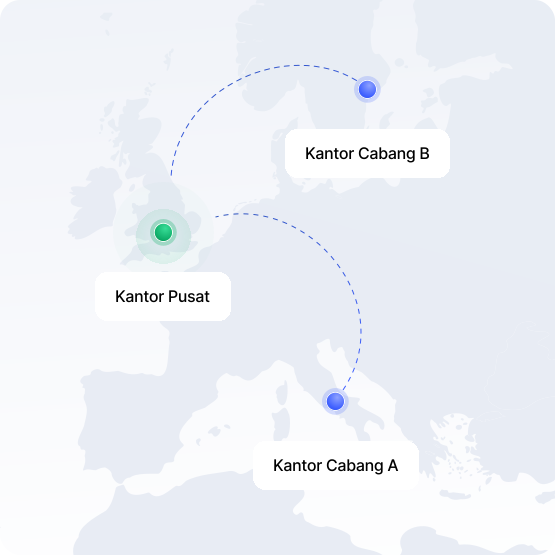
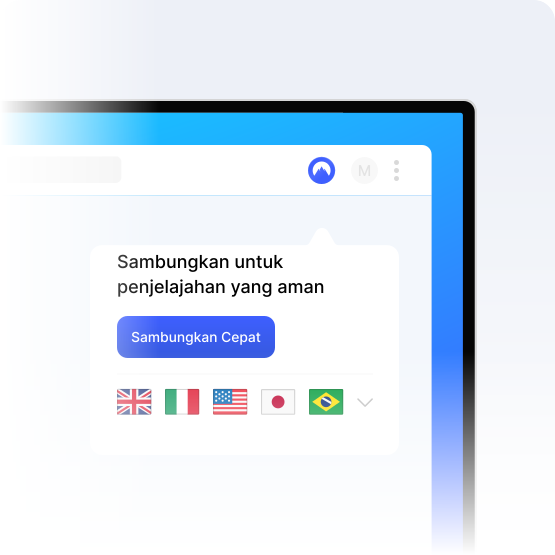
Kebanyakan VPN level konsumen digolongkan sebagai VPN pribadi, termasuk NordVPN. Cara kerjanya sangat mirip dengan VPN akses jarak jauh, tetapi alih-alih terhubung ke jaringan terbatas pribadi (misalnya kantor), Anda terhubung ke server penyedia VPN untuk perlindungan dan privasi saat menjelajahi internet. VPN Pribadi paling cocok untuk kebutuhan pengguna individu.
Apa saja tipe protokol VPN?
Tipe protokol VPN berbeda punya keunggulan berbeda, jadi kebanyakan penyedia VPN menyediakan setidaknya dua. NordVPN memberikan Anda pilihan antara protokol OpenVPN, NordWhisper, dan NordLynx dalam aplikasinya, dan Anda juga bisa memilih protokol IKEv2/IPSec untuk pengaturan manual.
OpenVPN
IKEv2/IPSec
WireGuard®
NordLynx
L2TP/IPSec
PPTP
SSTP
NordWhisper
Cara memilih VPN terbaik
Tidak semua VPN diciptakan sama. Sebelum memilih VPN, Anda harus melihat kecepatan dan lokasi server yang ditawarkan, membandingkan harga, mencari tahu fitur keamanannya, dan memeriksa kecocokannya:
Fitur privasi dan keamanan
Enkripsi kuat sangat penting untuk perlindungan VPN yang efisien dan memastikan aktivitas online Anda tetap privat. Carilah VPN aman yang menawarkan algoritma enkripsi kuat, memiliki kebijakan tanpa log, dan fitur tambahan seperti kill switch.
Jaringan dan lokasi server
Jarak itu penting - semakin jauh perjalanan data Anda, semakin lama waktu yang dibutuhkan perangkat untuk memuat halaman atau terhubung ke layanan. Banyak pilihan server VPN di berbagai lokasi yang memberikan Anda koneksi VPN yang lebih cepat dan stabil.
Kecepatan dan performa koneksi
Internet lambat bisa merusak siang (atau malam) Anda. Koneksi cepat sangat penting untuk streaming, bermain game, dan mengunduh file berukuran besar dengan aman. VPN berkecepatan tinggi menjaga performa tanpa mengurangi keamanan, jadi carilah yang menawarkan protokol VPN berbasis WireGuard.
Apa yang membuat VPN bagus?
VPN yang bagus harus memprioritaskan keamanan kuat, enkripsi, dan kebijakan tanpa log. Koneksi VPN secepat mungkin juga penting untuk pengalaman pengguna tanpa jeda. Selain mengoptimasi kecepatan dan keamanan, VPN yang bagus harus fokus pada fitur perlindungan privasi dan keamanan tambahan, seperti dark web monitoring, anti-malware, dan pencegahan kebocoran IP dan DNS.
Bagaimana cara memilih VPN yang tepat untuk peramban internet?
Bagaimana cara memilih VPN yang tepat untuk ponsel?
Bagaimana cara memilih VPN yang tepat untuk sistem operasi Anda?
Cara memakai VPN
Menggunakan VPN sangatlah mudah - kebanyakan penyedia memiliki proses yang ramah pengguna.
01
Pilih penyedia VPN
Pilih penyedia VPN yang sesuai kebutuhan Anda, dapatkan langganannya, buat akun, dan unduh aplikasinya.
02
Masuk
Setelah dipasang, buka aplikasi, dan masuk dengan kredensial Anda.
03
Sambungkan ke server VPN
Pilih server di negara yang diinginkan, atau jika tersedia di aplikasi, gunakan fitur koneksi otomatis yang langsung memilih server terbaik untuk Anda.
04
Pengaturan VPN sesuai kebutuhan
Pelajari pengaturan aplikasi VPN Anda sesuai preferensi—ubah protokol VPN, nyalakan fitur keamanan, atau pasang kill switch.
Cara mengetes apakah VPN bekerja
Tes VPN itu penting bagi rutinitas keamanan siber—Anda harus memastikan fungsinya berjalan lancar:
01
Bandingkan alamat IP Anda
Pertama, periksa alamat IP asli Anda. Lalu, sambungkan ke VPN Anda dan periksa lagi. Alamat IP Anda akan berubah ke lokasi server VPN.
02
Melakukan uji kebocoran DNS
Gunakan alat uji kebocoran DNS untuk memastikan apakah kueri DNS Anda juga privat.
03
Menguji kecepatan VPN
Periksa kecepatan koneksi sebelum dan setelah terhubung ke VPN dengan situs penguji kecepatan. Kecepatan sedikit turun memang normal dan pasti terjadi, tapi pelambatan signifikan mungkin menandakan ada masalah dengan layanan VPN.
Berapa harga VPN?
Banyak VPN dengan biaya terjangkau, hanya beberapa dolar sebulan. Mungkin karena banyak VPN gratis yang tersedia, Anda mengira tidak perlu membayar langganan. Tetapi, semua hal sepadan dengan harganya. Dan VPN gratis biasanya kurang bagus. Seringnya sangat lambat, tidak stabil, server sering penuh dan bisa berhenti di waktu yang tidak tepat. Selain itu, VPN gratis biasanya tidak menghormati data Anda dan malah menjualnya demi keuntungan.
Masih mau ambil risiko? Dapatkan layanan VPN berbayar yang andal, berfungsi saat dibutuhkan, dengan harga terjangkau setiap bulan. Semakin panjang komitmennya–semakin bagus harganya.
Apa yang perlu Anda tahu tentang VPN?
Sekarang, Anda pasti memahami dasar-dasar VPN—algoritma enkripsi, protokol berbeda, tipe, penggunaan, kelebihan, sampai kelemahannya. Kita akan bahas yang lainnya.