
Spyware is a type of malicious software that collects data from a device to send to a third party without consent. Such software can be malicious and use the data for profit, but it can also be legitimate software that tracks data for commercial reasons like advertising. Cybercriminals use it to steal, monitor, and sell data, including bank account details, credit card information, internet usage, or user/login credentials. Both legitimate and illegitimate spyware leave individuals and businesses vulnerable to data breaches or misuse of sensitive data.
How does spyware work?
Spyware is loaded onto a device without a user knowing, typically through an app installation package or a file attachment. The software then tracks and monitors a device's data activity. It can also track login information like passwords, monitor user activity, and target other sensitive data, making it valuable to criminals who commit identity theft. Spyware can affect all devices, such as a PC, Android, Mac, or iOS.
Spyware infections usually occur when you:
- Click on phishing links in ads or emails which can trigger a download that installs spyware silently.
- Download files from an unknown source.
- Click and open email attachments from unknown senders.
Most spyware strategies count on victims installing the spyware from malicious downloads without realizing it. Victims can be led to those downloads via links in an ad, pop-up window, email, and direct messages on social media.
Malicious spyware software is usually installed on a device using a three-step process:
- 1.Invade. Spyware is downloaded and installed onto a device through an application installation package, file attachment, or malicious website.
- 2.Track and capture. After installation, the spyware starts spying on the user by capturing the data they use, stealing login information, passwords, and credentials. Spyware uses tracking codes, screen captures, and keystroke technology to achieve this.
- 3.Send or sell. After collecting information and data, the attacker decides to use or sell the data to a third party.
What is spyware used for?
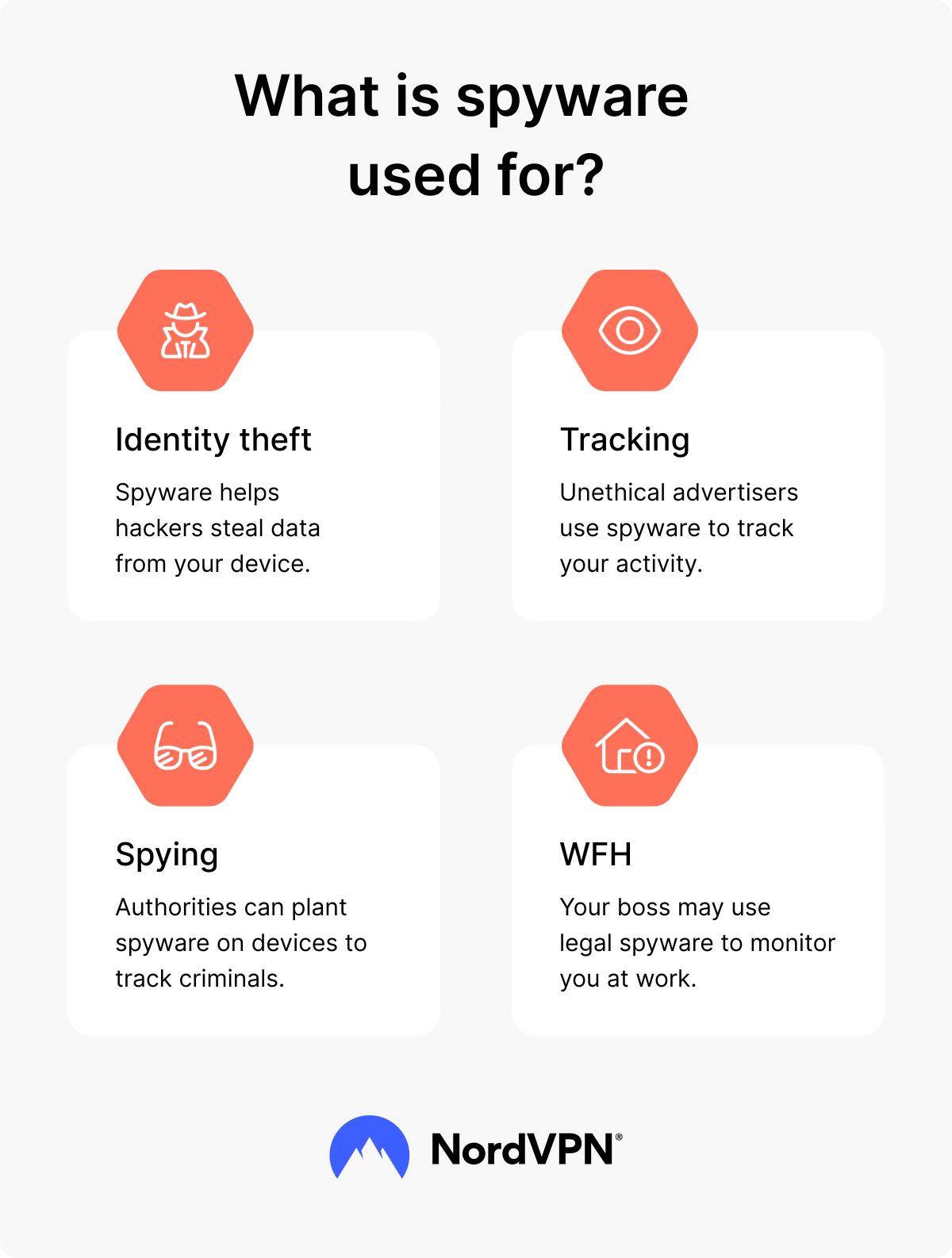
Spyware is used for both legitimate and illegitimate reasons. The most popular uses of spyware include:
- Cybercriminal activities. Cybercriminals use spyware to infect a device and steal personal information. Scammers commonly attempt to steal information, including bank account numbers, credit card information, login details, and any sensitive information that helps them commit identity theft or financial crimes.
- Corporate monitoring. Devices from businesses and corporations may come preloaded with spyware. It’s there to track employees and monitor user activity. Corporations may do this with various spyware tools and capture information via screen recordings, keystroke monitoring, and tracking emails.
- Governmental spying/law enforcement. Some governments are known to use spyware on their citizens or individuals they believe to be a threat. They may use it to gather information to protect their country or government.
- Marketing purposes. As the most common legitimate use of spyware software, this type of spyware tracks users’ information and typically uses it for targeted advertising.
PRO TIP: Beware that it’s not just spyware that can compromise your privacy. According to NordVPN’s stolen cookies research, hackers can exploit cookies to track your browsing habits and preferences. They access this data, combine it with other information they have about you, and use it to launch targeted phishing attacks. In some cases, they may sell large datasets to third parties for targeted advertising.
Types of spyware
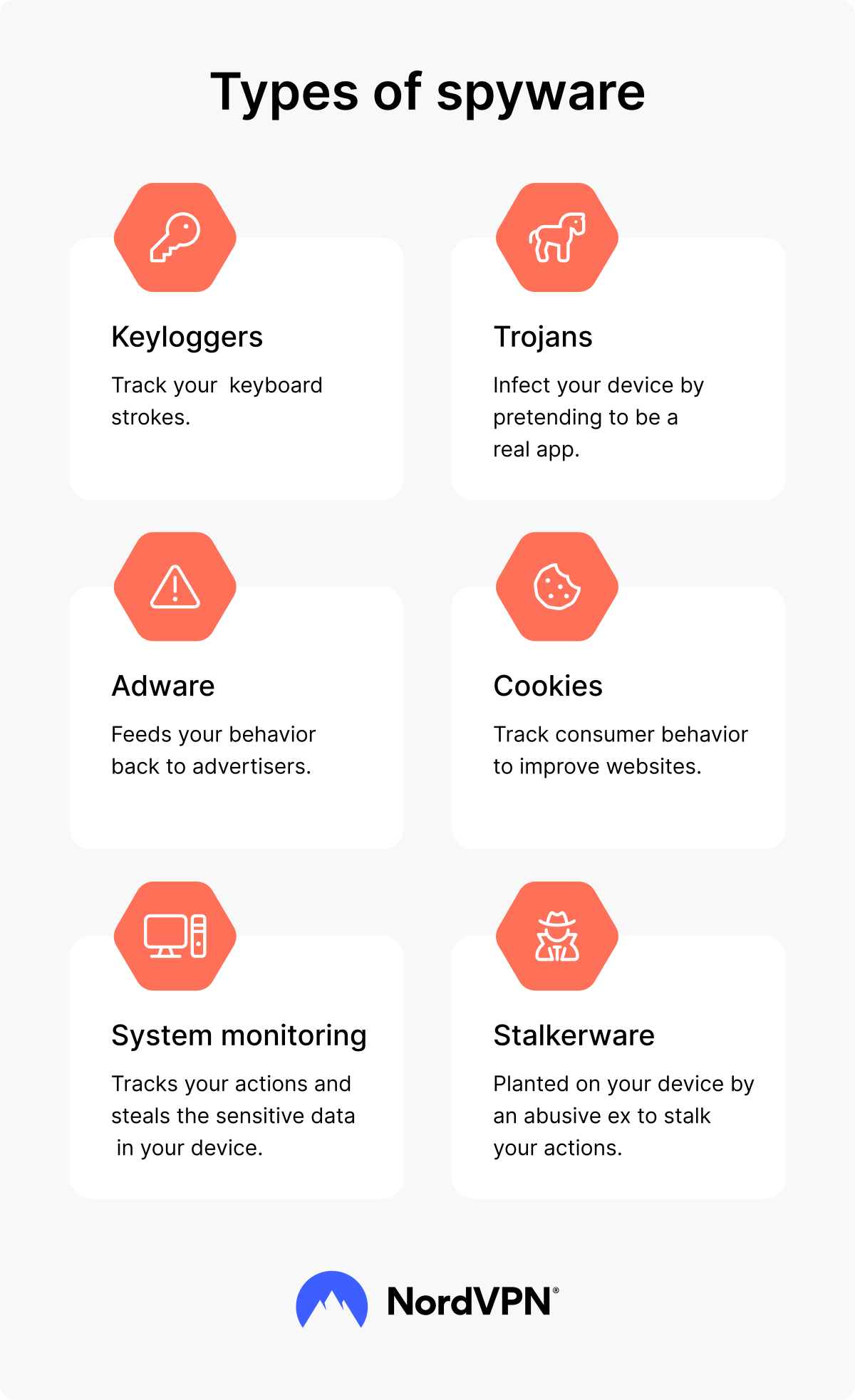
Spyware contains different strategies and programs to steal information. These may include:
- Keyloggers are spyware that monitor and record every keystroke on a device. Keyloggers track keystrokes, which can be used to steal login credentials, credit card numbers, and bank account details. This means a hacker (or employer) can see everything you type. Two main types of keyloggers exist: software and hardware. Software keyloggers are malware that infect a device, and hardware keyloggers are physical devices that connect to the device cybercriminals want to steal information from.
- Trojan spyware sneaks onto a device through trojan malware, which is malware disguised as a legitimate app or software download. During a trojan attack, an individual installs a file or program that allows the trojan to enter the device.
- Adware is malicious software you typically download along with free software downloads or programs. The malicious adware is part of the free download bundle and sneaks onto the device. Adware is typically used to sell users' data to advertisers.
- Stalkerware is a type of spyware that a person uses to monitor or track someone they have a close relationship with. For example, with stalkerware, a person can watch their spouse, or parents can track their kids. Employers can also use stalkerware to monitor their staff.
How to detect spyware
Spyware can be difficult to detect due to its sneaky, “stealth-like” programming. It’s designed to work quietly, in the background, and be undetectable. However, some signs can indicate that you may have spyware on your device:
- Your device’s performance is slower than usual.
- Your device’s battery drains faster than before.
- The device regularly overheats.
- Your hard drive has less space all of a sudden.
- You notice unknown plugins or bookmarks in your browser.
All devices are different and may not show the same indicators.
How to detect spyware on an Android phone
Cybercriminals can install spyware on all types of devices, including Android phones. Here’s how to check your Android device for spyware:
- Browse through the downloads folder to check for suspicious files. Delete any files that you don’t recognize or look suspicious.
- Scan your device with security software.
- Use Android’s Testing menu code to show the apps with the most usage or data sent that you might not recognize or have authorized: ##4636#*#* or ##197328640#*#*.
How to detect spyware on iPhone or Mac
People often think Apple devices are less susceptible to attacks, but they are equally likely to have spyware. Here’s what you can look for:
- Check the activity monitor and review the battery, CPU, and data consumption. Abnormal levels may indicate spyware on the device.
- Monitor app permissions to ensure applications aren’t compromising your information.
- Look over installed apps to find any you don’t recognize or use. Spyware is often disguised as a legitimate app.
- Scan your device with security software for strange network connections. On iPhones, dial codes like #21# or #62# don’t detect spyware directly but can reveal suspicious call forwarding or tampering.
How to remove spyware
Every device has its operating system, Windows or macOS, for example, and each has unique methods to remove malware.
Follow these detailed guides to remove spyware:
- How to remove spyware on Windows 10 and 11
- How to remove spyware on an Android device
- How to remove spyware on macOS
Usually, you need to use premium and updated security software to detect spyware and root it out of your system. Due to its stealthy nature, it’s very challenging to trace and remove it manually.
Also, make sure to do the following after you successfully get rid of spyware:
- Immediately change all passwords, and make sure to use strong and unique passwords.
- Notify authorities (e.g., police, cybercrime unit, or financial institutions).
- Implement all recent updates of your apps.
How to prevent spyware
Building protection against spyware is necessary, so follow these tips to prevent it from collecting your data:
- Don’t click on any suspicious links, ads, or attachments. Cybercriminals usually disperse them via social engineering attacks.
- Don’t download software from suspicious unofficial sources.
- Always update your software when a new update is available.
- Use up-to-date cybersecurity software.
- Don’t interact with suspicious emails or messages.
- Consider using a VPN with built-in security features. For example, NordVPN’s Threat Protection Pro™ can reduce your risk of spyware by blocking access to malicious websites, scanning downloaded files for malware, and stopping intrusive ads and trackers, which can also be sources of spyware infections.
Examples of real-life spyware incidents
Spyware attacks happen all the time. These real-life spyware cases highlight the need for individuals to protect themselves and detect spyware.
Pegasus spyware
Pegasus spyware hit international headlines in 2017. It was created by an Israeli cyber-arms company and silently installed on mobile phones using iOS and Android with the intention of covertly monitoring lawyers, journalists, and human rights activists.
Spyzie stalkerware
Spyzie stalkerware recently came under scrutiny for spying on over half a million Android, iPad, and iPhone devices. The latest reports show how dangerous stalkerware can be, not only exposing victims' personal information like photos, messages, and location, but also leaking customers' details, including email addresses.
Online security starts with a click.
Stay safe with the world’s leading VPN