The main types of VPNs
When people ask how many types of VPN exist, the answer isn’t as simple as it sounds. Plenty of VPNs, along with dozens of protocols and implementations, exist, but most types of VPN connections fall into one of these five categories:
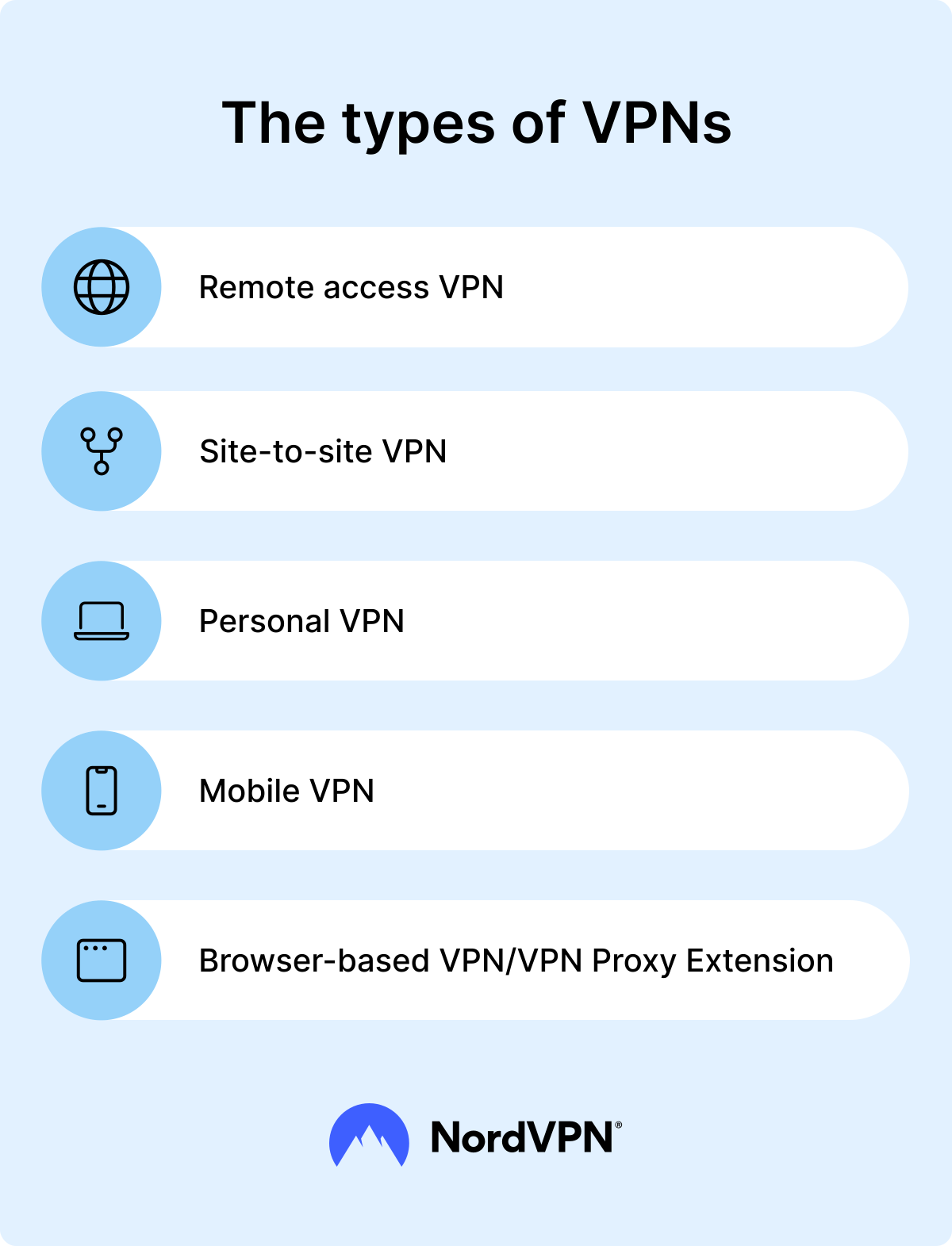
These five VPN types cover nearly all common use cases, from browsing privately at home to connecting entire corporate networks across continents. In the next sections, you’ll see these different VPN types explained in a little more detail.
Personal VPN
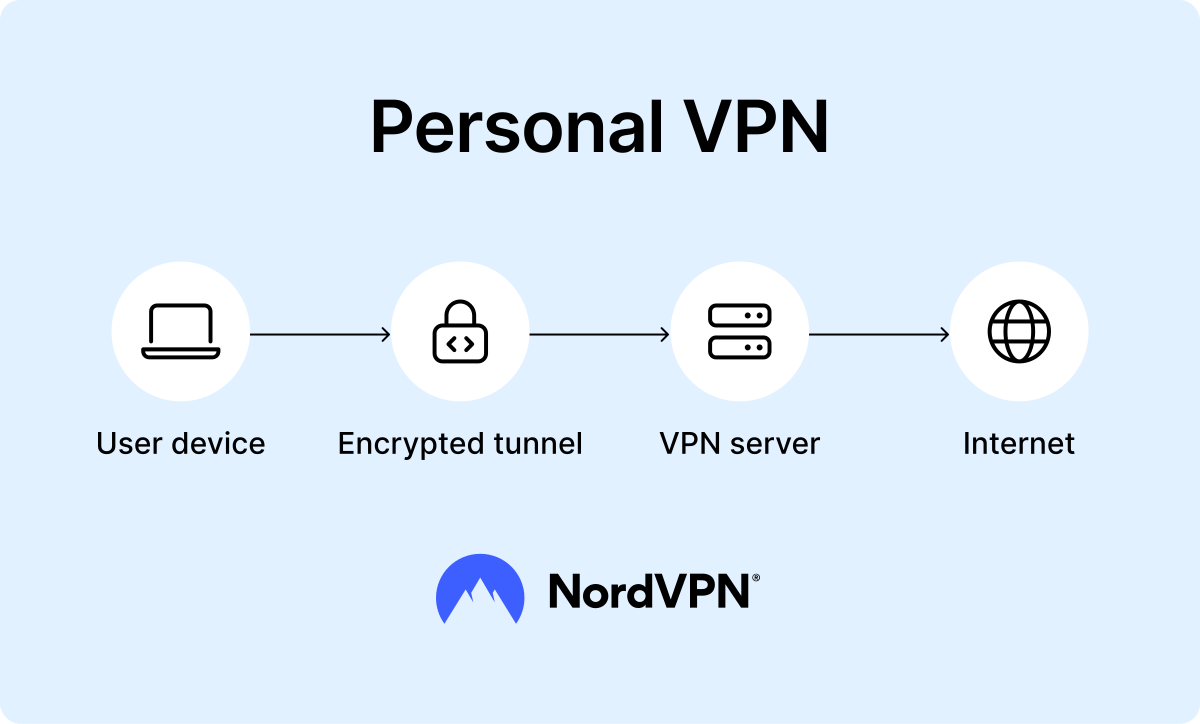
A personal VPN is the type of VPN most people are familiar with, and it is usually what comes to mind when someone hears the term “VPN.” It’s also the model most commercial VPN services use. Unlike the solutions that are more focused on corporations, this VPN type is built for end users who want more security and privacy when browsing online.
The concept is pretty straightforward. A single user’s device, such as a laptop, phone, or tablet, connects to a single VPN server managed by the provider. This connection is secured by VPN protocols, which create an encrypted tunnel between the user and the internet. All traffic is encrypted, sent through a secure tunnel, and emerges on the internet with the server’s IP address instead of the user’s own. This process makes it extremely difficult for internet service providers, advertisers, or hackers on public Wi-Fi to trace online activity.
The security features of a personal VPN are particularly useful on public Wi-Fi networks, such as those in airports, cafés, or hotels. Without a VPN, the user’s data packets could be intercepted easily on these unsecured networks.
Another key factor is ease of use. A personal VPN requires almost no technical knowledge, since the VPN provider manages all aspects of the network setup. The user simply downloads an app, selects a server, and activates the connection. This simplicity has made the personal VPN one of the most popular VPN types, and for many users, it represents the best VPN type for everyday browsing.
Site-to-site VPN
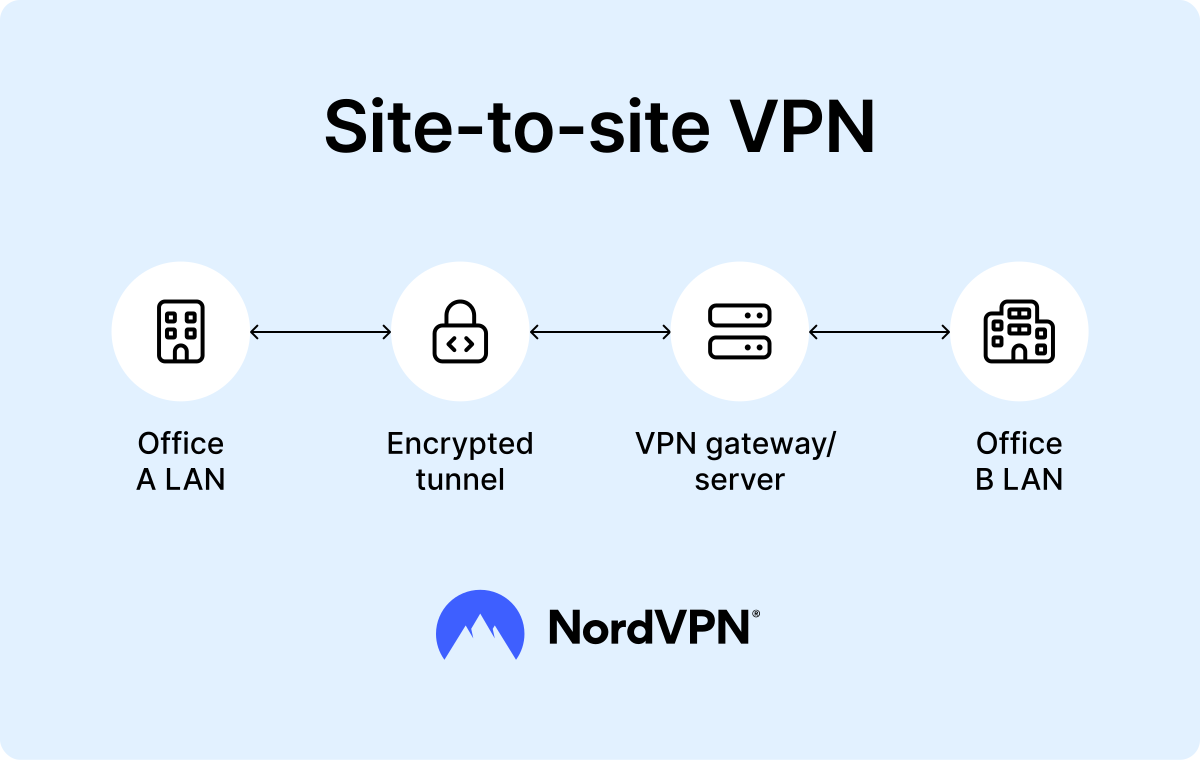
A site-to-site VPN connects two or more private networks over the internet. It ensures secure communication between entire networks rather than individual devices. For example, a company might have offices in New York and London, each with its own local private network. A site-to-site VPN allows these networks to communicate as though they were part of a single central network, while ensuring strong encryption and network security.
Site-to-site VPNs can be divided into two categories:
- Intranet-based VPNs that combine multiple LANs into one private network.
- Extranet-based VPNs that companies use to extend their network and share it with partners or customers.
A site-to-site VPN works by connecting the locations using hardware or gateways at each office. These gateways use tunneling protocols like IPsec, SSL VPN, or L2TP to wrap and secure the data. So when someone in one office accesses files or systems in another, the traffic goes through the VPN tunnel, and even though it travels over the public internet, it stays protected.
This kind of VPN is invaluable for businesses that rely on secure communication and resource sharing across multiple locations. It ensures that employees in different offices can access the same files, databases, or applications as though they were physically located in one central network.
Remote access VPN
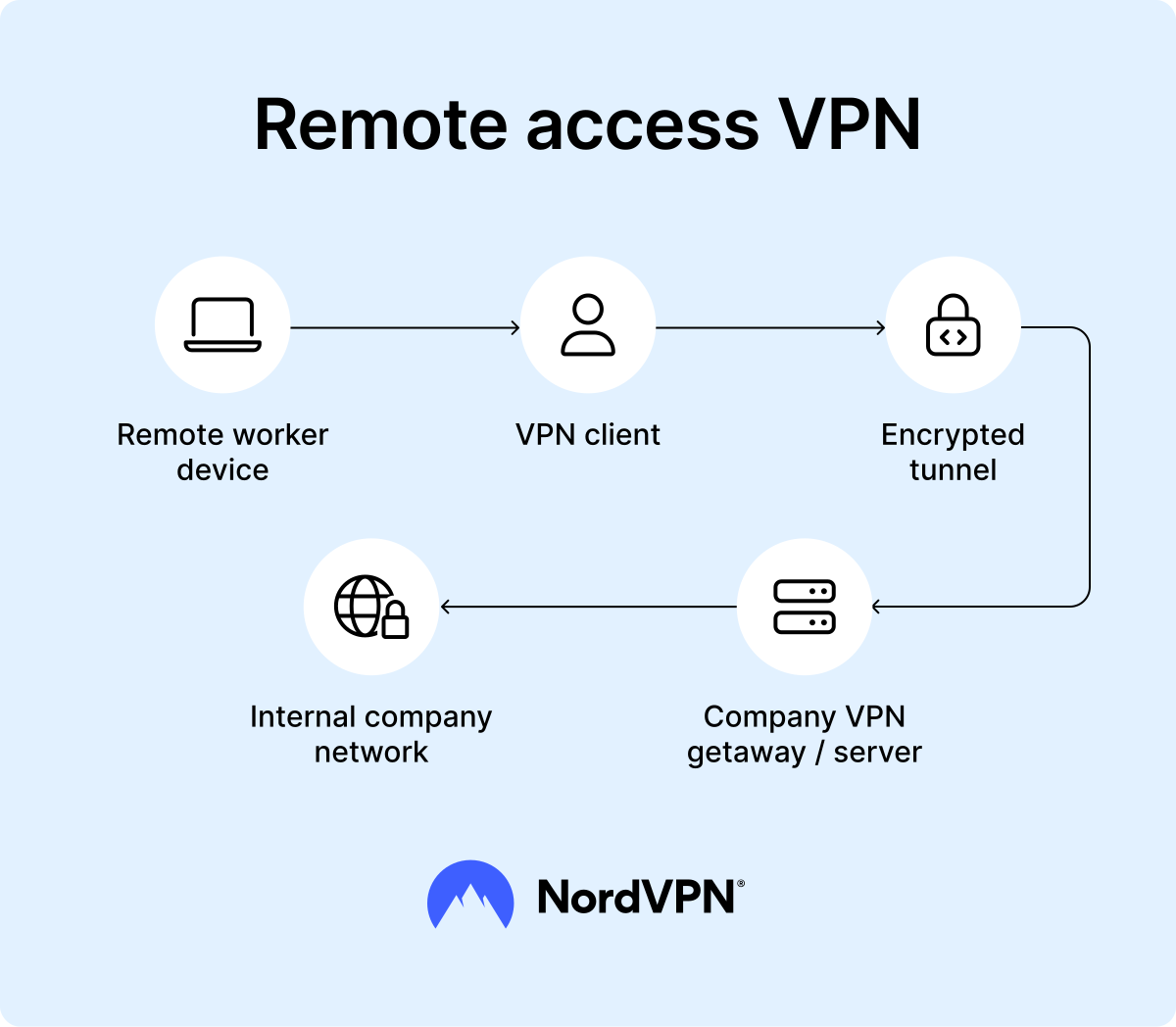
Remote access VPNs allow employees to securely access their company’s internal network and resources from remote locations. With this VPN type, individual remote users install client software on their device, which establishes a secure tunnel to the organization’s VPN server. Once authenticated, the user has secure access to internal resources such as shared drives, applications, or intranets, just as if they were physically connected to the office network.
One of the biggest advantages of remote access VPNs is flexibility. They allow businesses to employ remote workers, contractors, and freelancers without compromising security features. A company does not need to restrict access to only employees physically present in the office. Instead, it can rely on VPN technology to extend secure access to anyone who needs it. This flexibility has become especially valuable during global shifts toward remote work.
To further strengthen protection, most businesses combine remote access VPNs with multi-factor authentication, so even if a password is compromised, outsiders still can’t gain access. Companies also tend to apply role-based access, meaning employees only reach the specific resources they need depending on their department or responsibilities.
Mobile VPN
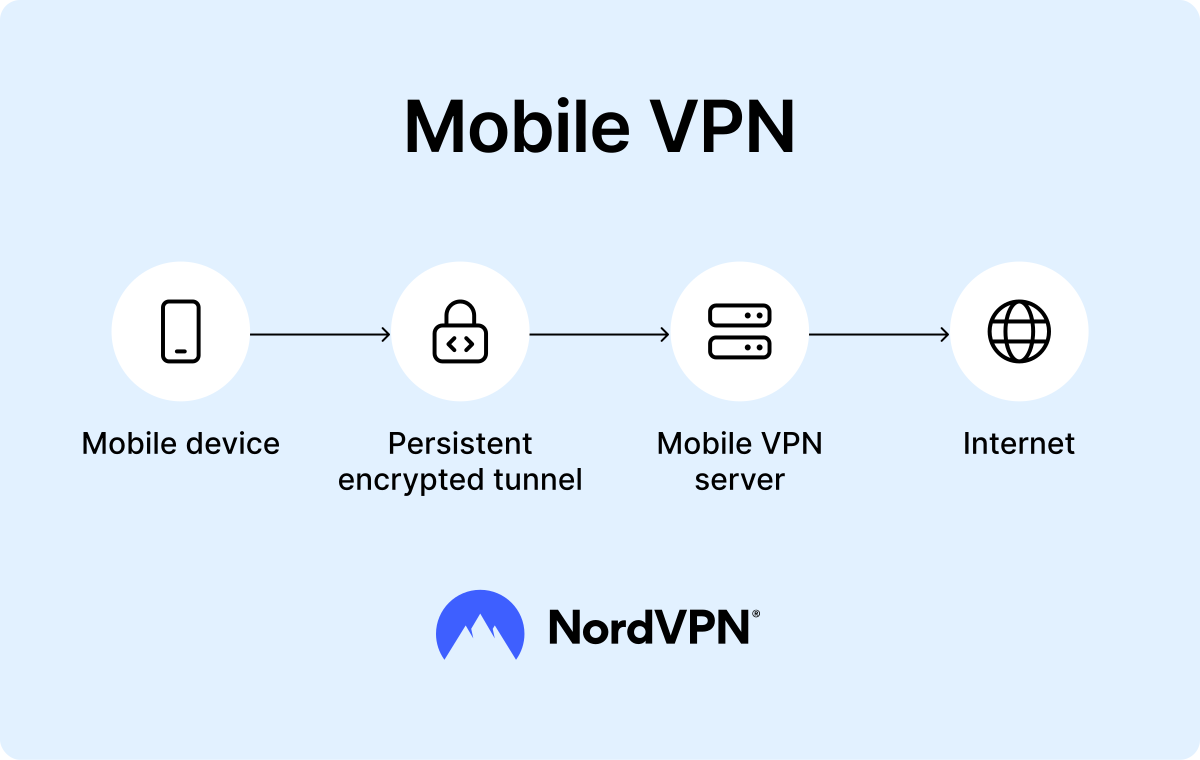
A mobile VPN is a type of VPN designed specifically for smartphones, tablets, and other portable devices. Unlike traditional VPNs, which are mainly built for stationary computers or office networks, mobile VPNs are optimized to keep a secure connection active even while on the move, when the device switches between different networks.
They maintain a secure, encrypted tunnel between the device and the private network even as the device switches from Wi-Fi to cellular data, changes IP addresses, or briefly loses signal. This way, users can move between networks without being disconnected or forced to log in again.
Mobile VPNs are especially valuable for professionals who need reliable access while traveling, field workers sending sensitive information from remote locations, or anyone relying on public Wi-Fi but still requiring a stable and protected connection.
Browser VPN proxy extension
A VPN proxy extension focuses only on the traffic that flows through the browser itself. Unlike full-device VPNs, it doesn’t cover background apps or system-wide processes, but it does provide quick and lightweight privacy protection for web browsing.
Once installed in a browser like Chrome or Firefox, the extension routes web requests through a remote server. This process changes the user’s IP address and applies encryption depending on the service, typically using SSL/TLS protocols.
The browser VPN proxy extension is perhaps the simplest type of VPN. It lets you connect to a secure server directly through your browser, without installing any extra apps or software. This ease of use is what makes it so popular.
However, it is important to understand that a VPN proxy extension does not provide the same level of VPN encryption as a full personal VPN. For this reason, it’s best used as a lightweight option for browsing rather than serious privacy protection.
Why might VPN types be confusing?
It can be tricky to understand VPN types because several different ways to group them exist. VPN types can be classified by:
- Connectivity (like personal, site-to-site, remote access).
- VPN protocols (like OpenVPN, IKEv2/IPsec, or WireGuard).
- Use cases (like business VPN, gaming VPN).
The confusion often comes from mixing the meaning of a VPN with its protocols. For example, a remote access VPN is a type of VPN, while the secure socket tunneling protocol is a tunneling protocol it might use. In practice, they overlap. So when asking how many types of VPN exist, think in terms of categories, not exact numbers.
Comparison of VPN types
VPNs can vary a lot in how they work and what they protect. When you compare different types side by side, those differences become much clearer. To help you find the option that best fits your needs, the table below highlights the main VPN types across a range of factors.ta
| VPN type | Scope of protection | Main use cases | Ease of use | Cost | Best for |
|---|---|---|---|---|---|
| Personal VPN | Entire device traffic | More secure browsing | Very easy (requires installing an app) | Medium (subscription cost varies by provider) | Everyday users |
| Site-to-site VPN | LAN-to-LAN (entire networks) | Connecting different networks (like branch offices) | Difficult (requires IT setup) | Higher (hardware, admin costs) | Large organizations, enterprises, and global companies |
| Remote access VPN | Device-to-network (user-to-LAN) | Remote work | Moderate (requires VPN client setup) | Medium (software licenses, admin) | Businesses with remote or hybrid employees |
| Mobile VPN | Mobile devices and their apps | More secure browsing while traveling | Easy (requires installing an app) | Medium (usually bundled with a personal VPN service subscription) | Field workers, travelers |
| VPN proxy extension | Browser traffic only | Web browsing protection | Easy (requires installing an extension) | Medium (subscription cost varies by provider) | Internet users who only need browser protection |
Which type of VPN is the best?
One single best VPN type for every situation doesn’t really exist. Each type was designed with a specific purpose in mind. For everyday users, a personal VPN is often considered the best VPN type because it balances strong security with ease of use, making it simple to stay safer on public Wi-Fi or to browse more privately at home. For organizations, though, the best VPN type is usually a site-to-site or remote access VPN, since these are built for securely connecting employees and offices. Ultimately, the best VPN type depends on your needs.
What type of VPN should I use?
Choosing the right VPN comes down to understanding the different VPN types and how they fit your needs.
If you want to stream paid content from your home country while abroad, you’ll want a VPN for streaming, which usually means a fast personal VPN with servers optimized for delivering reliable, high-quality video. A gaming VPN usually requires the fastest type of VPN because speed and low latency matter here more than anything else.
Employees working offsite benefit most from a VPN for remote workers that secures connections to company resources. Companies with multiple offices typically choose a business VPN, such as a site-to-site VPN, for more secure networking. If speed is your top priority overall, you’ll want to look for a high-speed VPN that uses high-performance protocols like WireGuard.
In the end, the different VPNs each solve different problems, so the right choice depends on how you plan to use it.
Online security starts with a click.
Stay safe with the world’s leading VPN