What is a full tunnel VPN?
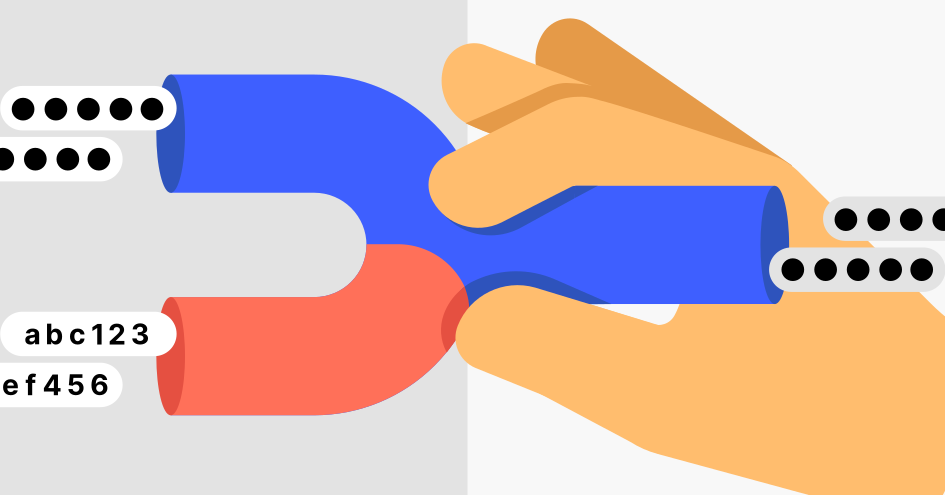
A full tunnel VPN is a virtual private network (VPN) configuration that directs all your internet traffic through a VPN tunnel. In practice, it means the VPN connection protects all the data you send and receive.
Typically, VPN services offer full tunneling as a standard VPN setup. It provides full VPN protection for your online data by encrypting every data packet from the websites you visit to the emails you send or online videos you watch.
A full tunnel VPN gives you more peace of mind. You can simply activate the VPN service and rest assured that every byte of data you send or receive is encrypted.
What are the advantages of a full tunnel VPN?
Full tunneling makes sure all your internet activity is encrypted, so it’s the “set it and forget it” option for people to whom maximum security is their top priority. The biggest advantages of using a full tunnel VPN include:
Total encryption. With a full tunnel VPN, every bit of traffic is encrypted, which means that hackers or trackers can’t snoop into your internet activity.
Stronger privacy. Your IP address and location will be changed at all times, not just for selected apps or websites.
Consistent protection on public networks. Coffee shop, airport, or hotel Wi-Fi and other open networks are prime spots for cybercriminals. A full tunnel VPN makes sure you’re safer without having to double-check what part of your internet activity is encrypted under a VPN.
Simple management. A full tunnel VPN requires no fine-tuning. Everything is routed through the secure tunnel by default.
When to use a full tunnel VPN
While, in general, a full tunnel VPN is great for everyday use, sometimes it’s simply essential. Use a full tunnel VPN if:
- You’re working with highly sensitive information. When you need to secure every piece of data transmitted from your device, a full tunnel VPN ensures that all internet traffic is encrypted.
- You need to change your online location for all activity. Whether for privacy reasons or to access your home content from abroad, a full tunnel VPN makes your entire online presence appear from a different location. With a reliable VPN, you can securely stream your home content from anywhere.
- You’re using public Wi-Fi or other unsecured networks. Mobile hotspots and public Wi-Fi are convenient, but they’re also risky. A full VPN tunnel encrypts all your traffic, so you don’t have to think twice before logging in or shopping online.
- You’re under strict security policies. Some organizations require employees to route all traffic through the company VPN for compliance and auditing. A full tunnel keeps you in line with those rules.
- You don’t want to overthink it. If you’d rather not juggle settings or worry about whether certain apps are protected, a full tunnel takes care of it all in one shot.
What is a split tunnel VPN?
A split tunnel VPN is a VPN configuration that allows you to split your internet traffic so that part of it passes through the VPN server, and the rest is sent over the network without VPN encryption for a more direct and faster connection.
For example, you can route specific apps or tasks through the VPN tunnel, especially those requiring security or privacy, like work-related tasks. This sensitive traffic will be encrypted and protected from being intercepted or spied upon. Meanwhile, tasks that demand higher speeds or need a local connection can bypass the VPN, like watching local media content, online gaming, or accessing devices on your home network.
Leaving some of your online data unencrypted means that you can operate without the encryption overhead and experience better performance and access to local resources. However, some VPNs are particularly useful for multiplayer gaming, so review your secure online gaming options with a trusted VPN.
Even though split tunneling gives you more control and flexibility over your online traffic, you expose part of your data in transit to potential threats such as hackers, ISPs, and government agencies. Split tunneling also increases your device’s and network’s complexity and workload, which can cause conflicts, errors, or slowdowns.
What are the advantages of a split tunnel VPN?
Not every situation calls for the encryption of all of your internet traffic. That’s where a split tunnel VPN proves helpful. It gives you the best of both worlds — security where you need it, and speed and convenience where you don’t. Key advantages of a split tunnel VPN include:
Faster speeds. Since not all of your traffic is encrypted, you’ll often see less slowdown compared to a full tunnel. Streaming or gaming outside the VPN can feel a whole lot smoother.
Better bandwidth management. You can reserve the VPN connection for tasks that really need it, like work apps or sensitive websites, while leaving less important traffic off the tunnel.
Access to local services. VPN encryption doesn’t always play nice with LAN connections. Split tunneling allows you to stay connected to resources on your local network, such as printers, file servers, or smart devices, while still routing sensitive or work-related traffic through the VPN.
Flexibility for multitasking. You can keep work browsing data protected through the VPN and still browse on social media, listen to music, or stream videos at regular speeds.
Lower server load. By not routing every single byte of traffic through the VPN server, you reduce strain and can sometimes enjoy a more stable connection.
Does using VPN split tunneling pose security risks?
While VPN split tunneling brings a lot of speed and convenience, it’s not without its risks, especially if not configured and used carefully.
Split tunneling divides your internet traffic: Some data flows through the encrypted VPN tunnel, while the rest travels directly over your normal connection. If you're not cautious about which apps or services are routed outside the VPN, this division can open doors for attackers or leave sensitive information exposed.
You should be aware of these security risks of VPN split tunneling:
- Exposing sensitive data. Unencrypted traffic outside the VPN can be intercepted, leading to potential data leaks or breaches.
- Bypassing corporate security. Split tunneling can sidestep DNS filtering, firewalls, and other company protections.
- Giving attackers a way in. Traffic outside the VPN isn’t monitored by IT security, making it easier for hackers to infiltrate the network.
- Allowing latent malware to take root. Malware can communicate undetected if infected apps bypass the VPN tunnel.
- Failing to comply with regulations. Unauthorized exceptions may violate data protection rules and result in fines.
When to use a split tunnel VPN
Split tunneling isn’t always the most secure option, but in the right situations, it can be very practical. Use a split tunnel VPN if:
- You need to connect to a local network without restrictions. By choosing not to encrypt certain apps and services through the VPN, you can access printers, file shares, or other devices on your home or office network directly.
- You want to optimize your VPN’s bandwidth usage. By selecting only certain apps to use the VPN, you reduce the total amount of data processed by the VPN server, potentially improving speeds for those apps.
- You use services that block VPNs. Some services or websites, like online banking, may block access when they detect a VPN. Split tunneling allows you to access these services through your regular internet connection while still protecting other activity. Check out our blog for more information on VPN for banking.
- You need real-time access to local services or content. For tasks that require access to local content or services that are not available through a VPN, split tunneling lets you bypass the VPN for this activity without compromising the security of other data. Let’s say you’re working from home and using a VPN to securely access your company’s remote database. At the same time, you’re trying to watch a live sports event that’s only available through your ISP’s platform, which doesn’t work when you’re connected to the VPN due to regional restrictions. By configuring split tunneling, you can do both simultaneously.
How to use split tunneling on NordVPN
If you’re looking for the best VPN with split tunneling,* NordVPN is one of the top choices. The NordVPN split tunneling feature is built into its Windows, Android, and Android TV VPN apps, giving you control over which apps should use the secure NordVPN connection and which can connect directly through your regular internet. Below are simple steps you can follow to set up split tunneling on NordVPN for each platform.
*Information related to “Best VPN” is supported by multiple sources (unless specific ones are mentioned), including, but not limited to, editorially independent evaluations and insights, as well as statements from media articles, some of which were published through paid partnerships.
Windows:
- 1.Open NordVPN’s “Settings” menu by clicking the cogwheel icon in the bottom-left corner.
- 2.Scroll down and select “Split tunneling” from the menu.
- 3.Choose the type of split tunneling you prefer and add the apps you want to include in or exclude from split tunneling.
Android:
- 1.From your NordVPN “Profile,” tap the “Settings” icon in the top left.
- 2.Scroll down to the VPN connection section and select “Split tunneling.”
- 3.Choose the apps you want to exclude from the secure VPN connection.
Android TV:
- 1.In the main NordVPN menu, go to “Settings.”
- 2.Select “Trusted apps.”
- 3.Pick which apps you want to exclude from the VPN tunnel.
With NordVPN split tunneling, you’re not locked into an all-or-nothing setup. You can protect sensitive work apps, keep banking secure, and still enjoy smoother streaming or gaming outside the tunnel. It’s a smarter way to get both better security and optimized performance without compromise.
Main differences between split tunnel and full tunnel VPNs
The main difference between a split tunnel VPN vs. a full tunnel VPN is that a full tunnel VPN shields all your online traffic with VPN encryption, while a split tunnel VPN allows you to divide your traffic, routing a portion of it through a VPN server while the rest of it travels the internet directly.
Let’s explore split tunnel vs. full tunnel VPNs in more detail:
| Feature | Full tunnel VPN | Split tunnel VPN |
|---|---|---|
| Data encryption | All of your internet traffic is encrypted, including apps and services. | Only a portion of your internet traffic is encrypted. |
| Internet access | All traffic goes through the VPN’s secure tunnel, including your general web browsing data. | Allows simultaneous access to the internet and the secured network, with only sensitive data going through the VPN. |
| Security | Higher security because all data is encrypted and routed through the VPN. | Potentially less secure because some traffic bypasses the VPN tunnel. |
| Performance | It can be slower due to all traffic being routed through the VPN, which may increase latency. | Often faster because only part of the traffic is routed through the VPN. |
| Bandwidth usage | Higher bandwidth usage. | Lower bandwidth usage on the VPN connection. |
| User experience | It might be more restrictive and slower. | It generally provides a better user experience because you can access local internet resources directly. However, the setup’s complexity might cause slowdowns. |
Which one is better for using public Wi-Fi?
If you often connect to coffee shop Wi-Fi, airport hotspots, or other public networks, a full tunnel VPN is the better choice for you.
When you’re on an open network, all of your traffic needs protection. Full tunneling encrypts every connection, so hackers and snoops can’t intercept unguarded data. With split tunneling, some of your traffic avoids the VPN tunnel entirely. That might leave sensitive apps or background services exposed to anyone monitoring the network. While split tunneling is useful for performance and flexibility, it isn’t the safest choice when every packet of data is at risk.
Which one is better for accessing sensitive work data remotely?
If you’re working remotely and need to access company files, emails, or other sensitive resources, a full tunnel VPN is the safer option.
Corporate resources such as emails, shared drives, and internal systems often contain confidential information. With full tunneling, all of your traffic flows through the company VPN, ensuring end-to-end encryption and compliance with workplace security policies.
Split tunneling weakens this setup by letting some traffic bypass corporate protections. That can expose company data if, for example, you open work documents in the same browser session as personal accounts exempt from the VPN. It also makes it harder for IT teams to monitor threats, since they can’t see traffic outside the tunnel.
While split tunneling can improve speed and reduce congestion, it increases the risk of leaks or breaches. For organizations with strict compliance rules, it’s often not even allowed.
Which one is better for reducing VPN-related speed drops?
If your biggest frustration with VPNs is slow streaming, downloads, or browsing, then split tunneling is the better solution.
VPNs encrypt and reroute traffic, which can cause slower speeds, especially when streaming or downloading large files. With split tunneling, you only encrypt traffic that needs protection, for example, work apps or banking sites, while leaving high-bandwidth tasks like video streaming or software updates on your normal connection.
Which one is better for getting low latency in gaming?
If you game online and want the fastest response times, a split tunnel VPN is the better choice for you.
Online games require real-time communication with minimal delay, and routing all of your traffic through a VPN can introduce lag. With split tunneling, you can exclude gaming apps from the VPN tunnel, allowing them to connect directly to game servers for the lowest possible ping.
Full tunneling, while more secure, forces your game traffic to travel farther (to the VPN server and then on to the game server). This distance can add milliseconds or even seconds of delay, which can mean the difference between winning and losing in competitive matches.
Of course, some gamers still use full tunneling for more privacy. In that case, choosing the fastest gaming VPN can help reduce the impact. But for the absolute lowest latency, split tunneling is the smarter setup.
Which one is better for P2P file sharing?
If you use peer-to-peer file sharing often, a full tunnel VPN is the better way to go.
Peer-to-peer traffic involves constant data exchanges with multiple peers. Without a VPN, your real IP address is exposed to every peer in the network, which can put you at risk. With full tunneling, all traffic is encrypted and routed through the VPN, changing your IP to that of a VPN server and keeping your activity more private and secure.
Which one should you choose, a split tunnel VPN or a full tunnel VPN?
Split tunneling allows you more flexibility and the option to tailor your internet use experience to your needs, while full tunneling encrypts all of your traffic, adding an extra layer of protection, which is instrumental when you use public Wi-Fi.
To get the best out of your VPN service, you should be able to select which apps and services use a VPN connection and which don’t. Not all VPNs offer both full tunneling and split tunneling features, so check before choosing a provider.
Online security starts with a click.
Stay safe with the world’s leading VPN