·
Download the best VPN proxy extension for Microsoft Edge
Enjoy increased browser protection in one lightweight VPN proxy extension for Edge.
Browse with confidence with one of the fastest proxy extensions on the planet.
Choose which pages to secure and which to exclude from your VPN proxy connection.
Keep ads and malicious websites at bay with Threat Protection.
Information related to "Best VPN" is supported by multiple sources (unless specific ones are mentioned), including, but not limited to, editorially independent evaluations and insights, as well as statements from media articles, some of which were published through paid partnerships.
Available on
Available on
What is a VPN proxy extension for Edge?
A VPN for Edge (VPN extension for Edge) is a type of browser proxy that secures your internet traffic and changes your IP address while using Microsoft Edge. Compared to a full VPN app, a VPN extension for Edge is not as powerful. But it still protects your browsing by encrypting your traffic.
For example, NordVPN’s Edge extension protects your IP and lets you choose which websites to route through the extension and which to exclude from its coverage. Threat Protection blocks intrusive ads and dangerous websites.
The benefits of using a VPN extension for Edge
There are many VPN benefits you can enjoy:
Browse securely on Edge
Our VPN proxy extension for Microsoft Edge changes your IP, allowing you to browse, shop, and play online with more privacy.
Block intrusive ads and malicious websites
Browse free from worry with NordVPN’s Threat Protection feature. Our Edge extension will stop intrusive and annoying ads and prevent you from visiting dangerous websites.
Protection against IP leaks
If your Edge browser leaks your IP address, it can severely compromise the security of your connection. Use NordVPN’s Edge extension and enable WebRTC leak protection to prevent this specific leak.
Stay safer on public Wi-Fi
Browsing in your hotel room? Public Wi-Fi might be full of security holes. The best VPN services will protect your privacy and prevent others from spying on your browsing activity.
Shield yourself with a click
Our lightweight extension encrypts your browser traffic on Microsoft Edge, letting you change your IP address and increase your privacy.
Tailor-made protection for you
Choose which websites you want to access through the VPN proxy extension and which can see your real IP address. Tailor your online experience to your particular needs with one of the fastest VPN connections on the market.
Access your paid subscriptions abroad privately
Access your streaming services while travelling and enjoy your favorite shows. Shield your activity, avoid traffic-based bandwidth throttling, and enjoy more privacy online.
Thousands of VPN servers
NordVPN offers thousands of ultra-fast VPN servers covering 178 locations, so there’s always a secure VPN server nearby. Get a fast and stable VPN proxy connection no matter where you are!
How to set up a VPN proxy extension on Microsoft Edge
It takes three easy steps to set up a VPN proxy extension for Edge, get a secure internet connection, and live your digital life in more confidence. Need more help? Visit our Help Center for a detailed step-by-step tutorial on how to set up the NordVPN extension on the Edge browser.
Protect your browsing on Edge or any other browser or device with NordVPN. Pick a plan for you, buy a NordVPN subscription, and create an account.
2. Download the extension
Open the Microsoft Store and add NordVPN. Follow the simple steps on your screen to install the extension.
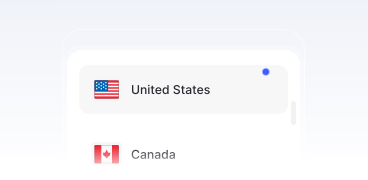
Launch the NordVPN app, log into your account, and pick a server location to connect. That’s it!
Edge VPN vs NordVPN’s proxy extension for Microsoft Edge
Here’s how NordVPN’s Edge extension compares to the built-in Edge VPN.
 | Edge Secure Network | NordVPN Edge proxy extension |
|---|---|---|
| Works on | Only on Edge | Only on Edge, but you can use the app for any device |
| Encrypts traffic | ||
| Bandwidth limit | Only 5 GB/month | Unlimited VPN bandwidth |
| Location selection | Automatic | Many locations to choose from |
| Additional security | Blocks malicious websites | Blocks ads and malicious websites |

30-day money-back guarantee
Online privacy and security is just one click away. Enjoy full access to all NordVPN features completely risk free. If you are not 100% satisfied, tell us within 30 days and get a full refund.