·
A reliable anti-phishing solution to protect from phishing
Advanced anti-phishing protection for you and your family.
Safeguards you against scams and phishing.
Uses advanced technology to detect new threats.
Available with Threat Protection Pro™.
Certified anti-phishing tool
NordVPN is the first and only VPN app to be certified as anti-phishing software. Passing the independent anti-phishing testing by AV-Comparatives for three years in a row and successfully detecting at least 90% of phishing websites is solid proof that Threat Protection Pro™ is a fantastic tool to enhance your security online.
Certified anti-phishing tool
NordVPN is the first and only VPN app to be certified as anti-phishing software. Passing the independent anti-phishing testing by AV-Comparatives for two years in a row and successfully detecting at least 85% of phishing websites is solid proof that Threat Protection Pro™ is a fantastic tool to enhance your security online.

What is anti-phishing and how does it work?
Anti-phishing is a range of methods or techniques designed to prevent phishing attacks. Just like phishing attacks targeting people’s personal information evolve every year, anti-phishing tools that identify and detect them are also improving. Anti-phishing measures can include recognizing phishing signs in emails and identifying fraudulent websites.
Is it “anti-phishing,” “anti phishing,” or “anti fishing”?
It’s “anti-phishing.” The correct term uses a hyphen, so neither “anti phishing” nor “anti fishing” is a correct way to refer to the measures and tools used to defend against phishing.
How can the right anti-phishing tools prevent phishing attacks?
Often, people online are just too easy to trick, so instead of worrying about phishing detection, they should let the right anti-phishing tool do the heavy lifting for them. The right tool, such as Threat Protection Pro™, is easy to use and protects from various types of fraud, scams, malware, and phishing.
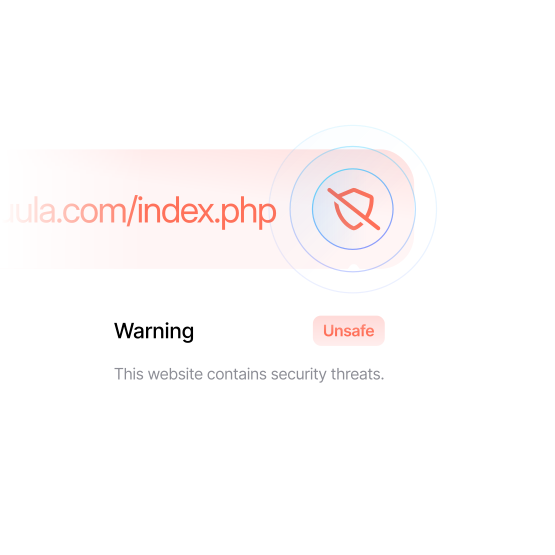
For example, it checks if the website you’re trying to visit is used for phishing. If you’re ever redirected to a malicious website, NordVPN’s anti-phishing tool would block the access and warn you. Best of all, this tool works in the background automatically, so you do not have to scan, check, or worry about missing anything.
An anti-phishing solution from NordVPN
NordVPN offers Threat Protection Pro™, a powerful and lightweight antimalware tool. It’s integrated into NordVPN, so all you have to do is enable the extra protection when you set up the VPN. By cross-checking the URLs you click on and websites you visit with our databases, Threat Protection Pro™ can easily recognize phishing attacks.
Threat Protection Pro™ also includes:
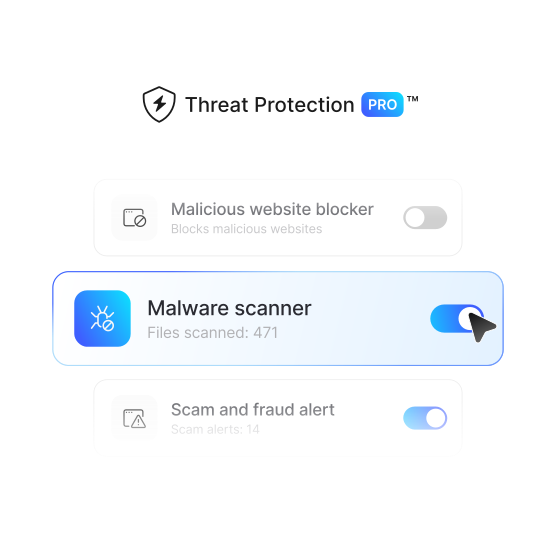
A malicious website blocker, which uses advanced machine learning and a transparent proxy to filter out malicious websites and keep you safe online.
A malware scanner, which scans files you’re downloading using signature-based detection, heuristics, advanced machine learning, and real-time threat intelligence.
A scam and fraud alert, which checks every visited URL against a large, regularly updated database of known scam sites.
Benefits of anti-phishing tools
Threat Protection Pro™ helps prevent phishing by keeping you away from unsafe sites.
Works without a VPN connection
Browse with more confidence. Threat Protection Pro™ tool prevents phishing attacks, malicious websites, and malware without an active VPN connection.
Defends from phishing URLs
Our anti-phishing solution automatically scans URLs while you’re browsing and blocks phishing sites before they can cause harm.
Safeguards your digital identity
Our alerts will notify you if a website you’re visiting is known to be fraudulent to help keep you safer from identity theft.
Detects fake shopping sites
A test conducted by the independent lab AV-Comparatives showed that Threat Protection Pro™ is among the top digital security solutions for detecting fake shops.
Uses AI for advanced prevention
Phishing attacks are constantly evolving. NordVPN uses Threat Protection Pro™, powered by AI to identify, detect, and protect you against the most recent threats.
Protects your sensitive data
Many phishing sites are designed to steal your personal information, such as your login credentials and credit card details. Anti-phishing tools help prevent this.
Why choose anti-phishing protection from NordVPN
NordVPN is the only VPN app to be certified as an anti-phishing tool and has recently blocked:
Scam and phishing websites blocked
50M+
Malware blocked
10M+
Trackers blocked
53B+
Threats blocked from June 1 to June 30, 2025.
What our anti-phishing tools do
Threat Protection Pro™ is the advanced version of Threat Protection — a simpler, DNS filtering-based solution. While both versions block phishing domains, only Threat Protection Pro™ blocks phishing web pages for an extra layer of security.
| |  |  |
|---|---|---|
| Available on | Windows, macOS | Windows, macOS, Android, iOS, Linux, |
| Blocks malicious domains | | |
| Blocks phishing domains | | |
| Blocks intrusive ads | | Some |
| Blocks malicious links (URLs) | | |
| Blocks phishing web pages | | |
| Blocks trackers | | |
| Scans files for malware during download | | |
How to enable NordVPN's anti-phishing software
Just enable advanced browsing protection in the NordVPN app, and it’ll block phishing domains and web pages.
02
Click the shield
Click the shield icon in the left-side menu to open the Threat Protection Pro™ settings.
03
Enable the features you want
Toggle the switch next to the Threat Protection Pro™ features you need — that’s it!
Threat Protection Pro™ is not available on the NordVPN app downloaded from the App Store.
Trusted by tech experts and millions of users
See what people have to say about NordVPN.
















Other anti-phishing tips to protect against phishing attacks
To protect yourself at home and work, you should watch out for:
Suspicious emails
Phishing often uses spoofed emails of well-known brands. If something feels off, double-check the email address.
Strange attachments
Whenever an email contains an attachment you weren’t anticipating, avoid downloading it before checking for malware.
Requests for personal data
Almost nobody should need your passwords or Social Security number. Be vigilant with any email that asks you to share personal information for whatever reason they claim to have.
Urgency
If you’re asked to act fast to prevent your account from closing or stop any other unwanted consequences, it’s probably a scam. Urgency and threats make users panic and force them into making mistakes.
Grammar mistakes
Grammatical mistakes can be a sign of a phishing email. While AI tools today help write well-worded messages, scammers still leave plenty of typos and errors.

Try NordVPN’s anti-phishing software risk free
Try NordVPN’s anti-phishing software risk free with a 30-day money-back guarantee. Protect yourself from phishing, intrusive trackers, and malicious ads. Boost your online security today.