Cybercriminals look for access no one is tracking
Attackers target nonprofits because they handle sensitive data — donor details, beneficiary records, financial information, and internal communication — while operating with limited time, budget, or security support. That combination makes unmanaged access particularly dangerous, especially in organizations where personnel changes often.
Onboarding and offboarding often needs to be a quick process for nonprofits. A new hire may need access on day one. A volunteer may need temporary access for a campaign or event. A departing team member may leave before anyone reviews every account they can reach. When security steps aren’t built into these transitions, gaps appear — and those gaps can sit open for weeks or months.
Without clear guidance on how your organization handles account access, passwords, devices, files, and suspicious emails, people have to guess — and attackers rely on that uncertainty. Cybersecurity for nonprofits starts with making sure no one has to guess their role in keeping data safe.
What can go wrong when access isn’t managed well
The following scenarios show how access gaps play out in organizations:
SITUATION #1
A new volunteer receives an email that looks like it came from a colleague. The email asks them to log in and review a document. They open a fake login page, enter their password, and hand their credentials to an attacker. The attacker now has access to every account tied to those credentials, including donor records and internal communication.
SITUATION #2
A staff member leaves the organization, but no one removes their access to shared cloud folders. Months later, their account is still active — and so is their access to sensitive files. If that account is compromised, the organization may not notice right away, which can make the damage harder to contain.
SITUATION #3
A team shares one password across several work platforms. A data breach on one of those platforms exposes that password. The attacker tries it on the organization’s other work accounts and gets in.
None of these scenarios requires advanced hacking by bad actors. They are examples of what can happen when access isn’t managed as the team grows and changes, which is exactly why clear and secure onboarding and offboarding routines matter.
A simple cybersecurity onboarding checklist
Good onboarding should help people start work safely as well as efficiently. Having a short, clear checklist that every new employee and volunteer follows from day one will benefit everyone.
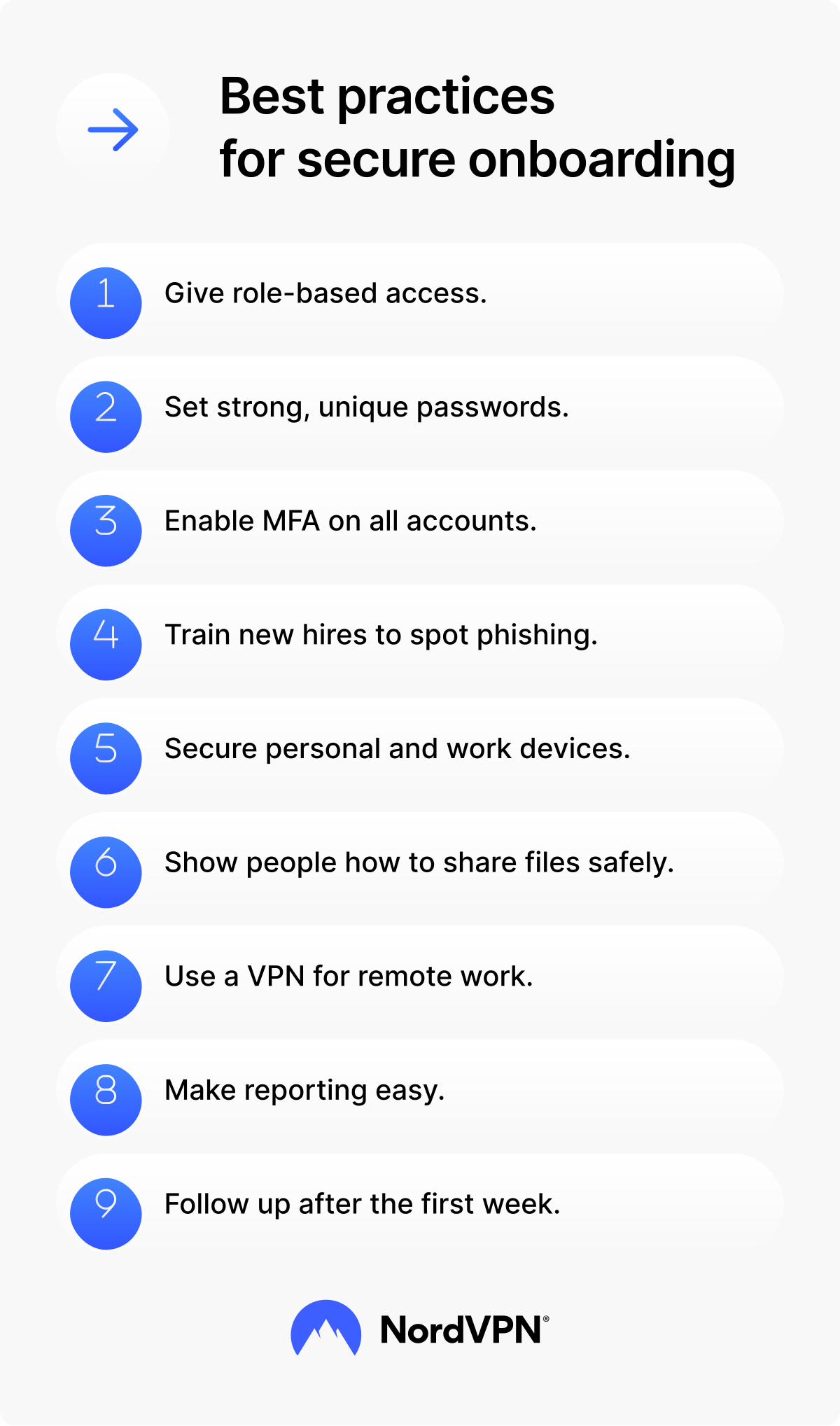
Give access based on role
Only give people access to the systems and files they need to do their job. The less access someone has by default, the less damage can result from an account being compromised.
Set up strong, unique passwords
Ask every new team member to use a strong, unique password for each work account. Strong passwords are at least 16 characters long and include a mix of letters, numbers, and symbols.
A password manager helps people create strong passwords and store them securely, so they don’t have to remember each one. It also eliminates the temptation to reuse passwords across personal and work accounts — and makes it easier to keep that habit up long term.
Turn on MFA on all work accounts
Multi-factor authentication (MFA) adds a second step to log in — usually a code from an app or a prompt on a trusted device. Even if a password is stolen, MFA stops most attackers from getting in. Enable it on every work account from the start and make sure it stays on.
Explain how to spot phishing
Your new hires might know what phishing is, but knowing what it is and spotting it in the moment are different skills. Walk them through what suspicious messages might look like in your organization’s context.
Point out common signs of phishing, such as unexpected links and attachments, language with an urgent tone, mismatched sender addresses, and requests for passwords and payments. Walking people through a real example from your inbox is more effective than handing them a written policy and hoping it sticks.
Cover device security
If team members use personal devices for work, set clear expectations. At a minimum, devices should have a screen lock enabled and software kept up to date. Remind people that outdated software can give attackers a way into the device and the work data connected to it.
Show people how to handle sensitive files
Explain where files should be stored, how they should be shared, and what should never be sent through insecure channels. Walk people through the approved way to use your shared drives or cloud tools. For anyone working remotely or on public Wi-Fi, explain when to use a VPN to keep work traffic private.
NORDVPN’S INITIATIVE
Through the NordVPN Nonprofits program, we offer eligible organizations free or discounted VPN subscriptions. Nonprofits, journalists, human rights advocates, and educators can apply to join the program to securely access information, protect communication, and work without fear of surveillance. Let NordVPN help your organization stay safer online and focused on its mission. Apply for NordVPN’s Nonprofits program today.
Make reporting easy
Tell people exactly what to do if a message looks suspicious, a device goes missing, or a login alert appears unusual. Encourage them to report phishing and other security risks early — a quick flag is always better than waiting to be sure. Name a specific contact and explain what happens after they report. People can act faster when the reporting path is clear.
Repeat key points after day one
People absorb a lot of information in their first week. A quick follow-up reminder or short check-in a few weeks later helps new team members retain the basics and gives them a chance to ask questions they didn’t know they had on day one. A practical training resource, such as our cybersecurity video course for nonprofit organizations, can also help reinforce those lessons.
QUICK ONBOARDING CHECKLIST:
-
Give role-based access.
-
Set strong, unique passwords.
-
Enable MFA.
-
Explain how to spot phishing.
-
Set device security rules.
-
Show how to share files securely.
-
Explain when to use a VPN.
-
Share the reporting process.
-
Follow up after week one.
A simple cybersecurity offboarding checklist
Offboarding needs the same level of care as onboarding. Start the process as soon as you know someone is leaving — not after their last day.
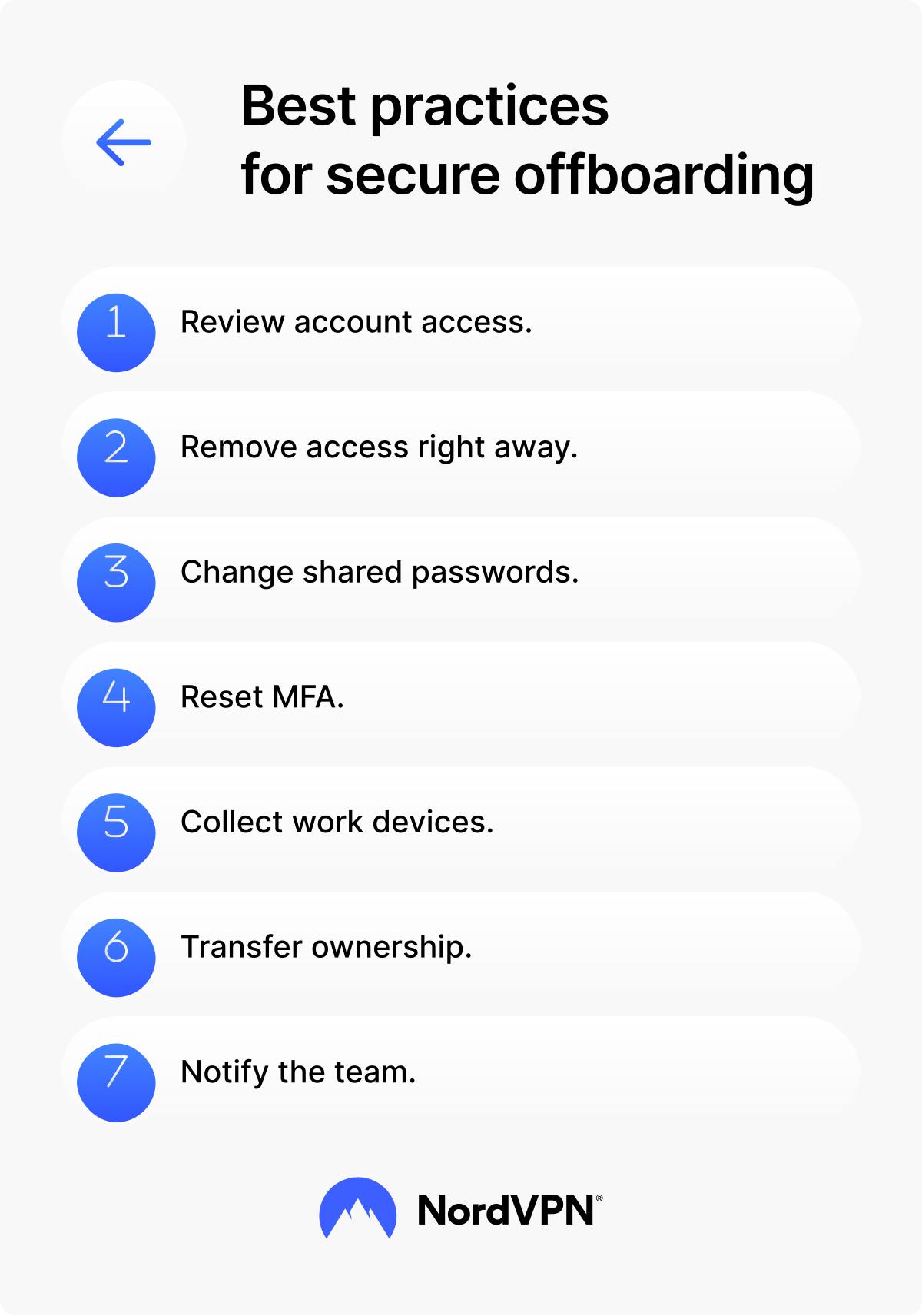
Review account access
Keep a running record of which tools and systems each team member can access. A basic spreadsheet works well. When someone leaves, use it to confirm that their accounts, logins, and permissions have all been removed.
Remove access immediately
Revoke access to email, cloud storage, donor databases, collaboration tools, social media accounts, and admin platforms on the person’s last day. Remove or reset their MFA methods on work accounts at the same time.
Change shared passwords
Change passwords for shared accounts, such as social media, design tools, or other platforms used by multiple team members. Shared accounts create extra risk because more than one person may have the same login details.
Collect organization-owned devices
If the organization provided a laptop, phone, USB drive, or paper records, collect them before the leaving employee walks out the door on their last day. If needed, wipe the devices before reusing them.
Transfer ownership of key files and accounts
Move ownership of documents, folders, calendars, email accounts, and shared resources to the right person before or during the exit process. This handover helps the team keep working without confusion or lost information.
Notify relevant team members
Let the right people know that the person has left and that their access has been removed. Clear communication prevents confusion — especially in teams where responsibilities are shared across volunteers and staff.
QUICK OFFBOARDING CHECKLIST:
-
Review and remove account access.
-
Change shared passwords.
-
Remove or reset MFA.
-
Collect organization-owned devices.
-
Transfer ownership of key files and accounts.
-
Notify relevant team members.
Start small, then make it a routine
Turnover is part of nonprofit work. Security gaps don’t have to be. You don’t need a large security team to protect your organization — you need a process your team will follow consistently.
Start with two checklists — one for onboarding, one for offboarding. Keep them short. Assign ownership. Review them regularly and update them when your tools or team structure changes.
The organizations that handle turnover well aren’t necessarily the ones with the biggest security budgets. They’re the ones with a clear process and the discipline to follow it every time. Two checklists won’t close every vulnerability — but they’ll close the ones that matter most.
Shaping a better world one step at a time. Together.
Apply for NordVPN’s Nonprofits program today
