Adult site blocking with a VPN and DNS filtering
-
Block adult sites automatically with DNS filtering.
-
Get scam and phishing protection on Android and iOS.
-
Browse safely, free from everyday online dangers.
What is adult site blocking?
Adult site blocking is a feature within NordVPN’s scam and phishing protection. It uses DNS filtering to stop explicit domains from loading before they reach your iPhone or Android device. Adult site blocking intercepts DNS requests, automatically cutting off access to thousands of adult websites, explicit ads, and risky links before they ever open in your browser.
Why should you use adult site blocking?
Adult site blocking makes your everyday browsing cleaner and safer by automatically protecting you from digital risks.
Block adult websites automatically
Enjoy a safer web experience every time you go online. NordVPN automatically blocks unwanted and malicious domains on your device for a cleaner browsing experience.
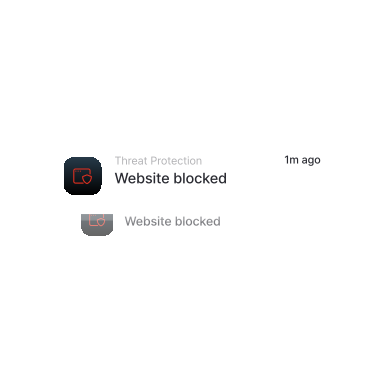
Safer browsing on mobile
Browse on the go with more confidence. Scam and phishing protection helps you avoid malicious websites known for fraud and phishing attacks.
Fewer dangerous ads
Some ads are not just annoying — they’re dangerous. Stay safer with NordVPN’s ad blocker.
Faster loading times
NordVPN connects you to a high-speed VPN, reduces on-screen clutter, and provides a reliable connection, keeping your browsing experience smooth and fast.
Blocking adult websites
Whether you’re sharing your device with a child or using it yourself, NordVPN can automatically block unwanted and potentially malicious domains to ensure safer browsing.
Safer browsing on mobile
Browse on the go with more confidence. Threat Protection helps you avoid malicious websites known for fraud, malware, and phishing attacks.
Less dangerous ads
Some ads are not just annoying, they’re dangerous. NordVPN’s ad blocker reduces online tracking and blocks malicious ads.
Faster loading times
NordVPN finds the best server for you, reduces on-screen clutter, and ensures a reliable connection, making your browsing experience smoother and faster.
How does adult site blocking work?
Adult site blocking works by using real-time DNS filtering on NordVPN servers to stop explicit and risky websites before they ever load on your device. Unlike traditional methods that force you to mess with tricky router settings or set up third-party services like OpenDNS or CleanBrowsing, NordVPN handles all the filtering in the background — no extra setup required.
How to enable adult site blocking
Adult site blocking is currently available only in the NordVPN mobile apps.
How to block adult websites on Android with NordVPN:
2
Tap on the shield button.
3
Enable “Real-time protection” and tap to access additional settings.
4
Turn on “Adult site blocking.”
What users and experts
say about NordVPN
The bottom line here is: When you’re online, you don’t have to worry about being secure or about your information getting out there if you have a VPN. NordVPN makes it simple.
Tech of Tomorrow
Tech reviewer, YouTube


Forbes Advisor
The Best VPN Provider 2025


CaseyNeistat
12.7M subscribers
NordVPN is a very good VPN, they're very highly regarded in the industry. I've been using it for 3 years, it's not problematic, I use it on my iPhone, my Android, my Mac laptop.
Block adult websites with a trusted VPN
Try NordVPN’s advanced features and browse with more confidence.
30-day money-back guarantee