What is allowlisting?
Allowlisting is a default-deny cybersecurity practice set to only grant pre-approved users, applications, IP addresses, and devices access to the network. If someone can’t prove their identity and doesn’t appear in the approved list, they’re automatically denied entry. Allowlisting is defined in the NIST cybersecurity framework as “a list of applications and application components that are authorized for use in an organization” and is used to help prevent malware as well as unlicensed or unauthorized software from compromising the network.
Allowlisting is a stricter access model than blocklisting because it adheres to the zero trust security principle — all access attempts must be verified before the system trusts them. Unlike blocklisting, which prevents pre-denied parties from accessing the network and may lead to oversight if a new unlisted malicious actor passes, allowlisting automatically denies such attempts because they’re not on the access control list by default.
What is blocklisting?
Blocklisting is a cybersecurity practice that grants access to all entities except those explicitly added to the exclusion list. It helps protect the system against known threats. Although the system sounds very similar to allowlisting, it has some unique drawbacks. It’s not as efficient at protecting the system from new threats like zero-day vulnerabilities if the deny list isn’t maintained, making the network more susceptible to unexpected attacks. However, blocklisting acts as solid defense against established risks. Antivirus and anti-malware software are typical examples of blocklisting. They automatically flag and block identified bad actors, preventing them from accessing your device. For instance, NordVPN’s next-gen antivirus helps protect you by identifying malware-ridden files you may be downloading, stopping you from landing on malicious websites as well as blocking trackers and intrusive ads based on a blocklist of known threats.
Allowlisting vs. blocklisting
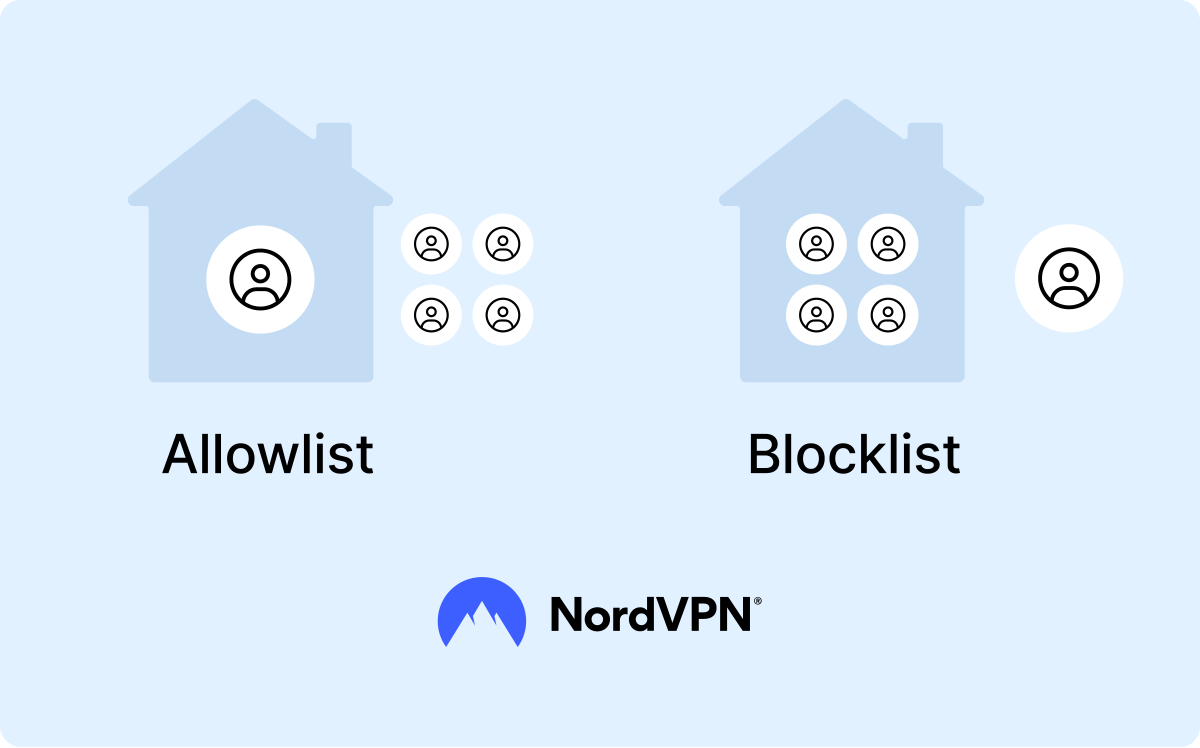
Allowlisting and blocklisting are two sides of the same coin and are both effective strategies to protect your network from malicious apps, IP addresses, email addresses, and websites. However, they’re based on different rules — one lets through all apps except those listed, the other blocks all except what’s permitted.
Application allowlisting and blocklisting both require frequent updates, but the latter is more likely to fall victim to oversight and undetected threats. A blocklist can’t proactively defend a network from zero-day vulnerabilities, which might only be identified when the system is already compromised. An allowlisted system would be protected from the vulnerability by default because the access attempt would be rejected.
Despite the vulnerabilities it faces, blocklisting is not a worse method than allowlisting — both have different use cases. Allowlisting is a more proactive approach, whereas blocklisting is more reactive. As such, allowlisting can be more disruptive. For instance, if a new employee joins an organization or upgrades to a new device, they might be initially rejected from some systems because the administrators haven’t allowlisted them yet. This can impact work processes and make access to critical systems more difficult even for permitted users.
Many organizations choose to build a hybrid security architecture that combines both allowlisting and blocklisting. They allowlist access for critical assets like servers and control systems to prevent unauthorized entries. For lower-risk environments like employee endpoints, blocklisting restricts known malicious domains.
| | Allowlisting | Blocklisting |
|---|---|---|
Principle | Allows only pre-approved users, apps, and IP addresses to access the network | Blocks only pre-denied users, apps, and IP addresses from accessing the network |
Default posture | Deny by default | Allow by default |
Trust | Zero trust | Trust unless proven otherwise |
Resilience against zero-day threats | More resilient | More susceptible |
Deployment | Harder to deploy | Easier to deploy |
Maintenance overhead | Higher | Lower |
Threat response | Proactive | Reactive |
Best for | High-security environments, servers, financial systems, admin access points | General-purpose environments, web browsing, emails, employee endpoints |
How allowlisting works
Although the core principle of this method is the same — limiting access only to privileged parties — how it works depends on the different types of allowlisting. For instance, to set up application allowlisting, you first must identify all applications you need and determine which ones can be granted access.
Some companies use third-party software or a firewall to allow only select applications through. Others rely on a hardened operating system that’s free of malware and unwanted software. This method is convenient if a system doesn’t require much customization and uses the same set of applications.
As you set up the allowlisting software, you need to set enforcement parameters. For instance, the allowed apps can be recognized based on a cryptographic hash, digital certificates, or file path rules. Once your application allowlisting tool starts running, it analyzes every app based on the enforcement criteria and evaluates them to ensure their legitimacy and prevent hackers from tricking the list and bypassing it. Allowlisting tools can also recognize the typical behavioral patterns of approved applications to make sure adversaries can’t manipulate them.
For effective protection, you need to keep your allowlisting databases up to date and include the latest information on valid cryptographic hashes, libraries, scripts, and files. Many organizations run in monitoring mode to prevent legitimate updates from being blocked due to oversight. They catalog applications and map dependencies before enforcing restrictions, which lowers the chances of apps getting blocked. Each access rejection is logged, and administrators can manually review them to decide whether the request was legitimate but missing from the list or potentially threatening.
Although allowlisting is an effective strategy to prevent malware and unauthorized access, it shouldn’t replace your other cybersecurity measures, like an antivirus, intrusion detection and access control systems, VPNs, or security policies. Instead, it’s a complementary part of your network security system, and different types of allowlisting can help cover bases for various risks that other tools may overlook.
Types of allowlisting
Allowlisting covers a broad scope of access points which can be segmented into smaller types for easier management.
Application allowlisting
Application allowlisting is one of the most important protective measures in high-security environments. Putting applications on an allowlist instructs the device to run only those apps and treat any others as potentially threatening. Application allowlisting extends beyond executable files to include other components, like libraries and configuration files.
This type of allowlisting can be implemented using different tools. Some operating systems have native solutions, like Windows Defender Application Control or Gatekeeper on macOS. You can usually configure what application aspects it should respond to, like file names and sizes, and set up a kill switch mechanism so that if someone tries to take over your software, allowlisting will shut down the affected app.
Be careful not to mix up application allowlisting with application control. Application control is a broader, more lenient category — it can stop a device from downloading an app that's not pre-approved, but it won't stop you from running an app you installed earlier.
Although application allowlisting is effective at preventing malware attacks, including keyloggers, trojans, and ransomware, it’s not a foolproof solution — if an app that’s already on your device is compromised, cybercriminals may still exploit it.
IP allowlisting
IP allowlisting ensures that only specific IP addresses can access the company’s internal resources and web servers, improving its security and privacy stance. For instance, if you have a corporate application or a server you want to keep private and only allow your employees to access it, you would add those employees’ IP addresses to the list, excluding all other access attempts.
For this type of allowlisting to work, all permitted IP addresses must be static. Employees may use allowlisted dedicated IPs to securely access the company resources they need. Many organizations choose to use a dedicated IP server that provides fixed IP allowlisting. IP allowlisting also helps maintain network security when remote employees connect.
Email allowlisting
Email allowlisting lets you or your system administrator set up more advanced spam filters that tell your inbox which specific senders are legitimate. It’s a necessary security measure as employee email addresses are often easy to guess — criminals can try different username combinations with the company’s email domain to launch email phishing attacks against employees.
This type of allowlisting is typically split into commercial and non commercial. Commercial email allowlisting ensures that businesses’ bulk marketing, promotional, or transactional emails reach customer inboxes, while non-commercial allowlisting lets personal and nonprofit communications pass through the filters.
Allowlisted filters help employees avoid malicious email and ensure all necessary information passes through, cutting out disruptive spam, which can hurt productivity. Allowlisting email addresses also helps repel IP reputation attacks, which occur when malicious actors use compromised or spoofed IP addresses to bypass security filters.
Maintaining email allowlisting can create some complications. New contacts may have issues trying to reach employees because their emails are automatically filtered out. Individual employees may also subscribe to services that aren’t globally allowlisted, adding more work to the list’s management.
Advertising allowlisting
Advertising allowlisting is the process of allowing certain ads to reach the user while blocking all others. Ad blockers are the most common tools used for advertising allowlisting. They block all ads by default, but you can adjust the settings and place certain websites on an allowlist to support them or if you know the website does not place malicious ads. Ad blockers can also be used to restrict persistent pop-ups and banners, reducing distractions and helping you protect your privacy.
Benefits and drawbacks of allowlisting
Allowlisting is a popular security framework for organizations because it helps significantly improve their resilience against attacks:
-
Protection against zero-day vulnerabilities. Allowlisting’s default-deny model efficiently blocks software containing zero-day vulnerabilities, preventing them from being exploited and reducing the attack surface.
-
System control. Any apps the user installs on their devices must be on the allowlist, granting IT administrators more control over what runs in the system.
-
Malware and ransomware prevention. Allowlisting flags attempts to install unconfirmed software, making it easier to spot malware and ransomware attack attempts.
-
Stability. Using the allowlist framework helps maintain a stable environment and reduces the likelihood of false negatives — like undetected malicious apps — slipping through.
-
Fewer alerts to triage. In blocklisting systems, applications need to be triaged more frequently — IT administrators must determine if the application is secure or not. Allowlisting bypasses this by blocking unknown apps by default.
-
Reduced risky user behavior. Running an allowlisted system lowers the chances of users accidentally installing malware.
-
Zero trust. Due to its never-trust-always-verify model, allowlisting is a complementary layer of a defense-in-depth strategy, which can work well alongside a VPN — the latter encrypts the traffic, while the former controls who can access that traffic.
Despite its upsides, allowlisting has some drawbacks that necessitate systems to use other frameworks alongside it:
-
Compromised application risk. If a legitimate application on the allowlist is compromised after being installed on users’ devices, it can still be exploited.
-
Initial investment. Setting up an allowlist system is a resource-intensive task as each application, user, device, and access point must be reviewed before approval. Once the list is made, it must be audited and documented before the organization can implement it.
-
Blocking of legitimate unlisted tools. Users may be unable to install software even if it’s legitimate if it wasn’t included in the list. Although they can put in exemption requests, this can disrupt the workflow and cause delays.
-
Exemption sprawl. IT administrators can issue application exceptions and let users temporarily run apps that aren’t in the official allowlist. However, too many temporary exemptions can create a risk of oversight.
-
Persistent upkeep. New software releases mean the list has to be updated to accommodate application changes, requiring constant upkeep. The upkeep and frequent changes make allowlisting hard to scale as the organization grows.
| Benefits of allowlisting | Drawbacks of allowlisting |
|---|---|
Resilience against zero-day attacks | Compromised domain risk |
Full control of what runs on the system | Thorough initial inventory building |
Effective against malware and ransomware | Legitimate applications get blocked if they’re not allowlisted |
Lower risk of false negatives | Persistent upkeep of the list |
Less risky user behavior | Workflow disruptions |
Why do we need allowlisting?
Allowlisting is an important cybersecurity framework for businesses, particularly large corporations and enterprises that handle valuable sensitive information and must uphold high security standards. Governmental and healthcare institutions that deal with sensitive customer data and must meet regulatory requirements can also benefit from this method. It’s officially recommended as a critical control by NIST.
This framework also helps effectively protect devices from threats like trojan viruses, fileless malware, and ransomware by stopping phishing emails and malvertising from reaching them. Companies can have a limited list of allowed domains to receive emails from, while the rest are blocked before they reach the recipient, making allowlisting more effective than regular spam filtering.
Having allowlisting tools in place helps reinforce the organization's critical infrastructure and endpoint security, especially around privileged resources. They stop users from accidentally installing insecure or compromised software on shared devices, lowering the risk of human error. For companies running BYOD policies, allowlisting helps control access paths and can be used in combination with other tools like a VPN to protect data in transit.
Application allowlisting software and tools
Dedicated allowlisting software and tools help automate the process of creating and maintaining your organization’s list of permitted applications, IP addresses, and sites. They scan your environment to detect which apps are in use, check for updates, and support incident tracking. You can use native OS controls, endpoint protection and EDR platforms, or dedicated tools.
- Native OS controls. Operating systems like Windows, macOS, and Linux have built-in features that help restrict which software your device can run. These tools often serve smaller environments or companies with lower budgets. Although native OS controls are free, they’re harder to scale and require more manual input.
- Endpoint protection and EDR platforms. Endpoint detection and response (EDR) platforms and endpoint protection tools are suites that include application control features alongside other cybersecurity measures, like an antivirus solution, behavioral detection, and response. Companies that already have EDR platforms can include allowlisting to run alongside detection and response. However, these platforms have fewer granular control options than dedicated tools.
- Dedicated application control tools. Purpose-built tools offer features that automate and streamline allowlisting management and software control. These tools handle automatic list creation, updates, and approval workflows. They support granular control policies and suit high-security, regulated environments. Dedicated application allowlisting tools are more scalable but pricier than other alternatives.
When considering allowlisting tools for your company, you should look for:
- Multiple allowlisting methods (hash/publisher/path). Having a combined method covers issues related to app updates and lowers the risk of the established allowlisting rules breaking with each update.
- Time-limited auto-reverting exceptions. Users sometimes need temporary exceptions to install unapproved apps. Having automatic reversion ensures that once the exception’s time expires, the app doesn’t become a permanent security gap in the policy.
- Cloud and on-premises deployment. Allowlisting tools should work whether you manage them from a hosted console or inside your own infrastructure.
- Scalability across endpoints. Account for organizational growth — more devices and more tools — and make sure allowlisting policies can keep up.
- Usability for non-security staff. Reviewing requests and approving software shouldn't require deep security expertise. When the help desk can handle them, delays shrink and users are less likely to seek workarounds.
Allowlisting best practices
Allowlisting sounds simple on the surface, but it’s a balancing act. Allow too much, and you might risk opening your system security to vulnerabilities. Deny too much, and your system won’t work effectively, which can also weaken your security. To maintain a functioning allowlist, you need to:
- 1. Understand your environment. Before implementing application allowlisting, create a full inventory of which applications are in use in your environment, who uses them, and what they're used for. This includes business applications, system utilities, drivers, and libraries. This knowledge will help you create a more effective and manageable allowlist.
- 2. Establish a baseline. If you know how your system works on a normal day, you can spot abnormalities more easily. So establish a baseline of normal activity within your organization. While not every deviation will be a real threat, it’ll help you keep the system running smoothly.
- 3. Log application executions. Allowlisting software can help you log all applications running on your system. Check this list regularly to ensure nothing is missing from your initial inventory.
- 4. Design specific rules but plan for exceptions. The more specific rules you create, the less chance you have of malicious software sneaking through. Make sure you also have a clear plan on how to handle exceptions.
- 5. Roll out in monitoring mode before enforcing. Run the allowlist in monitoring mode across the organization before enforcing it, to confirm you haven't overlooked any software or IP addresses. This will help reduce the likelihood of errors upon full enforcement.
- 6. Combine allowlisting with other layered controls. Allowlisting should not be the sole access control tool in your organization. Combine it with other tools, like a blocklist, a firewall, a VPN, and a next-generation antivirus, for more thorough protection.
- 7. Review temporary exceptions. Regularly check the temporary exception list. If needed, include some of the apps in your allowlist and block the ones that appear vulnerable.
- 8. Keep the allowlist updated as software is patched. Your allowlist is not a one-and-done setup. Keeping up-to-date with the software patches prevents applications from breaking or running older, potentially vulnerable versions.
How to start allowlisting
Implementing allowlisting in your organization requires a thorough process. Many variables depend on the size of your company, the type of resources you want to allowlist, and your access to maintenance resources.
- 1. Assess your current environment. Review what apps are already used in your company’s inventory, who has permissions to send emails or share files, what IP addresses are in use, and what devices your employees have connected to the system.
- 2. Determine the scope. You don’t need to tackle several types of allowlisting at once. Start small — decide which email addresses may contact your organization's domain. Then include the most common applications and start including additional, department-specific software your company uses.
- 3. Choose the approach. Decide if you’re going to use native OS controls, an endpoint platform, or a dedicated allowlisting tool to manage your organization’s access. Large corporations usually need more advanced allowlisting tools.
- 4. Create the initial allowlist. Analyze your company’s inventory and build the first iteration of the allowlist.
- 5. Run an audit. Run an audit. Before enforcing the new policy, test it, catalog which applications run, and map out the dependencies.
- 6. Enforce the policy. Switch your organization’s access framework to default-deny and only allow the pre-approved applications.
- 7. Maintain the list. Review the logs, updates, and exceptions regularly to ensure the allowlist stays up to date and causes as few workflow interruptions as possible.
Online security starts with a click.
Stay safe with the world’s leading VPN