·
Download and set up a VPN on Raspberry Pi
Stay safer online with the Raspberry Pi VPN.
Easy VPN install with our app — connect in seconds.
Thousands of ultra-fast VPN servers across 178 locations.
Available on
Available on
Why should you use a VPN on your Raspberry Pi?
A Raspberry Pi virtual private network (VPN) is a smart choice for anyone who cares about their online privacy and security. By encrypting your internet traffic and changing your IP address, a reliable VPN service prevents anyone monitoring your connection (including your internet service provider, or ISP) from learning what you do and where you go online.
And that’s not all. Getting a VPN for Raspberry Pi lets you bypass many forms of online censorship, giving you access to foreign versions of websites, shops, and apps even in restrictive environments. It may even improve your internet speed if your ISP has been throttling your connection based on specific online activities.
How to set up a VPN on Raspberry Pi
Follow these steps to install a VPN on your Raspberry Pi. You can either download the NordVPN app or set up a VPN on your Raspberry Pi manually by using OpenVPN configuration files — simply follow the instructions in our Support Centre guide.
1. Download the NordVPN app
Enter the command line below into the terminal and follow the on-screen instructions to download our Linux VPN client.
2. Log in to your NordVPN account
Use the following command and enter your NordVPN credentials when prompted.
3. Connect to a server
To connect to a VPN server, enter the command line below.
4. Visit our Support Center
Our Support Center tutorials list the available commands and settings for NordVPN apps on different Linux distributions.
Why choose NordVPN
Check out what you get if you use NordVPN as your Raspberry Pi VPN client.
| Covered locations: | 178 |
|---|---|
| VPN protocols: | NordLynx, OpenVPN |
| Data collection: | No activity logs |
| Online protection: | Blocks dangerous websites and malicious ads |
| Devices per account: | 10 |
| Support: | 24/7 live chat, email, support center |
| Money-back guarantee: | 30 days |
| IP addresses: | Shared and dedicated |
| Advanced features: | Threat Protection, Kill Switch |
Raspberry Pi models supported by NordVPN
NordVPN is compatible with these Raspberry Pi models:
Raspberry Pi Zero*
Raspberry Pi Zero W*
Raspberry Pi Zero WH*
Raspberry Pi 2
Raspberry Pi 3
Raspberry Pi 3 Model A+
Raspberry Pi 3 B+
Raspberry Pi 400
Raspberry Pi 4 B
Raspberry Pi 4 B 8GB
Raspberry Pi Zero 2 W
Raspberry Pi Compute Module 4
* Only with Debian Linux distributions.
Remote access to your Raspberry Pi with Meshnet
NordVPN’s Meshnet feature allows you to access your Raspberry Pi remotely. Simply install the NordVPN app on your device and follow our guide for using Meshnet on Linux to breathe new life into your Raspberry Pi.
With Meshnet, you can also use your Raspberry Pi as a VPN server. This way, all connected devices can route their online traffic through your Pi’s IP address — perfect for accessing home resources while abroad.
To add an extra layer of protection, pair network protections with Pi-hole and Meshnet. Pi-hole turns your Raspberry Pi into a DNS server for ad blocking, DNS mapping, and website blocklisting.
Raspberry Pi VPN client vs.
self-hosted VPN server on Raspberry
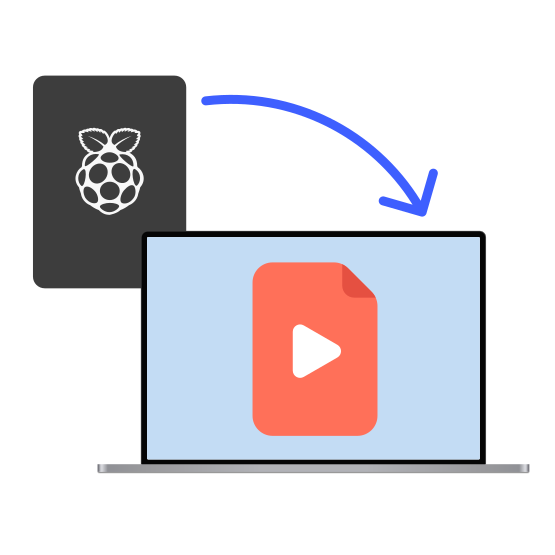
You can either install VPN client software on your Raspberry Pi to protect its internet traffic, or turn your Pi into a self-hosted VPN server to access your home network remotely. Check out the benefits of both.
Using the NordVPN client on Raspberry Pi
This setup routes all your Raspberry Pi’s internet traffic through a secure NordVPN server, swapping your IP address for the server’s. Your connection is encrypted too, so you can browse with peace of mind.
Running a self-hosted server on Raspberry Pi
If you set up your Raspberry Pi as a VPN server at home, you can connect to it from anywhere to securely access your home network and devices.
Setting up Raspberry Pi as a VPN server with Meshnet
With NordVPN’s Meshnet, you can set up your Raspberry Pi as a VPN server and securely access your home resources from anywhere. In fact, all connected devices can route their internet traffic through your Raspberry Pi to access the internet using its IP address.

Enjoy a hassle-free online experience with NordVPN
Hide your location, get a new IP, access the internet without restrictions, and enjoy your favorite content with increased security using our risk-free VPN. If you are not 100% satisfied, tell us within 30 days of the purchase date and get a full refund.