Alexa is Amazon’s voice-activated intelligent virtual assistant. It runs on smart speakers like the Echo Dot, Echo Show, and Echo Studio — all designed to respond after hearing a wake word. But how Alexa listens, and what it does with that audio, isn’t always clear.
So let’s walk through what Alexa is actually doing when it “listens,” where your data goes, and what that means for your privacy.
Does Alexa spy on you?
No, Alexa doesn’t spy on you. But that doesn’t mean your privacy is fully protected, either.
Alexa isn’t built to secretly listen to your conversations. It’s designed to respond after hearing a wake word — and you can choose from “Alexa,” “Amazon,” “Echo,” “Computer,” or “Ziggy.” Once it detects the wake word, it starts recording your voice command, sends it to Amazon’s servers, and replies based on your inquiry.
Where things get murky is when Alexa mishears something. Because it’s always listening for that activation word, it can turn on even when no one intentionally speaks it. And needless to say, that can make it feel like Alexa is listening in, even though it’s just software doing what it was programmed to do — reacting to a sound pattern that resembles a command.
Yet this is exactly what fuels Alexa privacy concerns — those moments when your device responds unprompted or picks up something you didn't mean for it to hear. Many users then find themselves searching for answers to "does Amazon Alexa spy on you?" or "is Alexa used to spy?" online.
The answer is still no. But Alexa does collect audio after it activates — and based on your settings, those voice recordings are stored in Amazon’s cloud and linked to your account. You can delete them manually or set Alexa to automatically erase recordings after a user-defined period — such as 3 or 18 months or even immediately after processing.
Is Alexa always listening?
Yes, Alexa is always listening — but not in the way you might think.
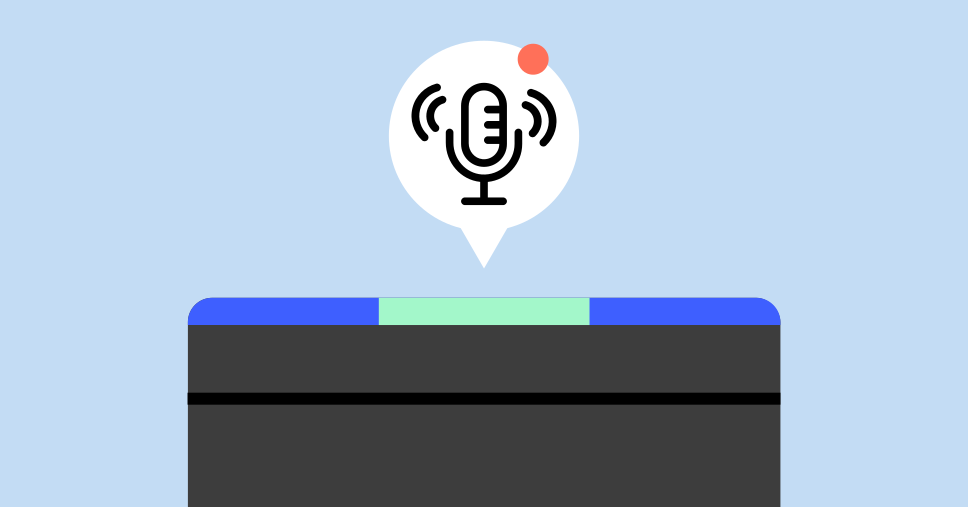
Alexa-enabled devices like the Echo Dot or Echo Show keep their microphones on so they can detect a wake word. This is called local voice detection. Until the device hears the wake word, it doesn’t send information anywhere — your voice is not recorded, stored, or transmitted to Amazon’s servers.
That said, the microphone is technically on at all times, and that’s where some of the confusion comes in. People hear “always listening” and assume constant recording. In reality, Alexa listens locally for a specific sound and only starts recording after it detects that wake word.
It’s a small detail, but it makes a big difference for your privacy.
Does Alexa record conversations?
No, Alexa doesn’t record your conversations by default. It only records what you say after it hears its wake word.
When the device is activated, it begins capturing what follows. This might include your command, a question, or even a few extra words said immediately afterward. That recording is then sent to Amazon’s servers for processing and stored in the cloud.
Here’s what you can do with those recordings:
- Listen to them through the Alexa app
- Delete them one by one — or all at once
- Set Alexa to delete them automatically after a certain amount of time
- Opt out of having Alexa store your voice recordings — though your audio will still be processed to respond to commands
So while Alexa isn’t recording everything you say, make sure to review voice history and adjust the settings that control it to your preference.
Can the Echo Dot be used by hackers to spy on you?
It’s unlikely that someone could hack your Echo Dot to spy on you — but it’s not impossible, especially if your network isn’t secure.
Like any smart device connected to the internet, an Echo Dot can be exploited if your home network is poorly secured. But Amazon has built-in protections that make hacking these devices directly very difficult. Most real-world threats come not from the device itself, but from weak Wi-Fi passwords, outdated routers, or unsafe apps running on the same network.
You don’t even need your Alexa device to get hacked for things to go wrong. If someone gets into your Amazon account, they could review your voice history, enable malicious skills (skills are Amazon's term for voice-activated apps — more on that in a moment), or reconfigure your connected devices — all of this remotely.
In 2018, security researchers at Checkmarx demonstrated a proof of concept where a malicious Alexa “skill” could be used to eavesdrop by continuing to listen after a command was processed. Amazon has since patched that vulnerability, but new issues can emerge over time — a reminder that software, not hardware, remains the likeliest entry point for potential exploits.
For added protection, consider putting Alexa devices on a separate “guest” Wi-Fi network. That way, even if one device is compromised, your personal devices and data stay isolated. And always make sure your router firmware is up to date — it’s one of the easiest steps you can take to reduce risk.
What are the privacy risks of Alexa?
Even though Alexa isn't built to spy on you (so they say), it still presents privacy concerns — especially around how Amazon handles sensitive data, who can access it, and how the device responds to unintended triggers. These concerns feed into the broader issue of Alexa spying, whether real or perceived.
Here are three of the most common risks Alexa users should be aware of:
- Data access by third-party apps
- Accidental recordings caused by misheard wake words
- Human review of voice recordings by Amazon employees
Let’s take a closer look.
Data sharing and third-party apps
Many Alexa skills — the apps and features that extend Alexa’s functionality — are built by third-party developers. While Amazon sets rules for what data these developers can access, certain skills may request permissions that go beyond basic voice commands.
Some of the most popular skills, like trivia games, fitness activities, or smart home integrations, may ask for access to personal information such as your location or contact list. And because it's not always clear what’s being shared or how it’s used, these apps can create privacy gaps.
To limit the access you allow, make it a habit to check permission settings for any skills you've enabled — and disable the ones you don’t use.
Accidental activations and misinterpretation
Smart speakers — including those that use Alexa or other voice assistants — don’t always wait for the wake word. Sometimes they misfire and pick up background sounds as if they were commands.
According to a study by researchers from Northeastern University and Imperial College London, smart speakers misactivate at a rate of 0.95 times per hour when exposed to audio from TV shows, even when nobody speaks the wake word. This suggests that background audio from TV shows, conversations, or podcasts could trigger these devices.
These false activations can lead to unintended recordings, which can represent a loss of control over when your device is listening and create potential privacy risks.
Amazon employees listen to the recordings
While Amazon says that Alexa voice recordings are primarily analyzed by AI, the company also acknowledges that human reviewers have access to a small sample of voice recordings. These are transcribed and annotated by specialists to enhance Alexa's responses and train its language model.
Amazon says these recordings are anonymized and only reviewed by trained employees. Still, the idea that a human reviewer could potentially hear a snippet of something you didn't mean to record is understandably uncomfortable for many users.
How to stop Alexa from unnecessary listening
If the way Alexa picks up your commands has made you feel wary, you’re not overthinking — yes, even minor privacy tweaks can give you more control over what Alexa keeps and hears.
Many people never look into Alexa’s settings after setup. That means recordings from months or even years past could still be kept in your account. Is there a simple way to deal with that, you ask? There is. It doesn’t take much to limit how much Alexa stores, or how often it listens when you don’t want it to.
You don’t have to shut Alexa off completely to increase your privacy. Just a few setting tweaks can reduce unnecessary listening and help you manage your Alexa data with more control.
What you can do is:
- Mute the microphone when not in use. Every Echo device has a physical mute button. Pressing it turns off the microphone completely until you switch it back on.
- Review and remove voice history. In the Alexa app or on Amazon’s website, you can see what Alexa has recorded — and follow steps on how to delete Alexa recordings, either individually or all at once.
- Manage privacy settings via the Alexa app. Under “Alexa privacy,” you control what’s stored, how long it stays there, and whether recordings are used to improve the service.
- Disable unused skills. Every enabled skill is a potential data point. If you're not using it, turn it off to reduce unnecessary access.
- Set up voice ID for better security. Alexa can recognize different voices. Creating a voice profile helps prevent others from accessing sensitive features or activating the voice assistance.
- Erase recent commands by voice. Say “Alexa, delete what I just said” or “Alexa, delete everything I said today.” It’s a simple way to remove recent recordings without opening the app.
Should you be worried about Alexa spying on you?
You don’t need to fear Alexa — but you do need to stay in control.
Alexa may not be designed to spy, but it still collects data by default. The real risks come from accidental recordings, cloud storage that’s easy to overlook, and third-party apps or settings that may share more than you realize.
That doesn’t mean you have to stop using Alexa. It means using it on your terms. When you review your voice history, manage your Alexa data, and adjust privacy controls, you turn a potential vulnerability into a tool you trust.
Alexa works for you — not the other way around.
Online security starts with a click.
Stay safe with the world’s leading VPN