·
Is this text a scam?
Analyze the text content for common patterns of scams and phishing attempts.
By sharing a message you agree to our terms of service and privacy policy.
What does a scam text checker do?
Scam text checker scans messages and helps you decide whether they’re legit. This tool can analyze plain text messages as well as scan images for text.
Avoid phishing attacks
Got a suspicious email or text? Paste the message text or upload a screenshot before clicking a link. This tool will help you recognize phishing emails and messages easily, preventing dangerous attacks.
Block fake vendors and buyers
A lot of phishing messages go through email, but social media messages are just as dangerous. If a buyer or seller sends you a suspicious message, check it with our tool to recognize scams before it’s too late.
How does a scam text checker tool work?
NordVPN’s scam text checker allows you to double-check suspicious messages — whether in text or image format.
Our tool scans your message and extracts any phone numbers, URLs, or email addresses.
The extracted information is then checked against known malicious databases.
An AI-powered algorithm examines the message itself for patterns that scammers commonly use in their attacks.
A scam text checker detects malicious emails, URLs, and phone numbers in any text copied from SMS, emails, and social media messages. You can also upload a screenshot of the conversation.
The tool also uses an AI-powered algorithm to scan the body of the message for patterns commonly used in scams, such as scare tactics and urgency.
Why should you use the scam text checker?
Works on all platforms
Examine suspicious messages at home or on the go. Even if you only have your phone or tablet available, you can use our free scam text checker tool to analyze messages in plain text and image format.
Designed by experts
The scam text checker was developed by NordVPN, a global leader in cybersecurity with thousands of professionals on board and millions of trusted customers. Our experts curate a massive database of threats in real time and use advanced technologies, including artificial intelligence and machine learning, to continuously improve the scam text checker.
It’s completely free
You don’t even need an account. If you’re ever suspicious about a message you’ve received, whether it’s an email, a private message, or the good old SMS, you can always come back to this page and use the scam text checker to analyze it.
When to use the scam text checker tool?
Use the scam text checker whenever you get a suspicious message. When something feels off, even if you can’t put your finger on it, use this tool. It’s quick, free, and will help you protect against phishing and scams. Consider using the scam text checker if the message:
How to use the scam text checker
If you’re not sure whether a message you’ve just received is fake, use NordVPN’s scam text checker to scan it for signs of malicious intent.
01
Paste the text message or upload it as an image.
02
Wait for a few moments while the scam text checker scans your text or image.
03
See the results.
Manual scam text checking vs. automated scam text checking
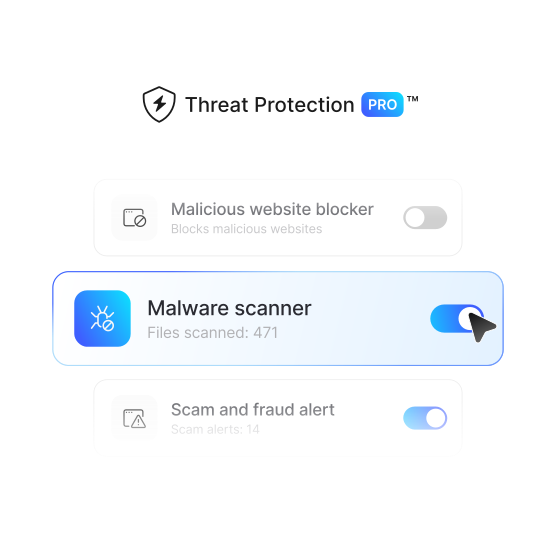
The scam text checker lets you scan messages and know if they’re dangerous — but NordVPN’s Threat Protection Pro™ will automatically protect you from the most common online threats.
| | Checking scam messages with  | Checking scam messages manually |
|---|---|---|
| Safer browsing | | |
| Lower risk of malware | | |
| Scam prevention | | |
| Fast results | | |
| One-time activation | | |
| Ad and malware blocker | | |
| Trackers removal | | |
| Bespoke file inspection in the cloud | | |
| Free service | | |
Learn more about common text scams to be aware of them
Text scams come in all shapes and sizes. Check out these posts to learn more.














Protection beyond the scam text checker
Online threats are not limited to infected files. NordVPN’s Threat Protection Pro™ scans websites for fraud and alerts you instantly. It also comes with anti-phishing protection, automatically blocking dangerous sites.
Garanzia di rimborso di 30 giorni