VPN for Palworld: Play with enhanced security

Worldwide access. Next-gen security. Private VPN connection.

A man playing Palworld on a PC.

What is Palworld?

Palworld is a sprawling open-world game for Windows (Steam) and the Xbox that mixes multiple genres into one spicy stew. With a dash of monster taming, a pinch of action, and a good helping of base-building, Palworld’s gameplay tickles the taste buds of a broad range of players. And while the game has some mild swearing and violence, earning it a PEGI 12 age rating, it’s all in good taste.

You’ve got hundreds of colorful Pals for company, but trust us — this is one journey you want to experience with your real-life friends.

How do I host a LAN party in Palworld?

NordVPN’s Meshnet feature lets you host a LAN server for Palworld in one of three ways. For detailed instructions, have a look at our Palworld server setup guide.

Palworld dedicated server tool

For a quick setup, simply use the Palworld dedicated server tool installed alongside the Steam version of the game.

SteamCMD

Get the command-line version of the Steam client to create finely tuned servers for Palworld and other multiplayer Steam games.

Docker

Deploy your Palworld server as a lightweight Docker container to save system resources while hosting the game.

Why should I consider a VPN for Palworld?

Playing Palworld with friends

A private experience

Using the magic of virtual local area networks (LAN), Meshnet lets you play with friends as though they were right here in your room. Link up and experience Palworld together.

Link up to 60 devices

Palworld supports up to 32 players at once — and Meshnet lets you link up even more devices together. Create massive private servers just for you and your friends.

A woman using Meshnet to play Palworld.
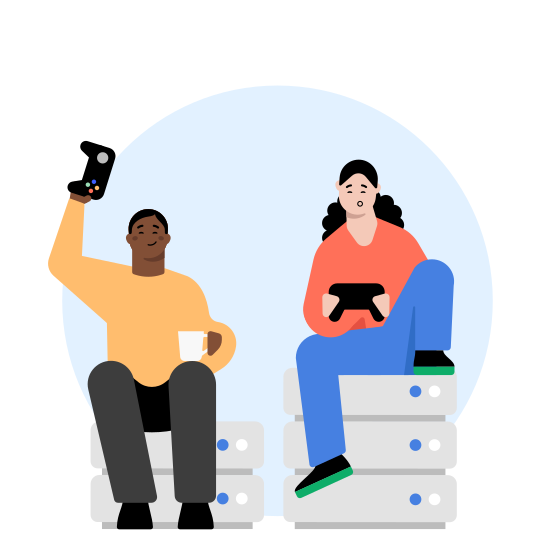
Two people playing Palworld on Xbox.

Secure Palworld servers

Hide your real IP

Don’t expose your IP address to the world — use Meshnet to create secure private servers for friends and family. Keep your real IP address to yourself, encrypt your online traffic, and play without risking your security.

Protection from DDoS

Cheaters never win — unless they manage to kill your connection with a successful DDoS attack. By playing on a secure private server and hiding your real IP address with NordVPN, you can experience Palworld without fear of disruption.

Play without interruptions

Avoid online censorship

Experience the freedom to play whenever you want, wherever you want with NordVPN. Connect to our secure VPN servers to bypass censorship and network restrictions.

No VPN bandwidth limits

NordVPN doesn’t have any bandwidth limits, so play safely as much as you want — we won’t stop you.

A PC connected to a VPN server for increased security online.
Screenshots of the games and the NordVPN app are provided for the sole purpose of explaining how a NordVPN user can use the Meshnet feature. NordVPN is not endorsed by, maintained by, sponsored by, affiliated with, or in any way associated with the owners and the developers of the games.

How to set up a VPN for Palworld

01

Get the VPN app

Download and install the NordVPN app. Meshnet is available on the Windows, macOS, Linux, iOS, and Android NordVPN apps.

02

Turn on Meshnet

Enable Meshnet on each player’s device and send invitations for them to connect using the NordVPN app.

03

Host a server

Once you’re connected, simply follow these instructions to host a Palworld server for multiplayer.

What to look for in the best VPN for playing Palworld

Blazing speeds

NordVPN is one of the fastest VPNs on the market, meaning you’ll be able to play safely with little to no slowdown. Our revolutionary NordLynx protocol (based on WireGuard) offers amazing speeds and top-notch security for the best gaming experience.

Servers around the world

The further the VPN server, the more latency you experience. Fortunately, NordVPN has thousands of servers covering 149 countries, so you can always find one nearby. Change your location with a click and access regional game servers without hassle.

Ease of use

Simple, slick, secure. NordVPN’s user-friendly apps are compatible with all major platforms, allowing you to effortlessly incorporate online security into your daily digital routine.

Get more out of gaming with NordVPN

Covered locations

224

Protocols

NordLynx, IKEv2/IPSec, OpenVPN

Data privacy

No logs of your activities

Devices per account

10

Support

24/7 live chat, email, support center

Money-back guarantee

30 days

IP addresses

Shared and dedicated

Advanced features

Meshnet, Threat Protection, Kill Switch, Dark Web Monitor, obfuscated servers, split tunneling, Double VPN

Try NordVPN with no risk to your wallet

Hide your location, get a new IP address, and enjoy your favorite content safely with our risk-free VPN. If you are not 100% satisfied, you can get a full refund by contacting us within 30 days of your purchase.

Frequently asked questions