Is online banking safe? Understand the risks
Online banking providers use strong security measures to keep your account safe. However, they can’t completely eliminate the risk of cyberattacks and fraud, and the financial industry remains a popular target. For example, 65% of global financial institutions1 were targeted by ransomware attacks in 2024. With so many online threats , consumers may worry about the safety of online banking. In fact, one study found that 90% of consumers2 were concerned about digital bank and credit fraud.
Most online banks have a range of security measures in place to protect their customers. For example, they encrypt their online platforms, offer two-factor authentication options for users, and even implement fraud detection tools that block dangerous or unusual web traffic.
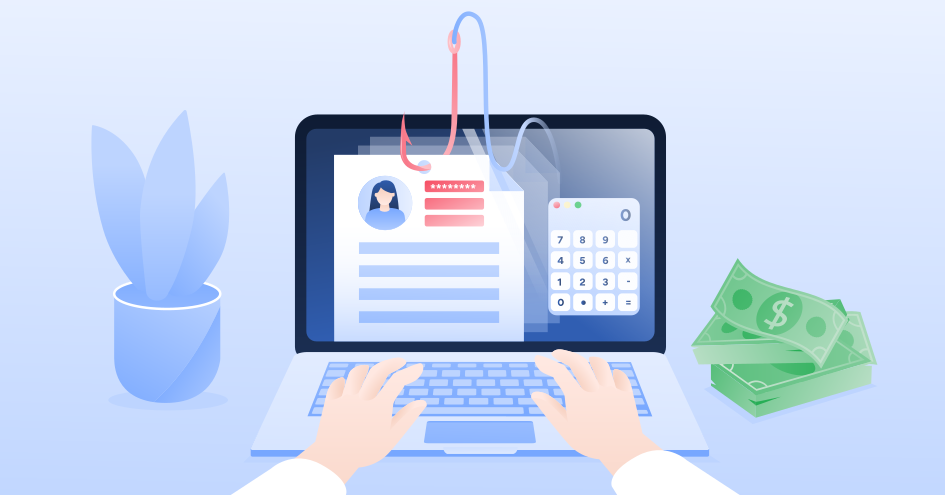
However, even if a banking website is secure, hackers can still take advantage of individual customers. They do this by exploiting vulnerabilities in the customer’s online environment. For example, if a customer is using public Wi-Fi, the hacker can use packet sniffing or man-in-the-middle (MITM) attacks to steal banking credentials. Hackers also use malware and phishing attacks to infiltrate online bank accounts.
Because of these risks, it’s important to be vigilant when banking online, especially if you’re using a public Wi-Fi network. A VPN can help you stay safe because it encrypts your web traffic so your bank account information isn’t visible to hackers.
Is online banking safe without a VPN?
It depends. In most cases, a VPN helps protect you while you’re using an official banking site, especially if you have safe online habits. However, if you’re using a public or unsecured Wi-Fi network, your traffic may be vulnerable to cybercriminals lurking on the same network. In this case, online banking without a VPN might not be safe.
Is it safe to do banking on public Wi-Fi with a VPN?
It’s much safer to access your bank account on public Wi-Fi if you have a VPN. While it’s best to use a private, secured network for banking activities, this option isn’t always possible, especially when you’re on the go. Using a VPN helps keep your online activity private and secure.
Why should you use a VPN for banking?
VPNs have a number of security benefits, especially for online banking. But first, what is a VPN? VPN stands for “virtual private network.” It’s a tool that hides your IP address and encrypts web traffic by routing it through a remote server. This tool adds an extra layer of protection that keeps your online activity hidden from cybercriminals.
Let’s take a look at the main reasons why VPNs are particularly helpful for online banking.
Enhanced security on public Wi-Fi
Public Wi-Fi networks come with security risks, but sometimes you have no choice but to use them for banking. Say you’re away from home or work and need to pay a bill or verify a transaction. In this case, using a VPN on public Wi-Fi is the best way to stay safe.
Cybercriminals can use packet sniffing on public Wi-Fi networks to spy on your banking activity. They can also launch man-in-the-middle attacks, where they pose as your bank’s representative, and intercept your transaction data. A VPN helps prevent these attacks by encrypting your traffic so hackers can’t interfere. If you need to check your bank account while you’re out and about, use a VPN to increase cafe, park, airport, or hotel Wi-Fi security.
Secure banking while traveling abroad
Using a VPN for travel helps you stay connected to your home country while you’re abroad. With a VPN, you can change the location of your IP address, which allows you to access websites and services from home.
Many banks have extensive fraud detection features in place to prevent identity theft. If you access your bank account from a foreign IP address, the bank might flag it as “unusual activity” and temporarily lock your account. If you use a VPN, you can connect to a server in your home country to access your bank account and avoid this inconvenience.
Mobile banking app encryption
Not all mobile banking apps have the same security features. Most mobile banking apps have updated encryption and fraud detection to keep you safe, but some apps aren’t up to date on the latest security protections.
A VPN provides a safe mobile banking experience, no matter which financial provider you’re using. Look for a VPN for multiple devices so you can use it on both your smartphone and your computer.
When to use a VPN for online banking
A VPN matters more in some situations than others. For example, if you access your bank account from a secure home Wi-Fi network, the risk of a cyberattack is low, and using a VPN may not be necessary. However, many other situations make VPN protection essential to safeguard your financial information.
- You’re using public Wi-Fi networks: If you’re using the internet in public places like cafes, airports, hotels, or parks, you should always use a VPN. These Wi-Fi networks are open to anyone, so you never know who could be lurking in the shadows.
- You’re traveling abroad: When you’re out of the country, you can use a VPN to change your IP address and access your bank account from your home IP address.
- You’re using mobile banking apps: Some mobile banking apps collect metadata about your location. A VPN encrypts this information to protect your privacy and helps keep you safe.
When using a VPN won’t help
In some situations, using a VPN for online banking won’t be necessary. Take a look at when VPNs won’t help and what to do instead.
If you are using a free VPN
We don’t recommend using a free VPN. These free services are usually stuffed with ads, and many of them store your data to sell it to third parties. Most free VPNs also use low-cost infrastructure, which makes them more susceptible to IP address leaks. If you’re using a VPN to protect yourself from hackers, that’s the last thing you want because it could expose your location and your browsing behavior.
Since free VPN providers usually don’t have the funds to maintain a broad server infrastructure, server loading times will be long and your internet speed will be slow. With all these differences between paid and free VPNs, a free one probably won’t help you with safe online banking.
So, are VPNs safe? It depends on the provider. Reputable, paid VPN services offer the best online protection, while free VPNs often fail to meet that level of security.
If you are using a VPN and keep changing your locations when accessing your bank account
Banks ask you to notify them if you leave the country for a reason. If they see login attempts or money transfers from a country other than the one you reside in, they may become suspicious.
If the location of your billing address doesn’t match your IP location, your bank might identify it as a fraud attempt and block your card or void your online purchases. If you are using a VPN for online banking, always connect to a server in your home country.
If you don’t practice safe internet habits
Good internet behavior is key to avoiding cyberattacks and scams. A VPN can help you stay safe online, but you should also take other precautions. For example, if you lack up-to-date antivirus software, use an outdated operating system, or ignore virus alerts, your device will still be at risk of being hacked even if you are using a VPN. You should also stay away from suspicious or unsecured websites, which could infect your device with malware.
If you use weak passwords and your data is leaked
Hackers often target large corporations and popular websites to steal their users’ login credentials because a single leak can expose thousands of usernames and passwords. If you use the same password for your bank account as you do for other online accounts, a hacker could access your bank account without ever breaking into your computer.
How to set up a VPN for safe online banking
Setting up a VPN is easy, even without much technical experience. Use the instructions below to configure your VPN and manage your money safely online.
Initial setup and configuration
Follow these steps to get your VPN up and running:
- 1.Download NordVPN. Advanced security and privacy features make NordVPN the best VPN for online banking. NordVPN offers protection for a wide range of devices, so you can use it anywhere.
- 2.Choose the appropriate protocol in settings. NordVPN offers several encryption protocol options for your VPN connection. We recommend using NordLynx, which provides the fastest possible connection without compromising security. NordLynx is enabled by default in most NordVPN apps.
- 3.Enable Threat Protection Pro™. This powerful security tool blocks malware downloads, phishing websites, and other online threats to protect your privacy even further.
- 4.Configure auto-connect settings. Adjust the VPN settings so that it automatically connects to your preferred server location when you’re online.
Best practices for online banking with a VPN
Use these best practices to keep your online banking activity as secure as possible with a VPN:
- 1.Always connect to a VPN server in your home country. If you log in from a location outside your country, it could trigger your bank’s fraud detectors and temporarily lock your account. With NordVPN, you can view all available servers on a map and choose one in your country.
- 2.Update your VPN app. When new updates and patches come out, install them right away, just as you would with any other software program. These updates protect you from newly discovered cyber threats.
- 3.Use strong, unique passwords. Complex passwords with a mix of letters, numbers, and symbols are difficult for hackers to crack. The NordPass password manager can also help you generate and store secure passwords with ease.
Essential VPN features for online banking security
When choosing a VPN, look for these features because they’ll help keep your online banking activity safe:
- 1.Top-notch encryption. This feature makes it extremely difficult for hackers to decrypt your banking information, even with advanced technology.
- 2.Kill switch protection. A VPN kill switch will automatically disconnect your device from the internet if your VPN drops unexpectedly.
- 3.No user tracking. Top VPNs have a no-logs policy, which means they don’t track what you’re doing online. They also submit to data audits by independent organizations to prove it.
- 4.DNS leak protection. DNS leaks happen when your DNS server configuration reveals your real IP address, exposing your location. NordVPN provides DNS leak protection by using internal DNS servers to safeguard your data.
- 5.Secure protocols. Look for WireGuard-based VPN protocols, such as NordLynx. These advanced VPN protocols balance speed and security for a convenient surfing experience.
- 6.Split tunneling. With split tunneling, you can use your VPN for specific activities, like online banking or shopping, and conduct general browsing without a VPN at the same time.
Why choose NordVPN for online banking
NordVPN is a strong choice for online banking security for several reasons:
- NordVPN is one of the best VPNs for banking due to the strength of its VPN encryption and its privacy policy. NordVPN uses next-generation encryption, so you can be confident that your sensitive data and online bank transactions won’t be seen by prying eyes.
- You can connect up to 10 devices using the same NordVPN account. Whether it’s your laptop, phone, or tablet, your online banking transactions will be safe on all of them.
- You can choose from over 5,500 servers in 60 countries. If you select the same location as your country of residence, your data will be protected and your bank won’t stop you from making transactions.
- Threat Protection ProTM will block unwanted ads and trackers to protect you from malware.
- NordVPN provides high-quality customer support so that users can always ask for help. To find out more, check out NordVPN reviews.
Can banks detect a VPN?
If you connect to a server in an unusual location, like a foreign country you don’t normally visit, your bank might ask you to confirm your identity to verify it’s really you.
To avoid having to confirm your identity every time, try setting up a dedicated IP in your home country. With a dedicated IP, your VPN provider assigns you a unique address that’s unlikely to be flagged as suspicious activity.
More ways to secure online banking transactions
In addition to using a VPN, use these online banking safety tips to enhance your security:
- Don’t keep unprotected login credentials on your device. This advice goes for all passwords, but it’s especially important when it comes to online banking. If someone steals or accesses your device, they’re likely to check your notes and messages for login details. It might seem like a good way to avoid forgetting this sensitive information, but it’s not worth the risk if you want to avoid financial fraud, like Citibank scams. Use a password manager
- Be wary of emails and SMS messages from your bank. Hackers often impersonate banks as part of their phishing scams. If your bank contacts you and prompts you to follow a link, make sure it’s legitimate before you click. If you’re unsure, contact your bank directly by phone or visit a branch in person for more help.
- Diversify your accounts. For added security, don’t use one bank account for all your transactions. A good security measure is to designate a specific account for online activity that contains limited funds. If hackers get access to your payment information, they’ll only be able to access that one account.
- Log out after banking sessions. After you’ve finished your online banking session, log out of your account to minimize security risks. This step makes it harder for someone to access your bank account if they steal your device.
- Monitor account activity regularly. Keep an eye on your bank account for unusual online transactions or login attempts because this step can help you spot fraud early and stop identity theft. Many banking apps will send you notifications when unusual activity happens, so make sure these alerts are turned on in the account settings.
Online security starts with a click.
Stay safe with the world’s leading VPN
FAQ
References
1 Statista (2026, February 2). Rate of ransomware attacks worldwide. Statista. https://www.statista.com/statistics/1460896/rate-ransomware-attacks-global/.
2 Markey, J. (2022, March). 90% of consumers worry about digital bank fraud. Here's how to mitigate their concerns. Entrust Blog. https://www.entrust.com/blog/2022/03/90-of-consumers-worry-about-digital-bank-fraud-heres-how-to-mitigate-their-concerns.