Your IP:Unknown

·

Your Status: Unknown

Skip to main content

NordVPN ad blocker: Browse online free from intrusive pop-up ads

  • Safer, cleaner browsing without excessive pop-ups, banners, or video ads.

  • Supports computers, mobile devices, and browsers like Chrome.

  • Part of Threat Protection Pro™: Avoid online dangers and block ads with a VPN.

Get an ad blocker
A woman using the NordVPN ad blocker on her laptop.

What is an ad blocker?

An ad blocker is an app, feature, or browser extension that blocks ads. Most ads are very distracting, so blocking them makes sense. Without banners and pop-up ads, your browser will likely load pages faster, while you can enjoy a cleaner and more private browsing experience. Also, some ads can be dangerous, leading users to malicious websites, so a reliable ad blocker helps you avoid some cyber threats, too.

NordVPN’s ad blocker is part of Threat Protection Pro™. Not only does it protect you from various cyber threats, it also blocks annoying pop-up ads.

Why should I block ads?

Blocking ads doesn’t just reduce clutter on your screen, it can protect your privacy and even help you avoid malicious websites.

Reduce distractions

Reduce on-screen clutter and browse with fewer distractions. With fewer ads, you will focus more easily and enjoy faster loading times, as well.

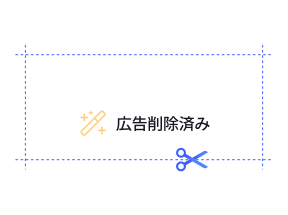
A graphic showing the “Ad removed” label with a magic wand icon, which represents an ad blocker reducing distractions.

Protect your privacy

Ad blocking helps protect your privacy. By preventing advertisers from following your every click online, you reduce data collection and increase control over your personal data.

Avoid malicious websites

Scammers create fake ads that impersonate real brands and send anyone who clicks them to malicious websites. By blocking ads, you significantly reduce your exposure to phishing websites and malicious redirects.

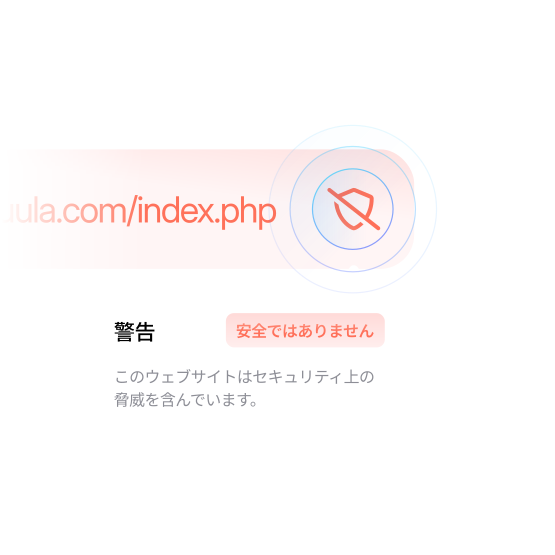
A graphic showing a warning labeled "Unsafe," which highlights the need for an ad blocker to avoid malicious ads.
A woman thinking about using an ad blocker to get rid of pop-up ads while browsing the internet.

What causes pop-up ads?

Pop-up ads include banners that pop up while you’re browsing and new windows opening on their own, which you may not even notice. For example, websites that track your mouse movements can show you a pop-up when they feel you’re about to close the browser tab. Pop-up ads can also appear as notifications if you enable them in your browser settings.

Shady or malicious sites trigger pop-ups through techniques such as overlays, pop-unders, forced redirects, and deceptive notification prompts.

Benefits of NordVPN’s ad blocker

Enable Threat Protection Pro™ (for Windows and macOS) or Threat Protection (on mobile apps, browser extensions, and Linux) in your NordVPN app to avoid ads and enjoy safer browsing with fewer distractions.

Prevent interruptions

No more distracting pop-ups and jarring videos — work, browse, or learn online with increased peace of mind.

Allowlisting

You can easily enable ads on websites or specific pages to support your favorite creators.

Tracker blocker

Threat Protection Pro™ will prevent third-party trackers from collecting data about your browsing habits.

Intuitive apps

Enjoy our easy-to-use apps that don’t require extensive technical know-how.

Malware prevention

Threat Protection Pro™ scans files you download for malware and blocks access to malware-hosting sites.

VPN protection

You get all the benefits of a premium VPN, like increased privacy and security with minimal slowdowns.

How to get NordVPN’s ad blocker for different devices

Get NordVPN and use its ad blocker to browse with fewer distractions on up to 10 devices at the same time.

The Google Chrome logo, indicating that the visitor can get NordVPN’s Chrome extension by clicking.

Chrome

The Safari logo, indicating that the visitor can get NordVPN’s Safari extension by clicking.

Safari

The Firefox logo, indicating that the visitor can get NordVPN’s FireFox extension by clicking.

Firefox

The Edge logo, indicating that the visitor can get NordVPN’s Edge extension by clicking.

Edge

But don’t just take our word for it

Block ads, trackers, and malicious websites with NordVPN’s Threat Protection Pro™ like millions of users already do.

How to turn NordVPN’s ad blocker on and off

NordVPN’s ad blocker helps you reduce clutter online. But if you ever need to see all the content on the website, you can always turn off the ad blocker feature. To turn it back on, follow the same steps. Remember that to block ads through the Linux app, browser extensions, and smartphone apps, you also need to be connected to a VPN server.

Browser extensions

  1. 1.

    Click on the NordVPN proxy extension in your browser.

  2. 2.

    Go to “Settings” and “Security and privacy.”

  3. 3.

    Toggle Threat Protection on or off.

Why do I still see a message saying I have an ad blocker on?

Some websites may say you have an ad blocker enabled even when you don’t. Check if your browser is not blocking any ads, but it’s most likely that the website is mistaking a privacy extension or anti-tracking protection for an ad blocker.

How to block ads?

There are a number of different ways you can block ads. The simplest is to use a browser with a built-in ad blocker, but you can also block ads with the hosts file and browser extensions using DNS filtering.

What is the best way to block ads?

The best way to block ads depends on your preferences. Some prefer not to see any ads, so they use ad blockers for websites where they can block ads and avoid those services where ad blocking isn’t possible. Others want to block most ads but then have them enabled whenever they visit their favorite creators to support them. In that case, a traditional ad blocker with allowlisting might be the best way to block ads.

However, no software is perfect. The best ad blockers today can become outdated and stop working tomorrow. Sometimes, the most reliable way to avoid ads is to get a paid/premium version of an app or service.

A smartphone screen displaying a perfume ad with the Threat Protection feature turned on, activating the NordVPN ad blocker.

DNS ad blocking

YouTube ad blockers

Facebook ad blockers

Twitch ad blockers

Spotify ad blockers

Frequently asked questions