What does the "Spam risk" label mean?
When your phone shows a “Spam risk” call, it means your mobile carrier (or an automatic flagging system it uses) thinks the call matches suspicious patterns. Usually, these numbers belong to unknown callers or malicious sources.
This labeling exists to help you avoid spam and fraud attempts before you answer. And it’s needed because a lot of “Spam risk” calls are automated, routed through VoIP systems, or coming from spoofed caller IDs.
Carrier wording varies, but the idea is the same.
- AT&T: “Spam risk.”
- T-Mobile: “Scam likely.”
- Verizon: “Potential spam.”
- Other carriers: “Suspected spam” or similar variations.
How does your mobile carrier detect “Spam risk” calls?
Carriers try to spot behavior that matches the spamming definition and flag those numbers before you pick up. Common mechanisms include:
- Pattern detection based on machine learning. Behavioral analytics examines incoming calls and their phone numbers for suspicious activity, such as high outbound volume, many short calls, low answer rates, and bursts of calls within minutes.
- Reputation databases. Carriers list numbers that were previously associated with spam campaigns.
- User reports. When enough people report unwanted calls from a number, that signal feeds back into the system.
- Caller ID authentication. This framework helps carriers verify whether a call is coming from the number displayed on your screen. It reduces some caller ID spoofing, but it doesn’t end potential spam calls, especially when criminals use legitimate-looking pathways.
- VoIP infrastructure check. Many spam campaigns run on VoIP infrastructure, so the number you see isn’t necessarily tied to a physical SIM or a single device.
How reliable is the “Spam risk” label?
Most of the time, it’s an accurate warning. Calls marked “Spam risk” are often from spam callers. But it’s not perfect, because carriers rely on automated detection to label unknown calls as “Spam risk,” which brings the risk of false positives. Legitimate businesses and organizations sometimes get flagged. Common examples include:
- Clinics and appointment reminder services.
- Delivery drivers, dispatch, and courier lines.
- Schools and their automated alert systems.
- Banks (verification and fraud checks).
- Any business using new phone numbers or high-volume outbound calling.
Carriers acknowledge that this type of error can happen. T-Mobile notes that its Scam Block feature “might block calls you want,” and AT&T and Verizon documentation also cautions that not every legitimate call will get through.
If you’re expecting an important call, temporarily turn off the strictest filters, like scam block or category blocking. Add key numbers to contacts and, where possible, allowlist them inside your carrier app.
If a legitimate caller keeps getting flagged, ask them to call from a main published number (not a rotating outbound line) or leave a voicemail and call back via the official number on their website.
Why am I suddenly getting so many “Spam risk” calls?
A spike in “Spam risk” phone calls usually means that your phone number appeared in a data breach or got picked up by data brokers and resold. You may also have entered your number somewhere sketchy (or just “normal” but leaky). Or a spammer may be running a campaign that targets your area code, often using spoofed local numbers.
Spam isn’t usually personal. Much of it is simply volume dialing, and spammers call enough numbers that someone eventually picks up.
How do spammers get your phone number?
Some common paths for spam callers to get your number include:
- Data breaches and data leaks. Phone numbers get exposed along with email addresses, names, and other personally identifiable information (PII).
- Data brokers. These are companies that collect and sell contact info in bulk, and your number may end up on the menu.
- People-search sites. These publish phone numbers publicly, sometimes scraped from many sources.
- Social exposure. Various listings, public posts, group memberships, and marketplace profiles increase the chances of your number getting out.
- Random or sequential dialing. Robocallers don’t need your number specifically. They can just call every number in a range.
- Recycled lists. Once your number is on one list, it may get resold and reused.
Seeing “Spam risk” or “Scam likely” calls doesn’t mean you’re being targeted. It usually just means your carrier is catching more junk before it reaches you, and that’s a good outcome.
What are the most common sources of “Spam risk” calls?
“Spam risk” is a catch-all label. It doesn’t tell you who is calling — just that the call looks like it may be unwanted. Inside that bucket, you’ll typically find:
- Telemarketers. Sometimes they’re legal but still annoying. If you didn’t ask for the call, it’s spam to you either way.
- Robocalls. These are automated messages that dial at scale. Some are legit, like appointment reminders, but a lot are just noise, if not worse.
- Fraud attempts. These include impersonation and other forms of social engineering designed to get your money or sensitive data. Spectrum scam calls are a classic example.
- Political campaigns, surveys, and charities. They’re often exempt from Do Not Call Registry rules, which is why their representatives keep calling.
What happens if you answer a “Spam risk” call?
If you accidentally answer a “Spam risk” call, the most common immediate consequence is that you confirm your number is active. It can lead to:
- More “Spam risk” calls from rotating scammer phone numbers because your number looks worth calling.
- “Hot list” treatment, where your number is assigned a higher value and resold.
- Wasted time with pointless loops, transfers, or aggressive pitches.
Not all “Spam risk” calls are trying to trick you into handing over information — some are just noise. But when a call is designed to get something from you (money, login codes, or personal details), it’s phishing rather than just spam. If you want a quick way to tell the difference, see our breakdown of spam vs. phishing.
Common serious scam call threats include:
- Vishing (voice phishing). Spam callers use pressure or fake authority to extract personal information or account access.
- Financial fraud. This could show up as fake bank alerts, “refund” scripts, or urgent payment demands.
- Callback traps and follow-up spam. You hang up, then get a text with a link or a “support” number.
- Identity theft attempts. The scammers collect bits of info over multiple calls until they have enough to impersonate you.
How can I stop “Spam risk” calls?
The best way to stop “Spam risk” calls is using a multi-layered approach. This sequence works for most people:
- 1.Decide on your goal: block spam calls or just filter them.
- 2.Turn on the strongest built-in protections on your phone.
- 3.Enable your carrier’s spam-call protection tools.
- 4.If a lot of calls are also coming through as “No caller ID,” “Private,” or “Restricted,” block restricted calls.
- 5.In the US, register with the National Do Not Call Registry.
- 6.Reduce data exposure (for example, with a personal data removal tool like Incogni).
- 7.Change your number as a last resort.
Pro tip (because false positives happen): If you’re expecting an important call (like an invitation to a job interview or a notification from a courier, clinic, or bank), don’t go nuclear with blocking. Use filtering and voicemail instead and tighten controls only temporarily.
If you want the full playbook, check our comprehensive guide to blocking spam calls.
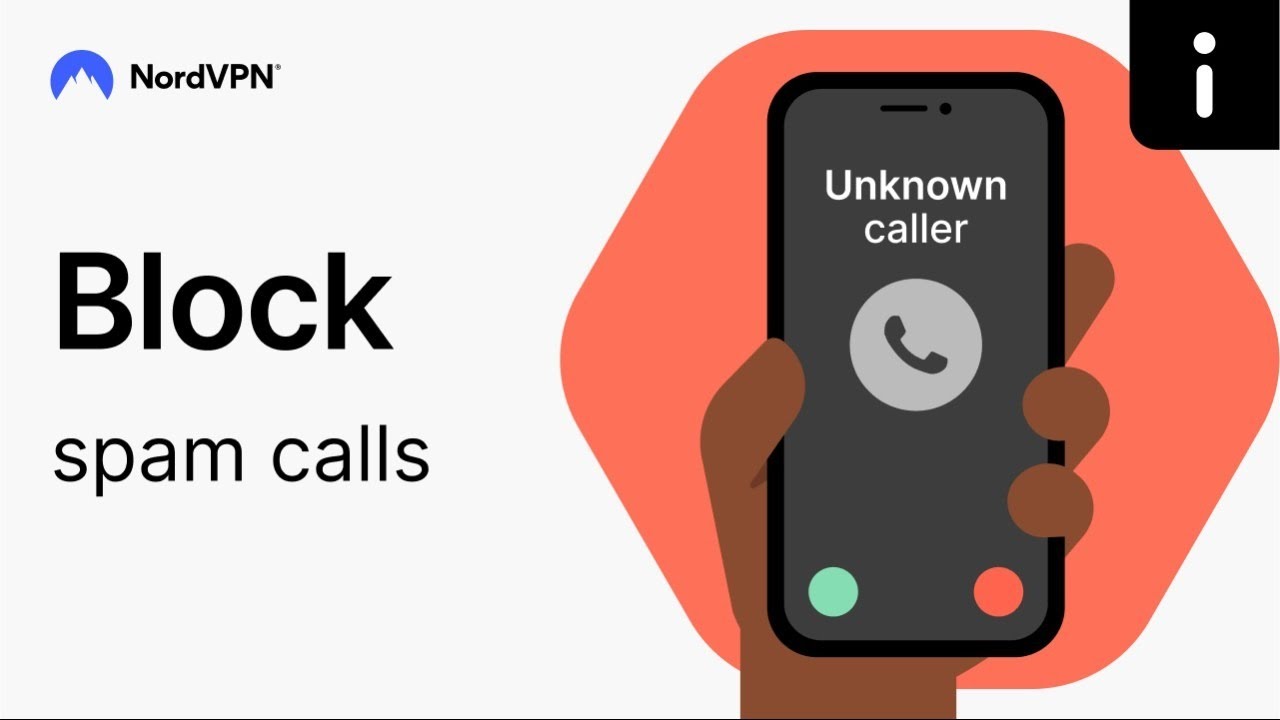
How can you stop “Spam risk” calls on an iPhone?
If you’re searching for how to block “Spam risk” calls on an iPhone, start here:
- 1.Silence callers you don’t know. Select “Settings” > “Phone” > “Silence unknown callers.” When this feature is on, calls from numbers that aren’t already in your contacts, recent calls, or Siri Suggestions will be silenced and automatically sent to voicemail.
- 2.Use “Focus” or “Do not disturb” features smarter. Allow calls from contacts or favorites only during work and sleep.
- 3.Block numbers from “Recents.” Select “Phone” > “Recents,” press the “i” icon next to the number you want to block, and tap “Block contact.” Blocking numbers on an iPhone won’t stop spoofed-number campaigns, but it slows down repeat offenders.
- 4.Use call-filtering apps. iOS supports call filtering through “Call blocking & identification” extensions. These apps label calls, filter categories, and sometimes auto-block the numbers based on reputation.
Pro tip: Turn “Silence unknown callers” off temporarily if you’re expecting an important call from an unknown number.
How can you stop “Spam risk” calls on an Android phone?
You can block numbers on Android in several ways, depending on whether you’re on a Pixel, Samsung, or another brand’s device. The common setup looks like this:
- 1.Turn on Google’s spam protection. Open the “Phone” app, select “Settings” > “Caller ID & spam,” and enable filtering. On many devices, you can also enable “Filter spam calls.”
- 2.Use “Call screen” on Pixel. Pixel’s “Call screen” answers unknown calls and shows you a transcript before you decide whether to pick up.
- 3.Block and report. Many Android dialers let you block and report in one flow. Reporting improves detection.
If you want an extra layer of Android security that focuses specifically on dodgy incoming calls, NordVPN’s Call Protection will warn you before you answer based on a number’s reputation.
How can you stop “Spam risk” calls on a landline?
Landlines are a different game because you don’t get the same OS-level filtering. The best ways to block unwanted calls are:
- 1.Activating provider call-blocking features. Some providers include call-block features, anonymous call rejection, or verified caller ID indicators.
- 2.Screening calls with voicemail. Let unknown callers leave a message. Spammers often won’t.
- 3.Using a VoIP landline spam-blocking service. VoIP providers usually have better filtering options than traditional landlines. Some offer built-in spam tools, while others support third-party filtering.
- 4.Registering with the National Do Not Call Registry (US). This option won’t stop criminals, but it can reduce legal telemarketing. Register at donotcall.gov or call 1-888-382-1222.
What should you do if you accidentally answer a “Spam risk” call?
Don’t overthink it. The goal is to end the call and give spammers nothing to work with:
- Hang up immediately. You don’t owe anyone a conversation.
- Don’t press buttons. “Press 1 to unsubscribe” is often just a way to confirm a real person answered.
- Don’t share info. No names, addresses, birthdays, bank details, or passcodes.
- Report the unwanted call to your carrier. Reporting improves spam detection for everyone on that network.
- Monitor accounts if you shared any sensitive information. Watch for login alerts, password reset texts, weird charges, or follow-up messages.
- Document key details if you’re filing a report. Write down the time, caller ID, what they claimed, and what they asked for.
How to report “Spam risk” calls
Reporting isn’t fun, but it can improve call filtering. Report a scam call when you have the number (or at least the caller ID label) and a rough timestamp.
In the US, you can report fraud and phone scams at the Federal Trade Commission’s (FTC) ReportFraud site. For illegal robocalls or caller-ID spoofing, file a complaint through the FCC Consumer Complaints Center.
Reporting procedures vary by country, but many governments provide official portals for reporting spam or nuisance calls.
- Canada: Report through Canada’s National Do Not Call List complaint portal.
- The United Kingdom: Log nuisance calls and texts at ico.org.uk.
- Australia: Report scam calls via Scamwatch’s “Report a scam” form.
- Elsewhere: Search “[Your country] unwanted calls regulator” or “[Your country] spam calls report.” Most countries have a telecom or privacy regulator that accepts online reports. If you’re not sure who the regulator is, start with your telecom regulator’s official site and look for “Complaints” or “Unwanted calls.”
How can you prevent “Spam risk” calls in the future?
You won’t eliminate “Spam risk” calls forever, but you can avoid a lot of annoyance by reducing your exposure:
- 1.Limit where your number is exposed. Avoid posting it publicly. Be picky with forms and “required phone number” fields.
- 2.Don’t engage with spam callers. No arguing or button presses. Any interaction is data for the spammers.
- 3.Strengthen your call protection settings. Keep carrier tools on. Adjust strictness depending on whether you’re expecting important unknown calls.
- 4.Keep your number “clean.” If a service representative asks for your number for security reasons but can’t explain why they actually need it, ignore the request.
- 5.Watch for leak signals. If “Spam risk” calls suddenly spike, treat it like a smoke alarm. It often indicates a breach, a new listing on a broker site, or a service that shared your contact details.
Online security starts with a click.
Stay safe with the world’s leading VPN