What is internet security? Definition and meaning
Internet security is the branch of cybersecurity that focuses on software, hardware, and policy measures designed to protect users from online threats. You may also see it called online security. The meaning of internet security is broad, covering both the technology that blocks attacks and the decisions people make while connected.
In practice, internet security depends on several layers working together. Network security protects internet traffic with firewalls, secure routers, encryption, and VPNs. Endpoint security protects laptops, phones, tablets, and other connected devices with antivirus and anti-malware tools. Browser and email security help detect dangerous websites, downloads, messages, and attachments. Passwords, passkeys, and multi-factor authentication protect accounts, while encryption and access controls help keep stored and shared data private.
Types of internet security
Internet security consists of multiple layers that protect networks, devices, accounts, applications, and data from cyber threats. Each type focuses on a different area of protection and uses specific tools to prevent unauthorized access, malware, phishing, and data breaches.
| Security type | Examples of security elements and what they do |
|---|---|
Network security |
|
Endpoint security |
|
Identity and access management (IAM) |
|
Cloud security |
|
Application security |
|
Browser and web security |
|
The importance of internet security today
Why is internet security important? Think about how many internet-ready devices you own. With all the phones, laptops, desktop computers, smart speakers, smart TVs, connected cars, watches, kitchen appliances, thermostats, and other devices, you are constantly connected to the internet. By the end of 2025, the number of connected Internet of Things devices alone had reached an estimated 21.1 billion worldwide[1].
The cost is no longer limited to a slow computer or a flooded inbox. The FBI’s 2025 Internet Crime Report[2] recorded over one million complaints and $20.877 billion in reported losses, 26% more than in 2024.
Attacks have become more convincing. Scammers combine polished phishing messages with public information, stolen data, cloned voices, and deepfakes. Social media scams spread through hijacked accounts, fake stores, investment groups, romance schemes, and fraudulent ads.
Luckily, more and more users are learning about internet security and taking steps to minimize their online risks.
The most common internet security threats
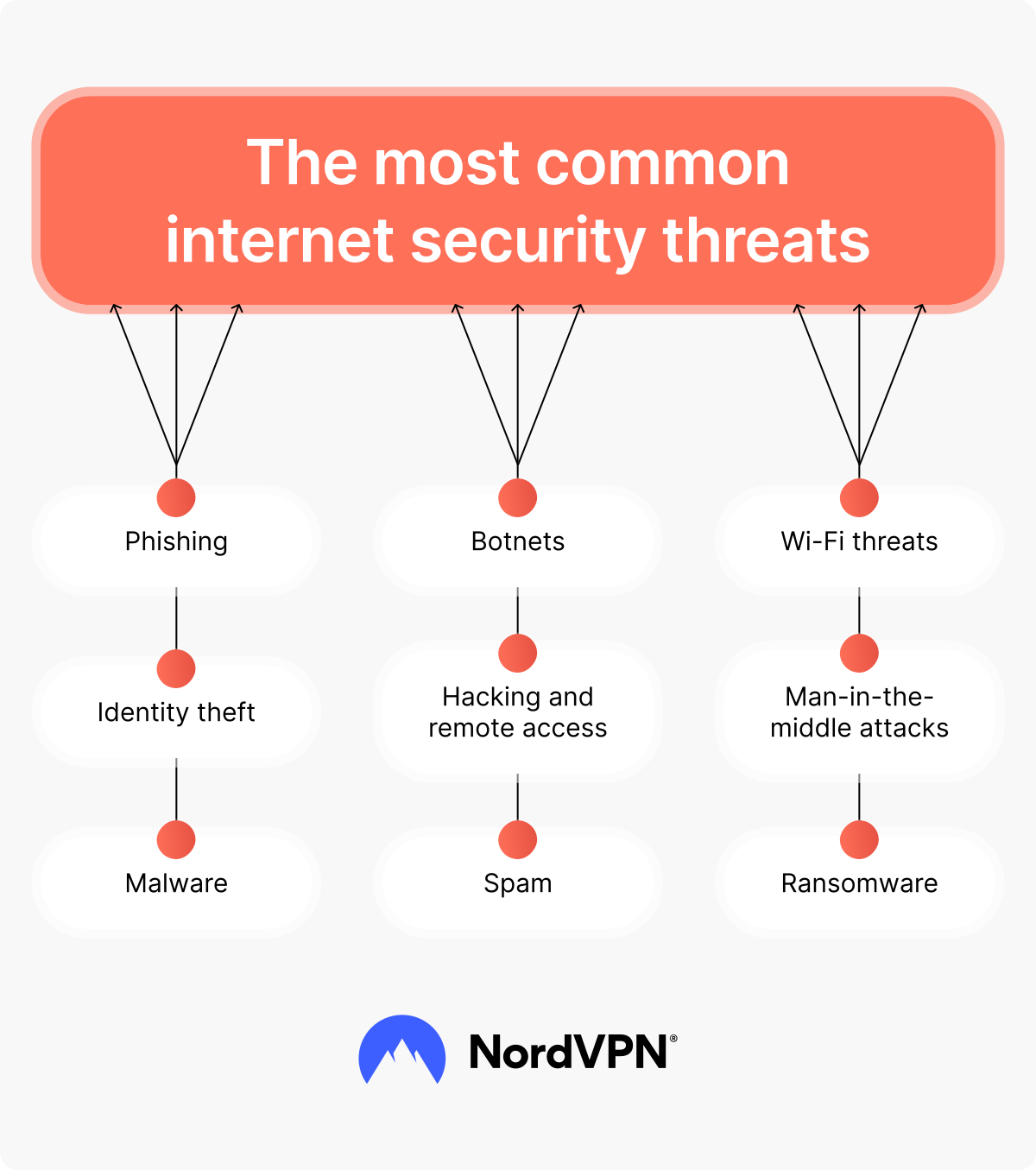
Cyber threats come in many forms — from inexperienced script kiddies running copied malware to organized groups using advanced tools to steal data, disrupt businesses, and drain bank accounts. Knowing how these attacks work helps you recognize weak points and understand which protection measures to take.
Hacking and remote access
Hacking is simply gaining unauthorized access to digital systems. It’s malicious if the hacker’s intention is to steal sensitive information, corrupt or delete data, or interfere with a system. Hackers may work from inside local networks or find their way into vulnerable servers and networks through password cracking and other techniques.
Gaining remote access allows them to steal data, disrupt systems, or control the affected device. A new technique called screen hacking can even let a nearby hacker get control of your touchscreen and perform activities on your device when you think it’s turned off.
Malware
Malware refers to malicious software that attacks computer users by interfering with their security and privacy. Common types of malware include viruses, worms, ransomware, spyware, wipers, and keyloggers. These malicious programs help cybercriminals take control of systems, collect private data, and cause serious disruption.
Ransomware
Ransomware is one of the most prevalent types of malware today. This malicious software infects devices and typically encrypts the user’s files, holding them for a monetary ransom in exchange for a decryption key.
The FBI received more than 3,600 ransomware complaints in 2025[2], but reported losses exclude much of the downtime, recovery work, and lost business.
Phishing
Phishing attacks involve luring victims into sharing their passwords, sensitive information, or even financial data with scammers. These scammers contact their victims in seemingly legitimate ways and usually direct them to fake websites where they unwittingly give their data away. Most phishing is done by email, but smishing (SMS message phishing) and vishing (voice message phishing) are newer variations of this widespread scamming tactic.
OUR EXPERT SAYS
The phishing email that fooled no one five years ago is now written by AI in flawless English. The old rule of spotting bad grammar is dead, so verify everything that asks for action.
Vaidas Damoševičius, head of product security at NordVPN
Wi-Fi threats
Wi-Fi connections are designed to make internet networking easy and convenient, and free connections are available all around us. While you can use public Wi-Fi safely, some public networks can also pose risks. Threat actors can try to access these networks and intercept data flow or even convince users to connect to fake networks. They may be able to steal passwords, redirect financial transactions, or install malware on your device.
Man-in-the-middle attacks
A man-in-the-middle attack happens when a hacker secretly positions themselves between two parties — for example, between your device and a website. The aim is to intercept the information being sent. Such cyber attacks allow cybercriminals to steal login details, payment information, or other sensitive data without you even realizing anything is wrong.
Botnets
The term botnet comes from “robot network.” A botnet is a group of internet-connected devices infected with malware and controlled without their owners’ knowledge. Malicious actors use them in attacks, most commonly distributed denial-of-service (DDoS) attacks. DDoS attacks can overload and disable website servers, making them unable to provide service to legitimate users.
Spam
Spam messages are unsolicited, unwanted communications like emails or text messages. Most spam is annoying as it fills your inbox with messages you don’t want to read. However, some spam messages are malicious, delivering malware onto your device if you open them or click on the links placed inside the message.
Identity theft
Identity theft happens when another person uses your personal information to perform activities while pretending to be you. Identity thieves may steal passwords and other login information to gain access to your files or financial accounts. They may also make purchases in your name that never get delivered to you or even leave reviews using your name to improve their reputation, like in brushing scams.
How to secure your online data
With so many threats on the internet, keeping your information private can be difficult. Reliable internet security solutions and smart habits can help protect your files, passwords, and financial details. Tools like encryption, firewalls, and systems for data loss prevention add another layer of safety, reducing the risk of leaks or unwanted access.
Phones and tablets also face smishing, malicious apps, unsafe permissions, and theft, so mobile security is especially important for keeping your digital life safe and private.
Use antivirus/anti-malware software
Antivirus/anti-malware software identifies viruses and other malware threats. When possible, it blocks suspicious software scripts from being loaded onto your device. The best internet security software shields you from various internet attacks and secures your data online. IT experts are constantly developing and updating antivirus/anti-malware software to protect you from known threats, including many of the latest ones.
NordVPN combines advanced VPN technology with a next-gen antivirus that blocks scam and phishing sites, malicious URLs, intrusive ads, and trackers, and scans downloads for malware. Desktop tools also flag risky software and email links.
Use a VPN
A virtual private network (VPN) provides an encrypted connection that you can use to connect to the internet. A VPN protects your internet traffic by changing your IP address and encrypting it. This tool can also protect you from some of the most common types of hacking, like session hijacking and DDoS attacks. For example, NordVPN has malware protection features that can help users spot malware and prevent cyberattacks.
Create strong passwords
If your password is your name followed by your birth year or 1234, you have one of the weakest, most easily guessed passwords out there. Weak passwords can make you vulnerable to even the most inexperienced hackers. In contrast, strong passwords that use long strings of randomly generated numbers, letters, and symbols are nearly impossible to crack. You should also use unique passwords for the different online services you access so that your other accounts can stay safe even if one is compromised.
Use 2FA
Two-factor authentication (2FA) provides a second layer of protection when you access online accounts and services. 2FA usually involves a password as one protection factor and a temporary security token or biometric data as the second factor. For example, you should protect biometric logins on your phone with a strong PIN and current recovery details. Threat actors may be able to compromise one of these factors, but they’re much less likely to be able to crack both of them.
Use a secure browser
You can choose from plenty of web browsers, but the white-list ones are more secure. The most secure browsers, like Tor, Chrome, Firefox, and Brave, allow private browsing, block pop-ups, scan for phishing attempts, and prevent access to known malicious websites. These browsers help to maintain your online privacy and protect you against malicious scripts.
Avoid clicking on malicious links
When you receive a message from what looks like a real institution, such as your bank, the post office, or another government institution, you might trust it outright. Don’t. Instead, think about how and why the organization is contacting you and whether it would have any legitimate reason to do so. You can hover over the links to see where they lead without clicking on them. Don’t click the link if you don’t recognize the website it connects to.
Use a firewall
A firewall acts as a barrier between your device and the internet, monitoring incoming and outgoing traffic. It helps block unauthorized access, filters harmful data packets, and prevents malicious software from spreading across your computer network. Firewalls can be hardware-based, software-based, or built into your operating system — each helping to identify and stop suspicious activity before it reaches your device.
Update your software
Threat actors are constantly looking for ways to breach computer security. At the same time, software developers work non-stop to look for security vulnerabilities and fix them by offering updates. If you update your software regularly, you can prevent hackers from exploiting vulnerabilities and close the door to malware infections. Updating your software also improves its speed and functionality, so you have nothing to lose.
How to secure your internet network
Your home or office network connects all your devices and allows data to move between them. If a hacker gains access to even one device, they could reach everything else on the same network. Taking steps to secure it helps protect your files, passwords, and personal information from unauthorized access.
Secure your Wi-Fi router
Every device on your network connects to the internet through your router. However, router malware can infect your router and your whole network if your router software is outdated. So make sure to regularly update your router software. To protect your home Wi-Fi or business network, you should also change the factory preset logins to new ones and use strong passwords.
Control network access
To keep your network secure, you need a clear system that decides who can connect and what they can reach once they’re inside. Such an approach is often called network access control and is built around three principles: authentication, authorization, and accounting.
Authentication checks that a person is who they claim to be — usually through passwords, passkeys, multi-factor authentication, or device verification. Authorization determines what that person can access once they’re connected, so sensitive areas of the network stay restricted to the right users. Accounting keeps track of activity on the network, helping you spot unusual behavior and identify suspicious connection attempts.
When these three elements work together, they create a system that blocks unauthorized users, keeps sensitive data safe, and makes it easier to detect malicious activity before it causes harm.
Implement secure web gateways
A web security gateway adds extra protection to your network. This security feature filters web traffic, helping to keep your network safe from websites and malicious software that can infect your systems. Inline and cloud-based gateway services stand between your network and the internet, only allowing traffic that follows strict security policies.
Secure your network against IoT threats
Smart devices like speakers, cameras, and thermostats can create new risks if they’re not properly protected. Weak passwords or outdated software may let attackers access your network through these connected gadgets. Good IoT cybersecurity practices — like regular updates, strong logins, and secure Wi-Fi settings — help keep your smart devices and data safe.
Protect your children online
Internet security for kids focuses on keeping young users safe from harmful or inappropriate content. Parents can set up parental controls, use child-friendly browsers, and adjust privacy settings to limit what their children can access.
It’s also important to talk about safe browsing habits with your children and help them learn to recognize suspicious links, messages, or websites. Regularly reviewing their online activity can further reduce risks and build awareness from an early age.
Internet security trends to watch in 2026
Internet security is entering a new stage as digital systems expand and attackers become more resourceful. From AI-driven disinformation to large-scale ransomware operations, emerging threats are more complex and harder to detect, so it’s important to learn more about online safety tips. Below are the key challenges that will shape the years ahead:
- Attackers are exploiting software flaws more often. Verizon’s 2025 DBIR says vulnerabilities were the starting point for 31% of breaches. Internet-facing software, remote-access tools, routers, and other edge devices are especially attractive targets because attackers often reach them before organizations can patch them.
- Ransomware remains a major threat. It appeared in 48% of the breaches analyzed in the 2025 DBIR, even as more victims refused to pay and average payments fell. Because many attackers steal data before encrypting it, backups alone can’t protect against leaks and extortion.
- Supply chain breaches are affecting more organizations. The Identity Theft Resource Center recorded around 1,250 organizations affected by supply chain incidents in 2025[3], nearly twice as many as in 2024, despite little change in the number of initial attacks. A breach at one software provider, vendor, or professional services firm can expose dozens or even hundreds of customers at once.
- Infostealers are supplying the credentials behind other attacks. These malware tools collect passwords, browser cookies, autofill data, and crypto wallet details before selling the information to other criminals. Verizon’s 2025 analysis[4] found that 54% of ransomware victims had domains listed in infostealer dumps, while 40% had corporate email addresses exposed.
- AI is helping attackers work faster. The 2025 DBIR found that generative AI supported 15% of attack techniques, including finding vulnerabilities, creating malware, and producing scam content. AI security now needs to cover both AI-powered attacks and threats aimed at AI systems.
- Phishing is moving to mobile devices. Verizon reports that mobile phishing attempts receive 40% more clicks than traditional phishing emails. Small screens, QR codes, messaging apps, and fake calls make it harder to check where a message or link really came from.
Online security starts with a click.
Stay safe with the world’s leading VPN
FAQ
References
[1]: IoT Analytics. (2025, October 28). Number of connected IoT devices growing 14% to 21.1 billion globally. https://iot-analytics.com/number-connected-iot-devices/
[2]: Internet Crime Complaint Center (IC3). (2026, April 6). 2025 IC3 Annual Report. Federal Bureau of Investigation. https://www.ic3.gov/AnnualReport/Reports/2025_IC3Report.pdf
[3]: Identity Theft Resource Center (ITRC). (2026, January 29). 2025 Annual Data Breach Report (20th ed.). https://www.idtheftcenter.org/publication/2025-data-breach-report/
[4]: Verizon. (2025). 2025 Data Breach Investigations Report. https://www.verizon.com/business/resources/reports/2025-dbir-data-breach-investigations-report.pdf