Descarga la mejor extensión de VPN para Chrome
-
Consigue una extensión de VPN para Chrome con la que protegerte mientras navegas sin sacrificar la velocidad.
-
Bloquea anuncios y páginas web peligrosas con un antivirus de última generación.
-
Conéctate a servidores VPN en 225 ubicaciones de todo el mundo.
-
Configura fácilmente la extensión de VPN para Chrome en cualquier ordenador en el que se ejecute Google Chrome.
La información relacionada con "La mejor VPN" está respaldada por múltiples fuentes (a menos que se mencionen algunas específicas), incluidas, entre otras, evaluaciones y opiniones editorialmente independientes, así como declaraciones de artículos de medios de comunicación, algunos de los cuales se publicaron mediante colaboraciones pagadas.
Disponible en
Disponible en
¿Qué es una extensión proxy de VPN para Chrome?
Una extensión de VPN para Chrome es un complemento del navegador que encripta tu tráfico de Chrome y lo envía por medio de un servidor remoto seguro. Casi todas las extensiones de VPN para Chrome son proxies de VPN, ya que las apps de VPN suelen funcionar en el sistema operativo, pero las extensiones solo pueden controlar el tráfico en el propio navegador usando las API de proxy específicas de Chrome. Las extensiones de proxy de VPN (o simplemente extensiones de VPN) protege tu dirección IP para limitar la información que las páginas web, las redes y los anunciantes pueden ver sobre tu actividad.
La extensión de NordVPN para Chrome protege lo que haces en el navegador. Si quieres la misma protección en todo el dispositivo (otros navegadores, apps y conexiones en segundo plano), puedes combinarla con la app NordVPN.
¿Por qué usar una VPN para Chrome?
Chrome es el entorno donde llevamos a cabo la mayoría de las actividades online, desde consultar cuentas hasta gestionar el trabajo diario. La extensión de NordVPN para Chrome protege mejor esa actividad. Esta extensión hace que no se vea tu dirección IP, filtra páginas peligrosas y anuncios molestos, y mantiene la velocidad que esperas del navegador.
Disfruta de todas las ventajas de la extensión de NordVPN para Chrome
La extensión de NordVPN para Chrome se basa en tres pilares prácticos: la protección del tráfico del navegador, una gestión sencilla de la privacidad y un rendimiento estable. Estas ventajas de la VPN se aplican directamente al navegador.
Cómo configurar la extensión proxy de VPN en Google Chrome
Sigue estos tres sencillos pasos para añadir una extensión de VPN al navegador Chrome. Para obtener más información, echa un vistazo a este tutorial detallado.
Contrata una suscripción a NordVPN que se adapte a tus necesidades y crea una cuenta.

Busca la extensión
Busca la extensión de NordVPN en la Chrome Web Store opens in a new tab y haz clic en el botón «Añadir a Chrome».
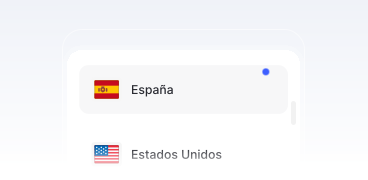
Iníciala
Haz clic en el icono de NordVPN en la barra de herramientas de Chrome, inicia sesión en tu Nord Account opens in a new tab y haz clic en el botón «Proteger mi conexión» para conectarte a un servidor VPN.
Una VPN para Chrome: la extensión de NordVPN para Chrome vs. la app VPN
La extensión de navegador y la app VPN completa cumplen funciones distintas, aunque ambas mejoran la privacidad online. La extensión para Chrome actúa como un proxy y solo protege el tráfico que pasa por el navegador. En cambio, la app NordVPN completa encripta toda la actividad de internet del dispositivo, incluidas las apps y las conexiones en segundo plano. La siguiente comparación resume las diferencias prácticas entre ambas opciones.
| Función | Extensión para Chrome | App NordVPN completa |
|---|---|---|
Alcance del tráfico | Solo protege el tráfico del navegador. | Protege todo el tráfico de internet del dispositivo, incluidas las apps y los servicios en segundo plano. |
Encriptación/ | Enruta el tráfico del navegador a través de un servidor proxy; se ha diseñado como una solución ligera. | Usa protocolos VPN completos (como NordLynx y OpenVPN) y es compatible con tipos de servidores avanzados. |
Kill Switch/bloqueo de tráfico | Incluye un Kill Switch en el navegador que lo bloquea si se interrumpe la conexión. | Ofrece un Kill Switch para todo el sistema que bloquea todo el tráfico si la VPN se desconecta. |
Protección contra amenazas/funciones adicionales | Incorpora funciones específicas del navegador, como el bloqueo de anuncios y de páginas peligrosas, la prevención de filtraciones de WebRTC y el túnel dividido para el tráfico del navegador. | Proporciona cobertura para todo el dispositivo, acceso a tipos de servidores avanzados (como Doble VPN u ofuscados) y más funciones para proteger todo el dispositivo. |
Instalación/permisos del sistema | La instalación es sencilla. No se suelen necesitar privilegios de administrador. | Es necesario instalar una aplicación completa. Se suelen necesitar permisos del sistema. |
¿Buscas una VPN gratuita para Chrome?
Elige la opción que más te convenga.
Prueba NordVPN gratis durante 7 días
Descubre todas las funciones de NordVPN con una prueba gratuita de 7 días.