Key takeaways:
- Roblox is generally safe to download and play, but scams and hacking attempts are common for many Roblox users.
- Enabling two-factor authentication, strong passwords, and an account PIN greatly improves protection.
- Chat filters, privacy settings, and parental controls reduce risks, but they don't block every scam attempt or inappropriate message.
- Voice chat adds more risks, even with ID verification. It's best used with caution, especially for younger players on Roblox.
- Once an item is lost in a scam, Roblox won't return it — trading should only happen through official channels.
- If your account is hacked, act quickly by changing your password, securing your email, and contacting Roblox support.
Why Roblox security is a concern
Roblox security is a concern because this gaming platform has a large young audience and a valuable in-game currency, Robux, which attracts scammers.
With millions of daily players on the platform, Roblox is an easy target, and scammers take advantage of Roblox users who are eager for free items or quick rewards. Hackers often target Roblox accounts through weak passwords or phishing tricks, making hacking one of the most common security concerns players face.
The risks don't come only from strangers. In many cases, scammers pose as friends or trusted platform members, sending private messages that encourage players to click links, trade items outside official channels, share login details, or reveal other sensitive personal information. When this happens, accounts can be stolen and valuable items — like Robux or limited collectibles — lost.
Another reason Roblox security is important is the scale of social interactions on the platform. With open chat systems, user-created games, and player-to-player trades, there are constant opportunities for fraudsters to exploit.
Even though Roblox invests heavily in safety features — think chat filters, moderation, parental controls, and account recovery options — these systems aren't foolproof. Hackers and scammers continuously look for new ways around them, sometimes spreading scams or inappropriate content in spaces where kids play Roblox.
Examples of Roblox scams
Scams on Roblox happen often, and players regularly report losing Robux or rare items to fraudsters. These issues affect both new and experienced users, showing that extra caution is needed when playing Roblox or making trades inside Roblox games. Below are a few real cases.
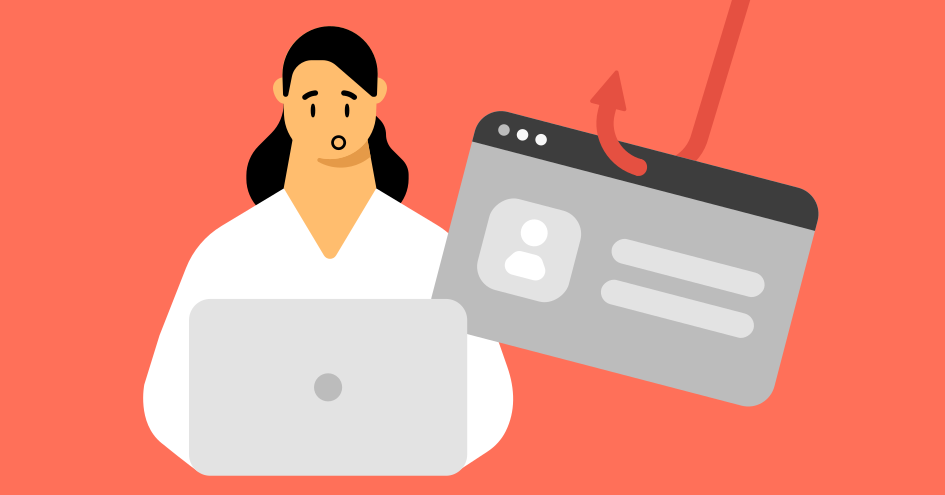
Phishing emails
In April 2025, Roblox reported users receiving emails titled "Security alert" that mimicked official Roblox messages. The link led to a fake "Reset password" page designed to steal usernames, passwords, and even display users' avatars. Roblox confirmed the scam on their developer forum, and it wasn't the first case of phishing attempts targeting players — similar schemes have been reported multiple times over the years.
Rigged trades
A common trick involves offering trades that appear fair but include hidden conditions. Victims end up giving away valuable, limited items, and Roblox does not restore them once they're gone.
These scams often take advantage of how quickly trades can happen on the Roblox platform, tricking players into clicking "Accept" without double-checking the details. Scammers may also pressure users by pretending the offer is urgent or temporary, making it harder to think clearly.
Fake Robux generators
Websites promise free Robux in exchange for login details. These sites often look convincing, copying the design of the official Roblox website to trick players into entering their username and password.
Once the information is stolen, scammers can drain accounts, take over profiles, or even resell access to other fraudsters. No tool or website outside the official Roblox store can actually generate free Robux, so any offer like this should be treated as a scam.
Impersonation
Scammers pose as Roblox staff or popular creators, offering giveaways that lead to stolen accounts. These scams sometimes include links to inappropriate content, which can be especially harmful when kids play Roblox without close supervision or strong parental controls.
Roblox does not allow trading outside official systems, and once Robux or limited collectibles are lost, they cannot be recovered. That is why spotting scams early is the only reliable protection.
Additional safety controversies
Aside from scams, the Roblox platform has also faced wider safety controversies. One recent example is the YouTuber Schlep, who built a large following by exposing alleged predators on Roblox. In the summer of 2025, Roblox banned his account for breaking platform rules, which sparked debate over how the company manages safety, moderation, and what counts as age-appropriate games on the platform.
Roblox security features
Roblox provides multiple tools to protect its players, but these only work if they are properly enabled.
Features like two-factor authentication, account PINs, and chat filters are designed to limit scams and keep personal data safe. The platform also allows players and parents to adjust privacy settings depending on age, which adds another layer of protection for anyone managing their own account.
However, no system is perfect. Scammers constantly try to bypass these safeguards with new tricks — from fake giveaways to manipulated trades. This issue is particularly prevalent when players purchase Robux or interact with other users in Roblox games.
Not all games on the platform are equally safe, and some may carry higher risks than others. That's why knowing how the security options work is just as important as turning them on. Using them alongside internet parental controls and device-level protections gives players the best chance to stay safe.
Login protection and account safety
The most important type of protection on the Roblox platform is two-factor authentication (2FA), which sends a code to your email or authenticator app whenever someone tries to log in. With 2FA enabled, even if a scammer guesses your password, they can't access your account without that code.
Other features, like an account PIN and a recovery email, add extra layers of security. The PIN prevents changes to your settings without a code, while the recovery email helps restore access if something goes wrong. A strong password is equally important — avoid using your username, birthdate, or anything easy to guess. Also, never share your passwords with other users, even if they claim to be friends.
Since Roblox accounts have real-world value through Robux and limited items, stolen logins are a frequent target of scams. Weak passwords and reused credentials make accounts even more vulnerable, especially if video game leaks or third-party breaches expose them online. Once cybercriminals steal the password, they can change your original login details so that you wouldn't be able to access your account anymore. However, if you ever get locked out of your account, your first step should be checking if Roblox is down before assuming the worst. The platform may just be experiencing some technical issues.
Many of these problems are part of broader online risks tied to online gaming, which is why security settings and parental controls play such an important role in keeping accounts safe.
Chat and privacy controls
Roblox has built-in chat filters that automatically block inappropriate language, personal details, and suspicious links. Such filters are one of the first layers of protection, but they don't catch every scam attempt. Fraudsters sometimes try to work around the system by using misspellings or coded language, and unsafe links can still slip through. That's why your own safe browsing habits are the most effective protection.
For added safety, players and parents can manage Roblox privacy settings directly in the account dashboard. These safety settings allow you to choose who can send messages, chat in-game, invite you to join experiences, or view your profile. The options are stricter for accounts under 13, while older users have more flexibility. Parents who want extra control can also use Roblox's account PIN to stop children from changing these settings on their own.
Even with these security measures, scams remain a risk. Some players use chat to spread misinformation, pressure others into spending money, or harass them. Moderation challenges grow in a platform built on user-generated content, where anyone can create games, host chats, and interact with strangers. For this reason, it's important for families to regularly discuss online safety and agree on how to handle suspicious or harmful messages.
Is Roblox voice chat safe?
Roblox voice chat is not completely safe, even though it requires ID verification. The system reduces the chance of underage players using the feature, but it doesn't guarantee that all interactions will be appropriate. Users can still encounter swearing, cyberbullying, or personal questions that cross boundaries, especially when young users are involved.
The risks are higher than with text alone. Real-time conversations create more opportunities for grooming, pressure to share information, or quick scams disguised as friendly talk. For many players, this makes voice chat one of the riskiest parts of the platform, particularly when kids ages 13 and up are just beginning to explore less restricted communication settings.
Concerns about this feature also tie into the broader issue of keeping kids safe online. Unmonitored conversations can expose players to risks that text filters and privacy settings cannot block, and they may even overlap with exposure to violent games or other inappropriate content.
What to do if your Roblox account gets hacked
If you suspect your Roblox account has been hacked, act quickly. The longer someone else has access, the higher the risk of losing Robux, collectibles, or even personal information. Here are the steps you should take:
1. Change your password immediately
If you can still log in, your first move should be to reset your password. Create one that is unique, long, and not used for any other account. Avoid using birthdates, usernames, or simple words. If the hack was severe and you decide not to continue with Roblox, check the steps on how to delete a Roblox account through official support on the official Roblox website.
2. Enable two-factor authentication (2FA)
Turn on 2FA in your settings. This feature ensures that every login attempt from a new device requires a code, making it far harder for hackers to break in. Make sure your recovery email is secure, since that is where verification codes are sent. It's also useful to learn how to lock the screen for kids and set up parental controls to avoid risks in the future.
3. Check your email account for compromise
Hackers often target email first because resetting a Roblox password only takes a few clicks. Review your inbox for password reset attempts you didn't make, update your recovery methods, and enable 2FA on your email account as well. If your Roblox login details were exposed through a data breach, attackers could even attempt child identity theft by misusing personal information linked to your kid's profile.
4. Contact Roblox support with full details
If you can't log back in, you'll need to submit a support ticket. Provide your username, the email tied to the account, and any details about recent transactions. Roblox can sometimes restore access, but it does not replace lost Robux or limited items. This is why prevention is always stronger than recovery.
5. Remove third-party extensions or suspicious apps
Many Roblox hacks start with unsafe browser add-ons or apps that promise free Robux. These apps can log your keystrokes or steal passwords in the background. Remove anything you don't recognize and run a security scan. Adding extra protection, such as a VPN for Roblox, can also help by hiding your IP address and reducing risks from malicious players.
6. Warn others
If someone else has control of your account, they may send phishing links or fake trade requests to your friends. Let your friends know not to interact with messages or trade offers until you confirm your account is safe again.
For parents, it's also an opportunity to teach kids about password safety, suspicious messages, and the dangers of online gaming. These lessons apply not just in games but also when creating experiences in Roblox Studio or interacting with strangers online. Ultimately, the question of how safe Roblox is for kids depends on the safeguards families put in place.
Online security starts with a click.
Stay safe with the world’s leading VPN