Détecteur d'arnaque gratuit
Évitez les arnaques et les logiciels malveillants : analysez les liens, les fichiers et les SMS grâce aux outils gratuits de NordVPN.
Ce lien est-il faux ?
Analysez l’URL que vous souhaitez consulter pour détecter les logiciels malveillants, les faux sites web et les attaques de phishing.
En saisissant une URL, vous acceptez nos conditions d’utilisation opens in a new tab et notre politique de confidentialité opens in a new tab.

Vérifiez les URL automatiquement !
Obtenez NordVPN avec son antivirus nouvelle génération et évitez les sites malveillants.
Inclus dans certains abonnements NordVPN.

À quoi sert un détecteur d'arnaque ?
Un détecteur d'arnaque analyse les liens, les fichiers et les SMS suspects pour vous aider à repérer les arnaques avant qu'elles ne causent des dommages.
Analyse les liens et les URL
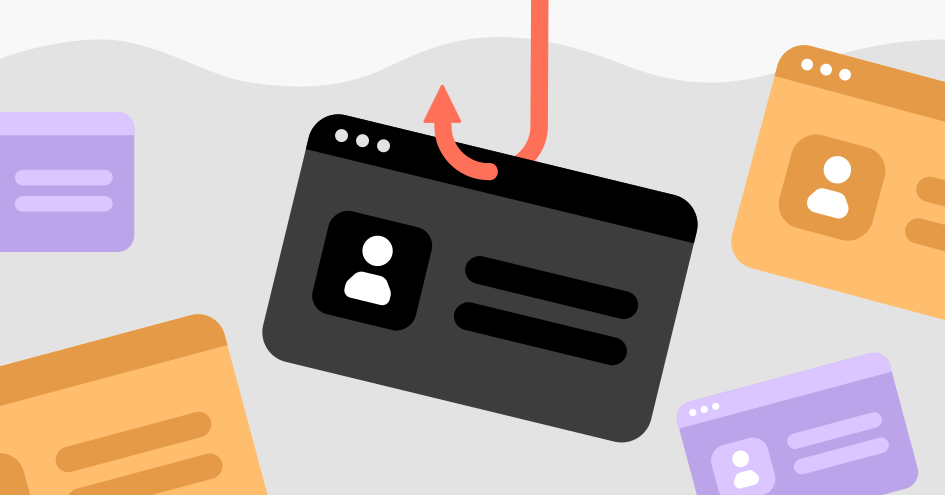
Utilisez notre vérificateur de lien pour contrôler les URL et les sites web avant de les consulter : ils pourraient héberger des logiciels malveillants, vous rediriger vers des sites dangereux ou faire partie d'une vaste opération d'hameçonnage.
Analyse un SMS ou un numéro de téléphone
Téléchargez une capture d'écran d'un message suspect ou copiez-collez son contenu : le détecteur de message frauduleux l'analysera afin d'y repérer les schémas courants d'escroqueries.
Le détecteur de message frauduleux ne prend actuellement en charge que l'anglais.
Analyse les fichiers
Vérifiez un fichier suspect avant de l'ouvrir sur votre appareil : chargez-le dans l'outil d'analyse de fichier et vérifiez s'il contient des souches de logiciels malveillants connues.

Identifiez les faux SMS, les fausses images et les liens frauduleux avec NordBot
Si vous craignez qu'une personne sur Internet tente de vous arnaquer, demandez de l'aide à NordBot. Il s'agit d'un chatbot expérimental basé sur l'IA qui analyse les contenus afin de vous aider à détecter les arnaques et les contenus factices générés par l'IA. NordBot fonctionne avec toutes les langues.
Pourquoi utiliser un détecteur d'arnaque ?
Quelques secondes de vérification peuvent vous éviter d'être victime d'une arnaque dont il vous faudrait des mois pour vous remettre.
Les arnaques sont de plus en plus difficiles à repérer
Les cybercriminels ont recours à du contenu généré par l'IA, à des sites web clonés et à des numéros usurpés, capables de tromper même les utilisateurs les plus prudents. Un détecteur d'arnaque repère ce qui pourrait échapper à l'œil humain.
Un seul clic malencontreux peut compromettre votre appareil
Les liens malveillants peuvent vous rediriger vers des fichiers infectés susceptibles d'installer des logiciels malveillants, de voler vos mots de passe ou de vous empêcher d'accéder à votre propre appareil. Vérifier un lien avant de cliquer dessus ne prend que quelques secondes, mais se remettre d'une arnaque peut prendre des mois.
C'est gratuit et sans effort
Vous pouvez obtenir des résultats en quelques instants, sans avoir à vous inscrire ni à installer quoi que ce soit. Il vous suffit de saisir un lien, de télécharger un fichier ou de coller une capture d’écran pour savoir s’il est susceptible d’être dangereux.
Pourquoi choisir le détecteur d'arnaque de NordVPN ?
Quelques secondes suffisent pour tomber dans le piège d'une arnaque. Il ne faut pas plus de temps pour vérifier un lien, un fichier ou un message suspect. Voici pourquoi vous devriez utiliser le détecteur d'arnaque de NordVPN :
Trois outils en un seul endroit
Vérifiez un lien, un fichier ou un message sans passer d'un service ou d'une application à l'autre.
Un leader de la cybersécurité
Des millions d'utilisateurs font confiance à NordVPN pour protéger leur confidentialité en ligne. Les mêmes renseignements sur les menaces qui alimentent nos fonctionnalités de sécurité sont intégrés à nos outils de détection des arnaques.
Aucun abonnement requis
Vous n'avez pas besoin d'un compte NordVPN pour utiliser ces outils. Il suffit d'importer un fichier ou de coller un lien en haut de cette page.
Priorité à la confidentialité
Aucun de vos fichiers, liens ou SMS n'est conservé ni analysé à d'autres fins que la détection d'éventuels schémas frauduleux.
Statistiques récentes sur les arnaques
De moins en moins de nos transactions se font en espèces dans un magasin physique : les gens passent au tout numérique, de sorte que les arnaques en ligne ne cessent de se multiplier. Et les statistiques sur le phishing montrent que l'IA permet désormais aux cybercriminels de générer des arnaques toujours plus efficaces en quelques secondes.
Voici quelques statistiques sur la cybersécurité ainsi que des chiffres sur les menaces en ligne :
La FTC affirme qu'en 2024, les signalements d'escroqueries ont quadruplé. Les personnes âgées de plus de 60 ans sont particulièrement vulnérables.
Source : FTC opens in a new tab
Plus de 3,7 millions de cas d'usurpation d'identité et de fraude ont été recensés en 2024. Ce type de délits a connu une hausse de 40 % ces dernières années.
Source : FTC opens in a new tab
75 % des Américains ont déjà été confrontés à une tentative de phishing. En 2024, 16 milliards de dollars ont été perdus au profit d'escrocs, soit 33 % de plus qu'en 2023.
Source : FBI opens in a new tab
Quand utiliser un détecteur d'arnaque ?
Utilisez des outils de détection des arnaques dès que vous recevez un lien, un message ou un fichier qui vous semble suspect.
Vérification manuelle ou automatisée des arnaques
Vous pouvez analyser des fichiers, des liens et des messages dès qu'ils vous semblent suspects. Mais l'antivirus nouvelle génération de NordVPN vous aidera à repérer et à éviter les menaces en ligne, même si elles semblent totalement inoffensives.
| Fonctionnalités | Détection automatisée des arnaques avec l'antivirus nouvelle génération de NordVPN  | Vérification manuelle des arnaques |
|---|---|---|
| Moins de risques d'arnaques | | |
| Résultats rapides | | |
| Navigation plus sûre | | |
| Détection du phishing zero-day | | |
| Protection contre les logiciels malveillants | | |
| Bloqueur de publicités et de traqueurs | | |
| Analyse approfondie des fichiers dans le cloud | | |
| Service gratuit | | |
En savoir plus sur les arnaques courantes
Vous souhaitez en savoir plus sur les arnaques en ligne les plus courantes ? Nous avons rassemblé quelques ressources utiles :


Utilisez le détecteur d'arnaque de NordVPN pour renforcer votre sécurité en ligne
Nous mettons constamment à jour nos bases de données d'arnaques et de logiciels malveillants afin de vous aider à repérer les menaces numériques.
Garantie satisfait ou remboursé de 30 jours
Utilisez le détecteur d'arnaque de NordVPN pour renforcer votre sécurité en ligne
Nous mettons constamment à jour nos bases de données d'arnaques et de logiciels malveillants afin de vous aider à repérer les menaces numériques.
Garantie satisfait ou remboursé de 30 jours