·
E-mailbescherming van NordVPN voor meer veiligheid en privacy
Spoor phishing-e-mails en malware op.
Spot riskante URL's in zakelijke en persoonlijke e-mails.
Beschikbaar bij Threat Protection Pro™ voor Windows
Wat is e-mailbescherming?
E-mailbescherming is een Threat Protection Pro™-functie die is ontworpen om betere e-mailbeveiliging te bieden. Het controleert links in e-mails op phishing, malware en andere online bedreigingen. Het werkt in real-time en scant elke zichtbare link in elke geopende e-mail in je Gmail- of Yahoo Mail-webinterface. Als er iets niet klopt, markeert de tool het daar, zodat je minder snel op iets verdachts klikt in een phishing-e-mail. Omdat veel e-mailaanvallen voortkomen uit menselijke fouten, helpt e-mailbescherming het risico te verkleinen door je direct te waarschuwen.
Waarom is e-mailbescherming belangrijk?
E-mail is een van de belangrijkste aanvalsvectoren, en phishing is de meest voorkomende cyberaanval. E-mailbescherming kan je helpen cyberdreigingen te herkennen en te voorkomen.
#1
Phishing is de meest gemelde cybercrime op basis van het aantal slachtoffers in 2024.
$ 2,8 miljard
Bedrijven hebben in 2024 ongeveer 2,8 miljard dollar verloren door oplichting via zakelijke e-mails.
68%
In 2024 was bij 68% van de inbreuken een menselijke factor betrokken, zoals misleiding of manipulatie van slachtoffers.
Bron: Verizon DBIR 2024
Wat zijn de voordelen
van e-mailbescherming?
Schakel Threat Protection Pro™ in om te profiteren van de voordelen van e-mailbescherming voor veiliger en soepeler browsen.
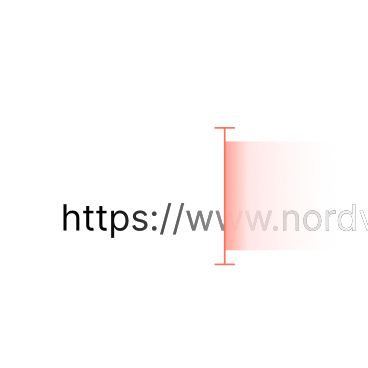
Scan links
Terwijl je e-mails in je browser leest, controleert e-mailbescherming op de achtergrond elke zichtbare link in je e-mails op phishing, malware, oplichting en verdachte URL's.
Word geïnformeerd
Als iets riskant lijkt, wordt dit zichtbaar gemaakt. E-mailbescherming markeert verdachte links rechtstreeks in de e-mail, zodat je kunt zien wat niet veilig is.
Behoud controle
De zeurende angst voor e-mailfraude kan vermoeiend zijn. E-mailbescherming geeft je gemoedsrust en meer controle online.
Werkt zonder VPN-verbinding
E-mailbescherming werkt onopvallend op de achtergrond, zelfs wanneer je VPN niet verbonden is, en controleert je inbox voortdurend op kwaadaardige e-mails.
Scan links
Terwijl je e-mails in je browser leest, controleert e-mailbescherming op de achtergrond elke zichtbare link in je e-mails op phishing, malware, oplichting en verdachte URL's.
Word geïnformeerd
Als iets riskant lijkt, wordt dit zichtbaar gemaakt. E-mailbescherming markeert verdachte links rechtstreeks in de e-mail, zodat je kunt zien wat niet veilig is.
Behoud controle
De zeurende angst voor e-mailfraude kan vermoeiend zijn. E-mailbescherming geeft je gemoedsrust en meer controle online.
Werkt zonder VPN-verbinding
E-mailbescherming werkt onopvallend op de achtergrond, zelfs wanneer je VPN niet verbonden is, en controleert je inbox voortdurend op kwaadaardige e-mails.
Hoe werkt de e-mailbescherming van NordVPN?
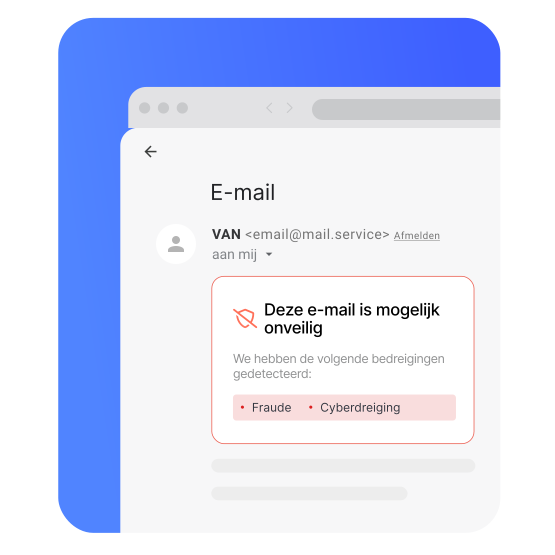
Wanneer je een e-mail opent, analyseert Threat Protection Pro™ snel elke zichtbare URL en controleert het de reputatie ervan. Als er onveilige URL's in de e-mail zitten, zie je een rood schildpictogram naast deze URL's. Beweeg de muis over de gemarkeerde link (klik er niet op) om een pop-upbericht te zien met informatie over het risico.
Als een e-mail gevaarlijke links bevat, verschijnt er bovenaan de e-mail een banner met de waarschuwing dat de e-mail mogelijk onveilig is. Je kunt de banner sluiten, maar deze verschijnt opnieuw wanneer je de e-mail opnieuw opent of de pagina vernieuwt.
E-mailbescherming werkt in Safari, Chrome, Firefox, Opera, Brave en Edge. Het werkt nu alleen nog met Yahoo Mail en Gmail.
Zo schakel je NordVPN's
e-mailbecherming in
De e-mailbescherming van NordVPN werkt op Windows- en macOS-apparaten. Schakel het eenvoudig in via de NordVPN-app en geniet van veiliger en soepeler browsen.

1. Open de app
Open de NordVPN-app en log in.
2. Klik op het schildpictogram
Je vindt deze in het menu aan de linkerkant.
3. Schakel e-mailbescherming in
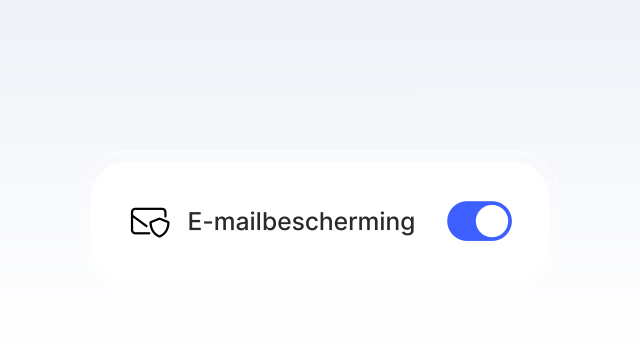
Klik op 'Inschakelen' onder Geavanceerde browsebescherming.
Waarom mensen NordVPN vertrouwen
Geloof ons niet zomaar op ons woord – lees wat onze gebruikers over ons zeggen.

