VPN proxy extensions for Chrome, Edge, and Firefox
Start using our proxy extension in seconds with Microsoft Edge Proxy Extension.
Encrypt your browser’s traffic.
Change your IP address.
Block malicious domains.
What is a VPN proxy extension?
A VPN proxy extension (or VPN browser extension) is a lightweight alternative to a VPN app. It protects your online activity by encrypting browser traffic and shielding your IP address. Although it doesn't offer system-wide protection like a full VPN, it greatly improves your browsing privacy.
NordVPN proxy extension lets you choose which websites to route through the extension and which to exclude from its coverage. Plus, it has additional features, like blocking ads and dangerous domains with the scam and phishing protection.
Your browsing is safer with NordVPN extensions
Not all websites are configured to provide a secure connection (HTTPS), which encrypts traffic. When you connect to a site that isn’t secure, you become an easy target for online spying.
Upgrade your browser with a VPN proxy extension
Make it harder for trackers and attackers to access your browsing data. Enjoy uninterrupted online experience.
Browser traffic — secured
Browse safely at all times. With the NordVPN browser extension, TLS encryption protects your online traffic from prying eyes when you visit unsecured HTTP websites or browse on Wi-Fi networks.
Virtual location — protected
Usually, you reveal your IP address to a website you visit. Not anymore. When connected to a NordVPN server, you browse under the cover of its IP addresses.
IP leaks — minimized
Chrome, Edge, and Firefox use the WebRTC protocol, which is prone to leaks. Even if you’re using a VPN, it can reveal your IP. NordVPN fixes this by disabling the WebRTC protocol — you’re safe both with the app and the extensions.
Online hazards — reduced
Browse with confidence. NordVPN’s scam and phishing protection blocks intrusive ads and protects you from dangerous domains. It’s a digital watchdog inside your browser.
Your content — customized
Specify which websites see your real virtual location and which ones get routed through a VPN server with split tunneling. No need to switch the proxy extension off for specific websites — secure only what matters.
Connection — easy
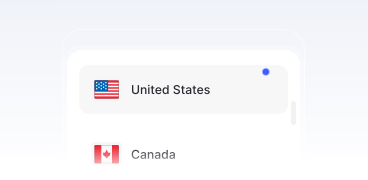
Click the “Secure my connection” button, and the AI-powered algorithms will find the best server for you depending on distance, load, and other parameters. Or choose from 149 countries to connect to.
How to set up the VPN proxy extension
Privacy is easier with the right browser proxy extension. Follow the instructions below to start a proxy session and boost your security online.

1. Get a VPN subscription
Pick the best plan for your needs and buy a NordVPN subscription.
2. Download the VPN app
Go to the Chrome Web Store opens in a new tab and add the NordVPN Chrome proxy extension.
3. Connect to a VPN server
Log in to your account and connect to the NordVPN proxy server.
Proxy extension: Why should you choose it?
If you’re looking for super-fast and customizable security for your browser, the NordVPN proxy extension is the way to go.
Better security
It’s a great choice for when you need some extra protection without the need to run the full NordVPN application on your device.
Lightweight protection
The extension only protects your browsing activities, letting other apps and services use your real IP to access local content.
Scam and phishing protection
The DNS filtering feature blocks intrusive ads and filters out malicious domains to prevent you from landing on malicious ones.
What is the difference between a proxy browser extension and a VPN app?
The proxy extension for Chrome, Edge, and Firefox is a lightweight version of the NordVPN app. With a NordVPN subscription, you’ll get access to all the extensions and apps (Windows, macOS, Android, iOS, and Linux) and secure up to 10 devices at the same time.
| | VPN proxy extension | NordVPN app |
|---|---|---|
Works on | Chrome, Edge, and Firefox browsers | Windows, macOS, Android, iOS, and Linux |
Protection scope | Secures HTTP traffic on the browser only | Encrypts all internet traffic (system level) |
Performance | Extremely light, almost instant connection | Sturdy and versatile, offers custom security features |
Server selection | Specific country or city | Specific country or city |
Server availability | Access to 7,300+ VPN servers | Access to 8,200+ VPN servers |
Upgrade your Firefox, Edge, or Chrome browser with NordVPN
30-day money-back guarantee