Key takeaways:
- Spoofing attacks involve impersonating a trusted source to make a scam look legitimate.
- Phishing occurs when attackers pose as someone you trust to steal sensitive data like passwords or payment details.
- Phishing attacks often use spoofing techniques to appear credible.
- The key difference between spoofing and phishing attacks is in their purpose — spoofing hides the attacker's identity, and phishing tries to trick users into giving something away.
- Both types of attacks show up in emails, texts, fake websites, and even calls — and they're not always easy to spot.
- To lower your risk, use strong passwords, turn on two-factor authentication, stay cautious with links and attachments, and keep your connection encrypted with a VPN.
Spoofing vs. phishing: Key differences
Spoofing and phishing are often mentioned together — and for good reason. These two types of attacks frequently overlap, but they are not the same.
Spoofing is about faking the source of communication — like an email address, phone number, or website — to make a message appear legitimate. It's a technical trick that helps scammers build trust quickly.
Phishing, on the other hand, is about manipulating the recipient. The attacker pretends to be someone trustworthy and uses emotional triggers — like fear, urgency, or curiosity — to push the person into taking an action, such as clicking a link or sharing a password.
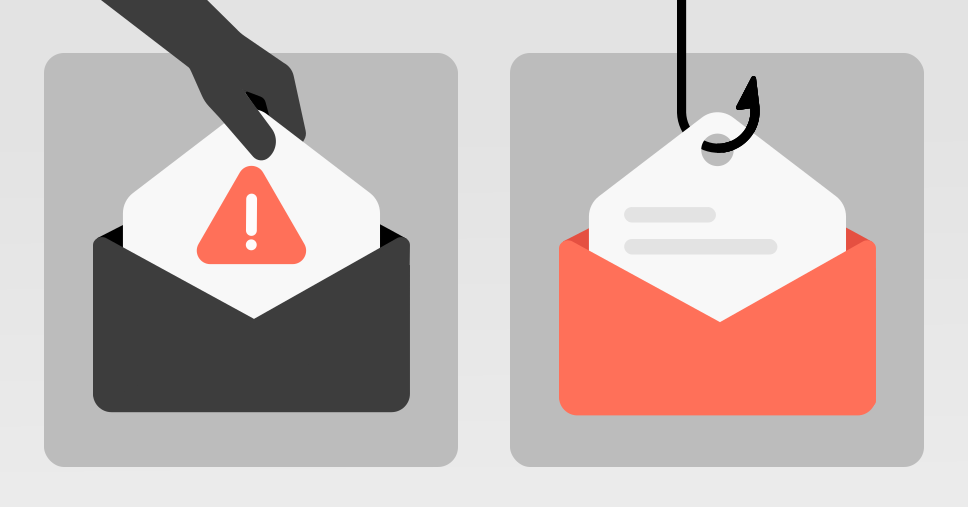
In many cases, phishing uses spoofing as a tactic. A fake sender address in email spoofing, a cloned login page, or a spoofed phone number helps make the phishing message more convincing.
Let's take a look at the table below to see how the two compare:
| | Spoofing | Phishing |
|---|---|---|
| Definition | Disguising a communication source to appear legitimate | Posing as a trusted source to trick someone into sharing data |
| Target | Devices, systems, or people | People |
| Goal | Gain trust, bypass technical security filters, or even lead to installing malicious content | Steal sensitive information or install malware |
| Method | Technical manipulation: fake email headers, domains, IP address, caller IDs | Social engineering: deceptive messages or websites with urgent or emotional language |
| Examples | An email that looks like it's from your company but isn't / A fake website URL | A message asking you to "verify your account" or "confirm payment details" |
| Connection | Can be used on its own or as part of phishing attacks | Often includes spoofing to appear more believable |
What is phishing?
Phishing attacks are a type of cybercrime in which an attacker impersonates someone a potential victim is likely to trust — a bank, government institution, or colleague — to steal personal information. Such attacks often arrive as emails, text messages, or calls and are designed to make the target act quickly without questioning the source.
Messages may ask you to reset your password, confirm payment details, or verify your identity. The goal is to collect data like login credentials or credit card numbers, often by leading the victim to a fake website. Common types of phishing attacks include spear phishing scams (targeted at specific individuals), smishing (via SMS), and vishing (voice phishing) — all of which rely on gaining the victim's trust.
If you fell for one of these tactics and clicked on a phishing link, it's important to act quickly to secure your accounts, limit the damage, and report phishing to the appropriate parties. Reporting these scams helps service providers and authorities take action to prevent phishing attacks against others.
What is spoofing?
Spoofing is when someone makes a message, call, or website look like it's coming from a trusted source — even though it's not. Attackers may use a fake email address for email spoofing, or they might spoof a domain name, IP address (a technique known as IP spoofing), GPS location, or phone number to trick the recipient and gain their trust.
It's often used as part of phishing attacks to make fake messages or sites seem real. While spoofing doesn't always steal information directly, it plays a big role in helping scams succeed.
Examples of phishing and spoofing
Phishing and spoofing can show up in many forms — and not all of them are obvious. Below you'll find some realistic examples that illustrate how these tactics work in everyday situations.
Phishing attack examples
- You receive an email from what looks like your company's IT department, asking you to reset your password through a provided link. The message uses your name and company branding, making it look legitimate. Such phishing attacks are highly targeted scams crafted just for you.
- A message claiming to be from your bank warns that your account will be locked unless you "verify" your details immediately. It includes a link to a login page that looks identical to your bank's legitimate website.
- A high-level executive in your company gets an urgent email asking for a wire transfer to close a confidential deal. This type of scam, aimed at executives, is known as whale phishing.
- You receive a text message saying your package couldn't be delivered and asking you to click a link to reschedule. It leads to a fake delivery website that steals your sensitive information.
Phishing attacks often rely on social engineering — psychological manipulation used to create a sense of urgency, fear, or curiosity so you act without thinking. Such attacks can also lead to other cyber threats like ransomware or spyware, depending on what you click or download.
Spoofing attack examples
- An attacker spoofs an email's sender address so it appears to come from a trusted source (such as "support@yourbank.com"). The address is faked to look real, and the goal is to get you to trust the message and its contents without checking it closely.
- You're sent to a login page that looks like your cloud storage provider, but the web address is slightly off. The site is a spoofed version designed to steal your credentials.
- A scammer spoofs their phone number to make it seem like a call is coming from a local government office or delivery service, increasing the chances that you'll pick up.
Both phishing and spoofing are commonly used in broader scam campaigns — often layered together to boost credibility and increase the chance of success.
How spoofing and phishing work together
Phishing attacks often use spoofing techniques (for instance, email spoofing) to appear more convincing. A scammer might fake a sender's email address, phone number, or website to make their message look like it's coming from a trusted source. Once that trust is established, phishing scams take over, pressuring the target to act quickly, usually by clicking a link, entering credentials, or opening a file. Such attacks rely on psychological tricks to lower your guard, and when spoofing and phishing attacks are combined, they can be especially difficult to detect.
Similarities between spoofing and phishing
While spoofing and phishing scams differ in how they work, both rely on tricking people into trusting something that isn't real. They're often used together and share several key traits that make them especially dangerous.
- Both are designed to mislead the victim and make harmful communication seem legitimate.
- They often appear through email, text messages, websites, or phone calls.
- Both can be used to steal sensitive information, such as login credentials or financial information.
- They frequently rely on urgency or fear to pressure someone into acting quickly.
- Neither always shows clear warning signs — many spoofing attacks and phishing attempts are well-crafted and hard to detect.
- Both can be part of larger attacks that involve manipulation, fake identities, or technical tricks.
Recognizing these shared traits can help you stay alert, especially when something feels just a little off.
What to do if you're affected by spoofing or phishing threats
If you've clicked a suspicious link, entered personal information on a fake site, or noticed unusual activity on your accounts, don't panic — but act quickly.
In case of an emergency, follow this step-by-step guide to mitigate the damage.
- 1.Disconnect from the internet to prevent further activity if you suspect your device has been compromised.
- 2.Change your passwords right away — starting with email, banking, and any accounts that may have been exposed. Make sure you use strong passwords that are long, unique, and hard to guess.
- 3.Review recent account activity, looking for unexpected logins, changes to your settings, or unauthorized transactions.
- 4.Run a security scan using antivirus or anti-malware tools to check for any hidden cyber threats on your device.
- 5.Report the incident to your email provider, workplace (if it's a work account), or financial institution to prevent further misuse.
- 6.Let others know if your account was used to send suspicious messages. Attackers may try to target your contacts next.
Staying calm and responding quickly can make all the difference. Whether it's spoofing, phishing, or a combination of both, knowing what to do next helps keep your data — and others' — safe.
How to prevent phishing and spoofing attacks
Most phishing attacks and spoofing attempts can be avoided with a few simple habits. Here are some ways to reduce your risk and stay protected:
- Validate URLs and files before clicking or downloading. Even small changes in a link — like a misspelled domain — can lead to fake websites.
- Use the best VPN to encrypt your connection, especially on public Wi-Fi. While a VPN won't stop phishing emails, it does protect your sensitive data from being intercepted on unsecured networks and helps keep your online activity private.
- Use strong and unique passwords for every account. This way, one compromised login won't give attackers access to everything else.
- Enable two-factor authentication (2FA) to add an extra layer of protection — even if your password is leaked, it makes unauthorized access far more difficult.
- Install security tools and keep your devices updated. Software updates often include fixes for security flaws that attackers look for.
You don't need to overhaul everything at once — but taking a few of these steps now can make phishing and spoofing attacks much easier to spot and stop.
Online security starts with a click.
Browse privately and prevent web tracking with NordVPN.