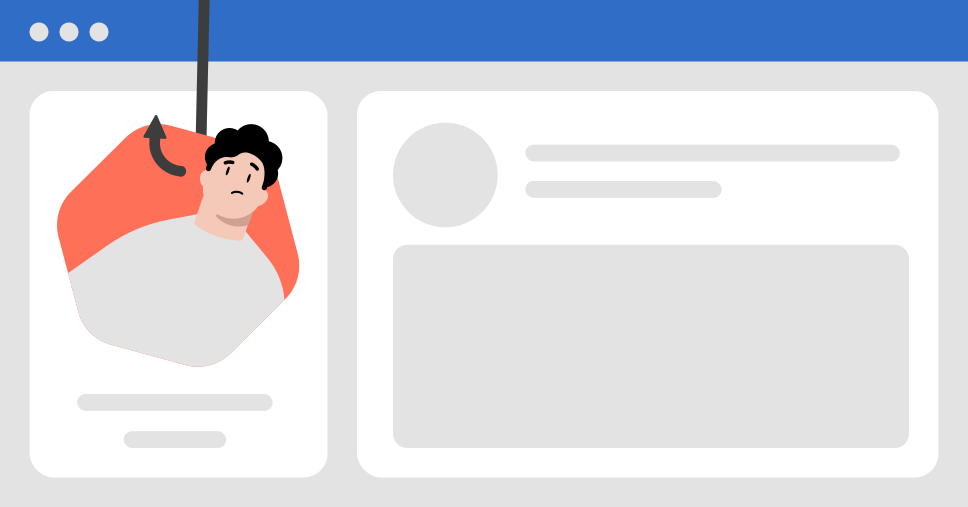
What are LinkedIn scams?
LinkedIn scams are fraudulent schemes organized to exploit LinkedIn users by stealing their money, personal information, or login credentials. Since over 9,500 members apply for jobs every minute, these scams typically appear as fake job offers, phishing messages, or fake LinkedIn profiles posing as recruiters or employers.
Cybercriminals bank on LinkedIn’s professional environment to gain your trust, often making slick profiles and elaborate stories to make their schemes seem believable. Let’s explore the most common LinkedIn scams so you know what to watch out for.
7 common types of LinkedIn scams
Scammers on LinkedIn use various deceptive techniques to target professionals. Below, find seven of the most common LinkedIn scams you need to avoid.
- 1.
- 2.
- 3.
- 4.
- 5.
- 6.
- 7.
1. LinkedIn job scams
LinkedIn job scams, also called LinkedIn recruiter scams, are some of the most common frauds on the professional networking site. Scammers pose as recruiters offering high-paying jobs with minimal effort required. They often ask their victims to pay upfront fees, like registration charges, or share sensitive information, including Social Security numbers or bank account details.
Many job scams on LinkedIn follow a familiar scheme: scammers promise high-paying work-from-home jobs and demand upfront payments for equipment or training. Once scammers get the money, they disappear, leaving the victim out of pocket.
Tips to stay safe from LinkedIn employment scams:
- Look up the company’s official website and LinkedIn profile. Check if the recruiter is listed as an employee and has a professional profile with an established network.
- Avoid paying upfront for job-related expenses. Legitimate companies will never ask you to pay for training, certifications, or equipment before starting a job.
- Never share personal or banking information unless you have verified the legitimacy of the person or organization requesting it.
2. LinkedIn phishing scams
Phishing scams on LinkedIn (also called LinkedIn email scams or LinkedIn text scams) involve texts or emails that prompt users to click on malicious links. These messages may impersonate LinkedIn or claim you need to verify your account to avoid deactivation.
For instance, users might receive messages claiming, “Your LinkedIn account has been suspended. Click here to reactivate.” These messages often include a link that redirects to a fake LinkedIn login page designed to steal account credentials or install harmful malware.
Downloading malware from these links can give scammers access to your device, exposing valuable information like passwords and financial details. This unauthorized access can lead to further breaches, such as compromised accounts on other platforms or even identity theft.
Tips to stay safe from phishing attacks on LinkedIn:
- Avoid clicking links in unsolicited messages or emails. If the message came unexpectedly and seems suspicious, it’s better to ignore it.
- Always check the sender’s email address carefully. Make sure it ends with “@linkedin.com.” Scammers often use fake or lookalike email addresses designed to trick you.
- Before clicking, place your mouse over the link to see the full URL. Ensure it leads to LinkedIn’s official website or a trusted domain.
3. LinkedIn technical support scams
In technical support scams, fraudsters pose as LinkedIn support representatives and notify you of fake issues, such as account suspension or payment failures. They urge their targets to pay for help or enter their login credentials into bogus websites, compromising their accounts.
For example, scammers posing as LinkedIn IT staff might send you an email saying your subscription needs renewal. They include a link asking for payment details, but clicking it takes you to a phishing page or installs malware on your device.
Tips to protect yourself from tech support scams:
- LinkedIn will never ask for your passwords, payments, or personal details through unsolicited messages, emails, or phone calls.
- If you receive a message about account problems, log in to LinkedIn through the official website or app and check your notifications to confirm whether the issue is real.
- Ignore and avoid responding to unexpected emails or phone calls claiming to represent LinkedIn, especially if they pressure you into taking immediate action.
4. LinkedIn romance scams
LinkedIn romance scams happen when scammers combine professional conversations with emotional manipulation. Unlike in traditional online dating scams, LinkedIn scammers create fake LinkedIn profiles and pretend to have shared professional interests to build trust.
They ask personal or intimate questions and gradually transition the discussion to overly romantic topics, which may seem unusual for a professional networking platform. Once scammers gain your trust, they make up emergencies or personal crises to request money or favors.
Although purely romantic scams may not be as common on LinkedIn, many scammers use a romantic angle to trick victims into lowering their guard and falling for their schemes.
Follow these tips to keep your guard up and stay safe from romance scams on LinkedIn:
- Be wary of messages that get too emotional or personal. LinkedIn is meant for networking, not personal or romantic relationships.
- Block and report LinkedIn users who try to move the conversation to other platforms like WhatsApp. If someone insists on taking the conversation off LinkedIn, consider it a red flag.
- Be cautious of profiles that seem incomplete, lack professional details, are riddled with grammatical errors, have very few connections, or use fake-looking photos.
5. LinkedIn crypto scams
Crypto scams exploit users’ interest in quick investment opportunities. Scammers promise guaranteed returns using fake LinkedIn profiles and convincing stories. They trick their victims into losing large sums of money by urging them to invest through fake platforms.
For example, a scammer might brag about making huge profits from an exclusive crypto investment opportunity (which turns out to be fake) and encourage you to join. Once you invest, they vanish, taking your money with them.
Follow these tips to protect yourself from LinkedIn crypto scams:
- If someone you don’t know offers advice about cryptocurrency or claims they can guarantee huge returns, be extremely cautious. Scammers often use fake success stories to lure in victims.
- Before committing any funds, verify the legitimacy of both the person and the platform. Check for reviews, official websites, or any credible source that can confirm if the opportunity is genuine.
- Stick to well-known and trusted investment tools or platforms. Scammers often pressure victims into using obscure, scam-run websites to steal their money.
6. LinkedIn inheritance scams and fee fraud schemes
Inheritance scams and fee fraud schemes on LinkedIn use false promises of wealth to exploit unsuspecting victims. Scammers might claim you’ve inherited a large sum of money from a distant relative, but you must cover legal fees to secure the funds.
These scams sound too good to be true — and they are. Scammers want either your money or your personal and financial information. Once you send payment or share sensitive data, they vanish, leaving you with regret and financial loss.
Tips to stay safe:
- Be skeptical of big promises. If someone you don’t know promises massive financial gains, such as an inheritance or an unbelievable business deal, assume it’s a scam.
- Never send money or banking details. No legitimate entity will ask for upfront payments or sensitive personal information to process an inheritance.
- If someone contacts you with an offer that seems unrealistic, report the account to LinkedIn — opportunities like that only happen in Hollywood scripts.
7. LinkedIn consulting scams
Consulting scams on LinkedIn target users looking to improve their professional visibility or secure better business opportunities. Scammers may pose as consultants, offering paid help to optimize your profile, grow your connections, or secure job interviews. They often promise access to high-paying roles, claiming to have insider connections.
The catch? They demand upfront payments for their so-called expertise. In reality, these scammers rarely deliver valuable information. At best, you may receive generic tips you could find for free online. At worst, they take your money and vanish without providing any service.
Follow these tips to protect yourself from consulting scams:
- Research the consultant’s credibility. Look for reviews, testimonials, or any traceable history of their work.
- Request a clear breakdown of their services. Before making any payment, ask for a detailed explanation of what you will receive in return.
- Be very cautious with consultants who demand payment before showing any evidence of their legitimacy. If possible, choose services that offer secure payment options or refunds.
Warning signs of LinkedIn scams
No matter the type of scam, many LinkedIn scams share similar warning signs. If you can recognize these red flags, you are a lot more likely to protect yourself from falling victim.
Incomplete or suspicious profiles with minimal details, fake photos, or generic job titles.
Suspicious LinkedIn messages or connection requests that contain urgent language or unsolicited offers.
Opportunities that seem too good to be true, such as lucrative jobs that require little effort.
Requests for personal or financial information, including Social Security numbers or banking details.
Links to external websites that seem suspicious or unverified.
Requests to move conversations off LinkedIn, like to WhatsApp or email.
Poor grammar or unprofessional communication, including spelling errors, awkward phrasing, or overly casual tone.
Demand for upfront payments for fees, training, or certifications.
Job ads that aren’t linked to the official company website or lack clear details about the role, such as job description, responsibilities, qualifications, or salary information.
Interactions that quickly turn personal or involve romance, especially on a professional platform like LinkedIn.
How to avoid LinkedIn scams
To sum up all the tips mentioned above and help you stay safe while using LinkedIn, follow these key recommendations:
Think twice before accepting connection requests. Only accept connection requests from profiles you can verify. Look for red flags like incomplete profiles, few connections, or generic job titles, and avoid accepting random or suspicious invites.
Research job opportunities and recruiters. Verify the legitimacy of any recruiter or job offer by checking the company’s official website, LinkedIn profile, and contact details. Don’t trust unsolicited offers that sound too good to be true.
Ignore requests for financial help. LinkedIn's primary purpose isn't fundraising — especially through DMs. If someone you don’t know asks for financial aid or claims to need urgent help, block them immediately. Scammers often rely on emotional manipulation to pressure victims.
Use reverse image search to verify profile pictures. Many fake profiles on LinkedIn use stolen or stock photos, so checking if the image appears elsewhere online can help you spot a scammer.
Keep personal information to yourself. Avoid sharing sensitive information, such as your phone number, email address, home address, or financial details, in direct messages and especially on your profile. Scammers can exploit this data for identity theft or targeted scams.
Preview suspicious links. Scammers often hide dangerous websites behind legitimate-looking links. Before clicking any external link, run it through a trustworthy link-checking tool to see where it really leads.
Employ security tools. Use NordVPN’s Threat Protection Pro™ to get instant alerts about fraudulent sites. This tool warns you about phishing sites or dangerous links before you click on them, keeping you safe while using LinkedIn.
What to do if you’ve been scammed on LinkedIn
If you’ve clicked on a phishing link or suspect that your LinkedIn account has been compromised, act quickly to minimize damage:
- 1.Stop all communication with the scammer.
- 2.Report the scam to LinkedIn using its official reporting tool.
- 3.Secure your LinkedIn account by changing your password to a strong, unique one.
- 4.Enable two-factor authentication (2FA) for added account security if you haven’t already.
- 5.Scan your devices for malware to ensure your devices aren’t infected.
- 6.Notify your bank if you shared any financial information with scammers. Ask it to monitor your account for suspicious activity or place a freeze to prevent unauthorized transactions.
- 7.Report the incident to the Federal Trade Commission (FTC) and the Internet Crime Complaint Center (IC3).
Online security starts with a click.
Stay safe with the world’s leading VPN