Extensiones VPN para Chrome, Edge y Firefox
Mejore su experiencia de navegación diaria con NordVPN.
¿Qué es una extensión proxy VPN y cómo funciona?
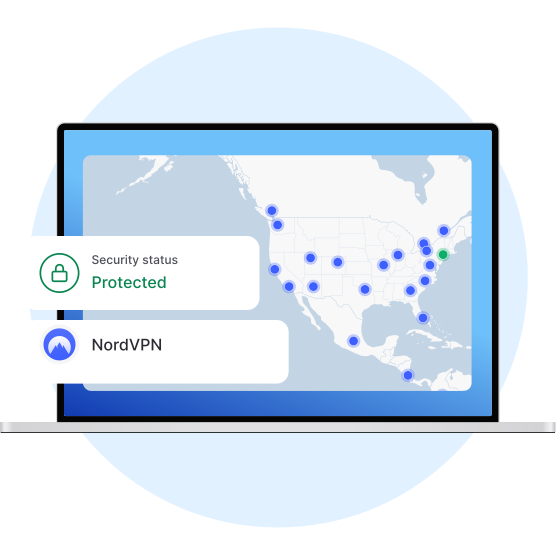
Una extensión de proxy VPN (o extensión para navegador VPN) es una versión ligera de una app de VPN. Las extensiones VPN mantienen a raya a los espías online cifrando el tráfico de su navegador. La extensión NordVPN también mejora su experiencia de navegación con funciones útiles, como el bloqueo de anuncios y enlaces peligrosos con la Protección contra amenazas.

Navegue de forma más segura con las extensiones de NordVPN
No todos los sitios web están configurados para proporcionar una conexión segura (HTTPS), que cifra el tráfico. Cuando se conecte a un sitio que no es seguro, se convierte en un blanco fácil para el espionaje en línea.
Las extensiones de NordVPN para Chrome, Edge y Firefox protegen el tráfico de su navegador para que nadie pueda espiarlo. Aunque el sitio web no sea seguro, usted estará a salvo.
Proteja su conexión con una extensión proxy VPN
La privacidad y la seguridad están a tan solo unos clics.
2
Agregue la extensión de NordVPN
Vaya a Chrome Web Store y añada la extensión proxy de NordVPN para Chrome.
3
Conéctese
¡Inicie sesión en su cuenta y conéctese al servidor proxy de NordVPN!
Actualice su navegador con una extensión proxy VPN
Navegue de forma segura en todo momento. Con la extensión del navegador NordVPN, el cifrado TLS protege sus datos de miradas indiscretas cuando visita sitios web HTTP no seguros o navega por redes Wifi.


Navegue con confianza. La función de seguridad Protección contra amenazas NordVPN bloquea anuncios intrusivos y le protege de enlaces peligrosos a sitios web maliciosos. Es un vigilante digital dentro de su navegador.
Seguridad con un solo clic
Puede conectarse a un servidor NordVPN con un solo clic. O haga un esfuerzo adicional: seleccione el país al que quiere conectarse con dos clics.
Simplemente haz click en “Proteger conexión” para que nuestra IA encuentre el mejor servidor para ti, dependiendo de la distancia, carga y otros parámetros.
¿Por qué necesita una extensión proxy VPN?

Si busca seguridad liviana, muy rápida y personalizable para su navegador, la extensión proxy de NordVPN es la opción ideal. Es una excelente opción para cuando necesite protección adicional sin las potentes funciones de seguridad que ofrece la app nativa de NordVPN.
No se preocupe: la extensión proxy de NordVPN no interferirá con sus hábitos en línea actuales. La extensión solo protege sus actividades de navegación, dejando que otras apps y servicios utilicen su IP real para acceder a contenido local. Ni siquiera tendrá que desactivar la extensión para visitar sus sitios web favoritos gracias al túnel dividido.
¿Cuál es la diferencia entre la extensión proxy y una VPN?
La extensión proxy para Chrome, Edge y Firefox es una versión ligera de la app de NordVPN. Con una suscripción a NordVPN, tendrá acceso a todas las extensiones y aplicaciones (Windows, macOS, Android, iOS y Linux) y podrá proteger hasta diez dispositivos al mismo tiempo.
Para los navegadores Chrome, Edge y Firefox en su computadora.
Proteja el tráfico HTTP en su navegador, lo que le proporciona más flexibilidad.
Extremadamente ligero y rápido: admite una conexión casi instantánea a los servidores VPN.
No se puede elegir un servidor en particular dentro de un país seleccionado. Sin embargo, el algoritmo que hay detrás utiliza toda la red NordVPN de más de 9,400 servidores.