The trademarks displayed are for illustration purposes only. NordVPN is not affiliated with, sponsored by, or endorsed by their owners.
How to access Snapchat
You have several options on how to have Snapchat unblocked. Keep in mind that these methods will only give you a workaround for using the Snapchat app — if Snapchat is down, they won’t magically restore service. If you’re sure the issue lies with your network, you can unblock Snapchat by:
1. Use a VPN
Disclaimer
While methods like VPNs or proxy servers can help unblock Snapchat, make sure to respect local laws and network policies. Using these tools in areas where restrictions are legally enforced (such as countries banning Snapchat) could have serious consequences. Always prioritize legal and safe methods when trying to access blocked apps. Also, bypassing workplace or school restrictions may violate specific institutional rules. Proceed responsibly.
Use a VPN
Using a virtual private network (VPN) is one of the most effective and secure ways to unblock Snapchat. A VPN masks your real IP address by sending your internet traffic through a server in another location.
This way, your network administrator can’t see what apps or websites you’re using, allowing your connection to pass through. As a result, you’re free to access Snapchat, its web version, and any other blocked apps or websites without restrictions. If you're already using a VPN for Hinge or other apps to access them safely, the same setup will work just as well for Snapchat.
In countries with heavy internet censorship or strict restrictions on freedom of speech, a VPN becomes more than just a convenience — it's a vital tool for staying connected. It allows you to access Snapchat and other platforms to communicate, share your experiences, and express yourself without fear of government monitoring or censorship.
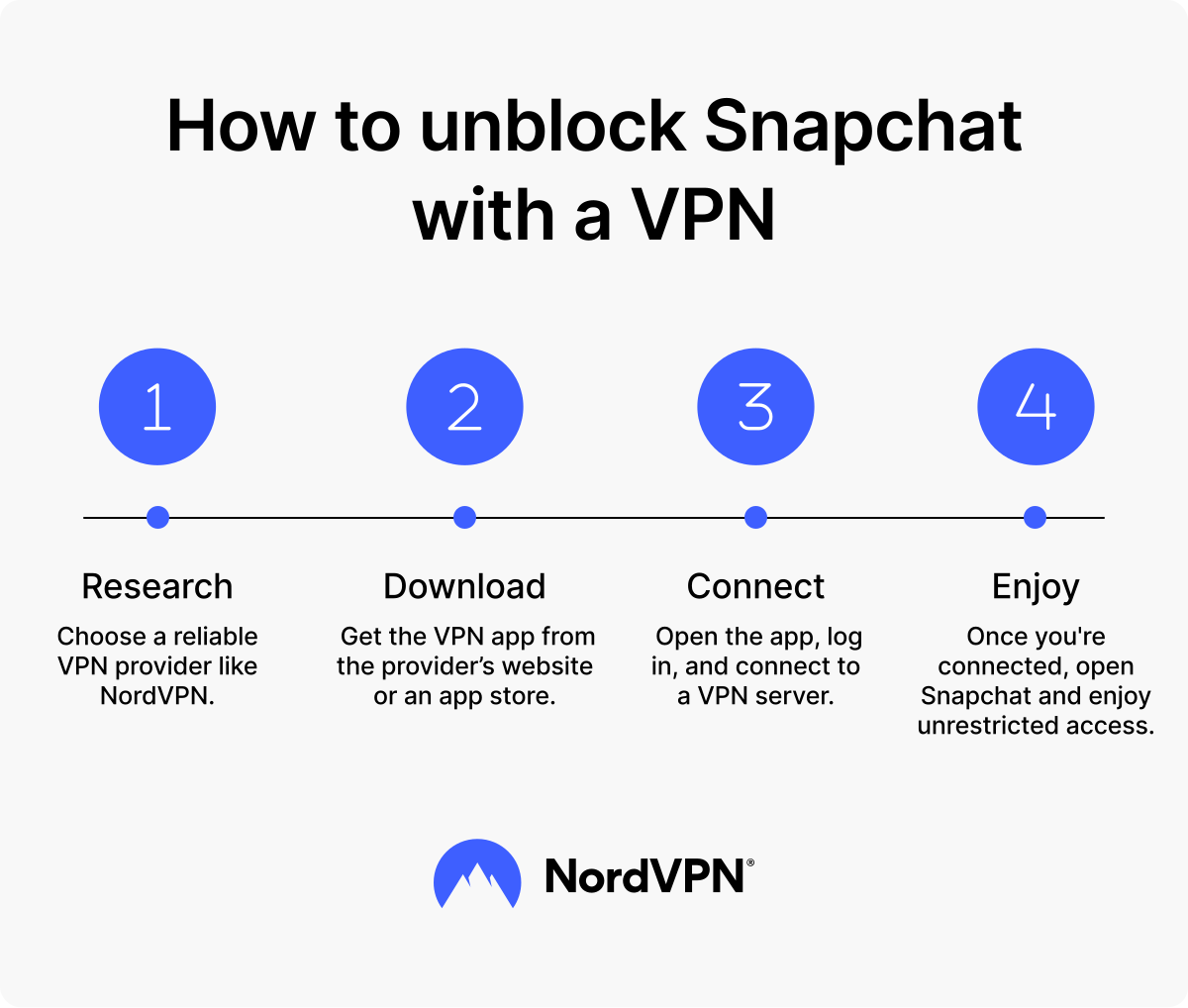
Steps to set up a VPN for Snapchat:
- 1.Choose a reliable VPN provider like NordVPN.
- 2.Get the VPN app from the provider’s website or an app store.
- 3.Open the app, select a server where Snapchat is available (most countries), and connect.
- 4.Once you're connected, open Snapchat and enjoy access without restrictions.
Use a proxy server
A proxy server is another tool you can use to unblock Snapchat. It acts as a middleman between your computer or mobile device and the internet, routing your connection through its own server. By doing this, the proxy server masks your real IP address and makes it seem like you’re accessing Snapchat from a different network.
Although proxy servers are not as secure as VPNs (they don’t encrypt your data), they can still help if your Snapchat isn’t working because of restrictions, such as those imposed by governments in heavily censored countries or by local networks like schools or workplaces. However, keep in mind that proxies might be slower and less reliable than other tools for unblocking Snapchat.
How to get Snapchat back on using a proxy:
- 1.Look for a reliable proxy service online. Some services provide free proxy servers, but paid options offer better performance.
- 2.On your phone or other device, go to your internet settings. Under "Wi-Fi" or "Network settings," look for "Advanced options" or “Proxy settings.”
- 3.Enter the proxy server address and port number provided by the proxy service.
- 4.Save the settings and connect to Snapchat.
Use mobile data or a mobile hotspot
If Snapchat isn’t working on your current network, you can bypass network restrictions by switching to your mobile data or using your phone as a mobile hotspot. Both options work because they connect you through your cellular data, avoiding any limitations placed on a restricted Wi-Fi network.
If you’re using Snapchat on your phone, simply disconnect from Wi-Fi and use your mobile data. This is the easiest and quickest way to unblock Snapchat without any additional steps.
If you need to connect another device (like a laptop, tablet, or another phone with no mobile data), you’ll need to enable your phone’s mobile hotspot and share your cellular data with the other device.
Steps to use a mobile hotspot:
- 1.On your mobile device, go to "Settings" and enable the mobile hotspot feature. Look for options like "Hotspot & tethering" or "Personal hotspot."
- 2.Connect your other device to that hotspot.
- 3.Open Snapchat and enjoy full access to all its features.
Before using mobile data or a hotspot, make sure you have a strong signal and enough data. Snapchat activities, such as sharing photos or videos, can quickly use up your mobile data, so monitor your usage to avoid extra charges.
Change your DNS
In some cases, you can change your DNS to unblock Snapchat. By modifying your device's DNS settings, you may be able to bypass simple restrictions, especially if the block relies on DNS filtering. You can manually change your DNS to use a public DNS server, such as Google's Public DNS (8.8.8.8 and 8.8.4.4) or Cloudflare's DNS (1.1.1.1).
However, this method has limitations. Changing your DNS does not encrypt your internet traffic or change your IP address, which are crucial for privacy and security. This method also won't work if your school, workplace, or country uses advanced tools like firewalls or IP-based blocking, making it effective in only a small number of cases.
It's also worth noting that SmartDNS services, such as those offered by NordVPN, differ from regular DNS changes. SmartDNS is designed for accessing specific types of content (check supported services beforehand) and shouldn't be relied on to unblock apps like Snapchat.
Use Snapchat for Web
If the Snapchat app doesn’t work because of network restrictions, you can give Snapchat for Web a try. This version lets you chat and make calls right from your browser. Although Snapchat for Web offers an alternative, keep in mind that it’s not a complete replacement for the mobile app.
Steps to use Snapchat for Web:
- 1.Go to web.snapchat.com on your browser.
- 2.Log in using your Snapchat account credentials.
- 3.Start chatting or making calls straight from your browser.
However, your network administrator might have already blocked the web version, too. If, for example, you need Snapchat for Web unblocked on your Chromebook, you may still need to use a VPN or a proxy server to unblock it.
Use the Tor browser
Tor is an advanced network designed for anonymous browsing. It works by routing your internet traffic through multiple nodes, or relays, which conceal your identity and location. Using the Tor browser is another way to access Snapchat, although it’s far from the most practical. Why?
Tor is slow because it routes traffic through multiple servers for anonymity. Slow performance can make sending snaps or streaming content on the app frustrating. Plus, you’ll only be able to use Snapchat for Web, and even then, access may be limited.
If you still want to try using Tor, follow these steps:
- 1.Download and install the Tor browser on your computer by visiting the official Tor website.
- 2.Open the browser and connect to the Tor network.
- 3.Use the Tor browser to access Snapchat for Web for limited features like chat and calls.
But is the Tor browser safe? Tor is quite effective at protecting your privacy online, but safety isn’t its primary concern when it comes to accessing Snapchat. Risks like exit node monitoring can expose sensitive data, and Tor’s slower speeds and changing IP addresses may disrupt Snapchat’s functionality or flag your account as suspicious.
As we mentioned previously, the Tor network prioritizes anonymity over speed or ease of use, which makes it a poor fit for platforms like Snapchat for Web that rely on real-time interaction and seamless connectivity.
Reasons Snapchat could be blocked (plus workarounds)
Snapchat can sometimes be blocked for reasons beyond your control. Whether it’s due to strict rules in your country, local network restrictions, or personal controls, these blocks can prevent you from accessing the popular app.
Below are some of the most common reasons Snapchat might be inaccessible. We also explain where these restrictions come from and ways to work around them.
Snapchat is banned in some countries
Some countries block access to Snapchat entirely. Governments in these places often impose these restrictions to control the content their people consume. They may claim it’s due to concerns about Western influence, sensitive content, or simply to push government-approved apps that they can monitor more closely.
If you’re visiting a country with Snapchat restrictions, you can use a VPN to connect to a server in a region where Snapchat is available and have Snapchat unblocked. This way, you can stay connected with friends and loved ones, even in areas with limited access to social media. However, it’s worth checking the local laws beforehand because some governments impose stricter regulations on bypassing such blocks, which could result in legal consequences.
The Wi-Fi you’re using blocks Snapchat
Your school, dorm, or workplace may block Snapchat by restricting certain types of network traffic. These institutions do this using firewalls, which detect and stop data requests to Snapchat’s servers, effectively cutting off access to the app.
Administrators set up these restrictions to stop students or employees from spending time on social media when they should be studying or working. Some workplaces and schools block Snapchat on shared networks like public Wi-Fi to ensure people don’t get distracted. To get Snapchat unblocked, switch to your mobile network if you’re on your phone or use a VPN to encrypt your internet activity.
Note that if using Snapchat at school isn’t allowed, it is likely for a good reason. Schools often block apps like Snapchat to help students stay focused. Use it responsibly and during appropriate times.
Parental controls keep Snapchat off-limits
Parents often use parental control apps or built-in device features to block access to apps like Snapchat. These controls aim to protect children from inappropriate or harmful content. Some routers even let people set blanket rules, which ensure that specific apps or websites stay off-limits to all connected devices.
If you feel these controls are too restrictive, try having an honest conversation with your parents to explain why you need access, and they might unblock Snapchat for you.
Device restrictions
Some smartphones, tablets, or operating systems (often older models or those with limited app support) might restrict you from installing or running Snapchat. This issue can happen if your device is outdated and doesn’t meet Snapchat’s minimum software requirements.
Are you wondering how to get Snapchat unblocked in this case? One of the options is to update your device’s operating system to the latest version. If your device is too old, consider using Snapchat for Web through a browser or upgrading to a newer device that supports the app.
Snapchat blocked your account
If Snapchat blocks your account or IP address, you might lose access even if the app isn’t restricted on your network. Reasons could include violating Snapchat’s guidelines, like using third-party apps or engaging in suspicious activities. In these cases, the block comes from Snapchat itself and isn’t related to external controls.
To regain access and unblock Snapchat, contact Snapchat Support to appeal the block or get help.
Disclaimer: Throughout this article, the term “unblock” is used as a functional synonym for “access.” No broader or alternative meaning is implied.
Please note that using NordVPN services for any illegal activities is strictly prohibited and violates our Terms of Service. Make sure your use of NordVPN services complies with all relevant laws and regulations, including those of any service providers and websites you access using NordPVN.
Online security starts with a click.
Stay safe with the world’s leading VPN